
Most LinkedIn advice asks for an hour a day: write a post, leave ten thoughtful comments, answer every reply, keep your profile fresh. If you run marketing alone or run a business alone, that hour rarely exists.
An open-source pack of 12 skills for Claude Code covers the whole routine. It drafts posts in your voice, writes comments and replies, plans your week, rewrites your profile and can schedule what you approve. It is free under the MIT licence, was last updated in October 2026, and has more than 4,400 stars on GitHub.
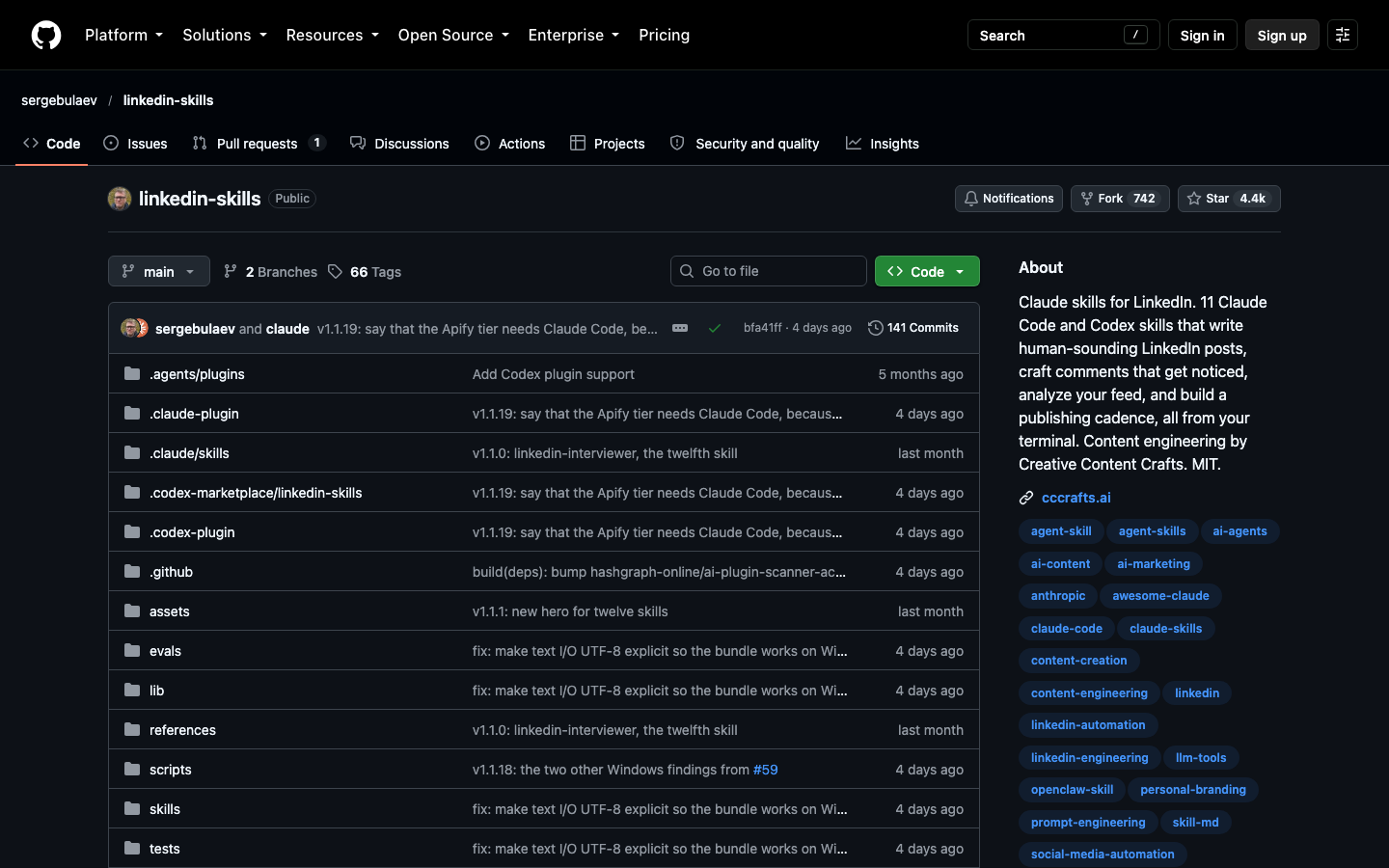
This guide explains what each skill does, the order to set them up in, and which parts of LinkedIn are safe to hand to software. It is based on reading the pack’s source files and documentation. The skills were not installed or run for this article, so there are no test results here, and the performance figures quoted come from the pack’s own notes.
| Skill | Job | Works without extra accounts | What you get |
|---|---|---|---|
| Interviewer | Collects your stories and numbers | Yes | A Story Bank every other skill reads |
| Humanizer | Removes AI-sounding writing; audits drafts; learns your voice | Yes | Cleaner draft, audit report, voice profile |
| Post Writer | Drafts a new post | Yes | A post built on one of 20 hook formulas |
| Repurposer | Turns existing content into a post | Yes | A LinkedIn-native version of a tweet, video or article |
| Hook Extractor | Analyzes a post that performed well | Yes, if you paste the text | The formula it used and a blank template |
| Comment Drafter | Writes a comment on someone’s post | Yes, if you paste the text | One to three comment options |
| Reply Handler | Answers comments on your posts | Yes for one reply; a full sweep needs a reader | Drafted replies in one batch |
| Thread Monitor | Finds comments of yours that got an answer | No, needs a reader | A follow-up list sorted by urgency |
| Engager Analytics | Sorts who liked and commented | No, needs a reader | People grouped as peers, aspirational or prospects |
| Content Planner | Plans seven days | Yes | A calendar with topics, formats and times |
| Profile Optimizer | Audits and rewrites your profile | Yes | A scorecard and before-and-after rewrites |
| Employee Advocacy | Sets up a team posting program | Yes | A 14-day launch plan and rules |
1.What “Automate” Means Here
The word needs a careful definition, because on LinkedIn the wrong kind of automation gets accounts restricted.
The pack is called linkedin-skills. A skill is a file of instructions that Claude loads when your request matches it. You do not call a skill by name. You ask, “write me a LinkedIn post about our pricing change,” and the Post Writer activates on its own.
What gets automated is the thinking and drafting, not the clicking. Every skill ends the same way: it shows you an approval card with the draft and waits. Nothing is posted, commented or sent until you say yes. That design is the reason the pack is usable by people who care about their account.
The pack works at three levels, and you choose how far to go. The table shows what each level adds and what it needs.
| Level | What happens | What it needs | Risk |
|---|---|---|---|
| Draft | Claude writes; you copy and paste into LinkedIn | Nothing beyond Claude Code | None |
| Publish | Claude schedules the posts you approve | A Publora account (free tier) | Low; uses an authorized connection |
| Read | Claude fetches posts, comments and engagers by itself | An Apify account (free credit) | Higher; relies on scraping |
The limit comes from LinkedIn’s User Agreement. Section 8.2 prohibits using bots or other unauthorized automated methods to access the service, add contacts, send messages or boost engagement, and prohibits software that scrapes profiles and data. Two practical consequences follow. Sending connection requests and direct messages automatically is off the table, and LinkedIn offers no official way to do it anyway. And the Read level sits in a gray area that you should enter deliberately, which a later section covers.
Before installing anything, decide your level. Most solo users get most of the value at Draft. You can tell you have the right expectation if you can name what stays manual: pressing approve, and anything that involves messaging people.
2.Install the Pack and Check It Loaded
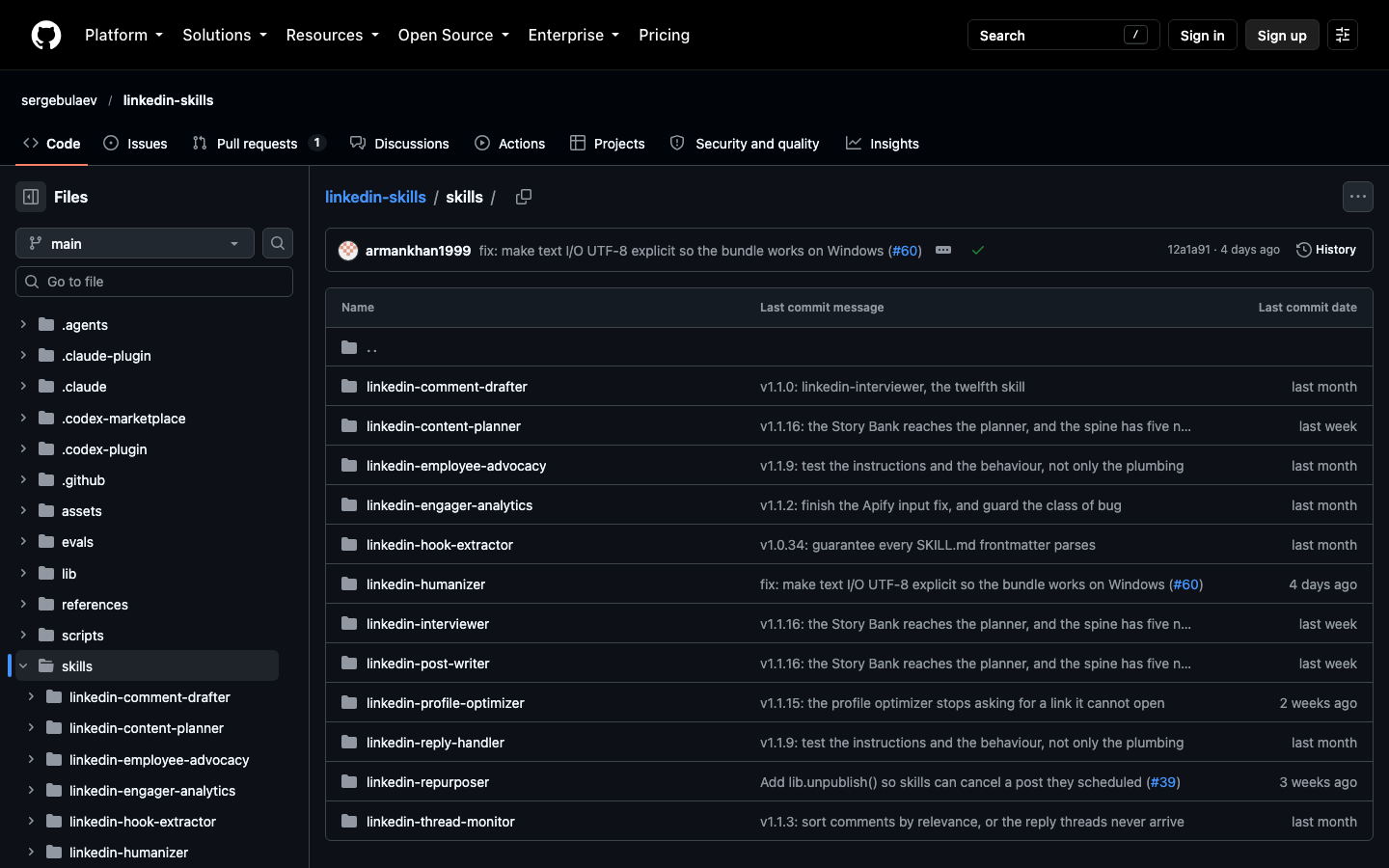
Installation takes two commands, typed at the Claude Code prompt rather than in your normal shell. The first registers the pack’s GitHub repository as a source Claude Code can install from, and the second installs the pack itself, with all 12 skills, from that source.
Install
/plugin marketplace add sergebulaev/linkedin-skills
/plugin install linkedin-skills@linkedin-skills
If you use the Claude Desktop app instead, open Customize, go to the Plugins tab, choose Add marketplace, then Add from a repository, and paste sergebulaev/linkedin-skills. The plugin then appears under Discover, where you add it. This route needs a paid Claude plan with code execution switched on.
One trap is documented by the authors. If you clone the repository on Windows instead of installing it as a plugin, the folder that points Claude to the skills can arrive as plain text files, and no skills load at all. Installing through /plugin avoids the problem.
Checking the install matters because a failed one is silent. Claude will still answer a LinkedIn request, just without the skills, and the result is a generic post. Run a first request that should trigger a skill:
You will know the pack loaded if the answer comes back as a structured review with blockers, warnings and suggested fixes, which is the format of the Humanizer’s audit mode. If you get a loose paragraph of opinions instead, start a new conversation and check that the plugin is listed as installed under /plugin.
3.Start With Your Voice and Your Stories
Two skills exist to feed the other ten. They are the least exciting and the most important, and skipping them is why AI-written LinkedIn posts sound like everyone else’s. Run both before you write anything.
Each one fills a file that the writing skills read on every request. One file holds what you have to say. The other holds how you sound.
3.1Interviewer
The Interviewer asks you questions and stores the answers in a file called the Story Bank: your roles, results with real numbers, turning points, mistakes that cost you something, and opinions you would defend. It is the only skill that works if you have never posted, because it needs a career, not an archive.
Its method is worth knowing. It opens with one broad question, then presses every vague answer exactly once. “We improved performance” becomes “by how much, measured how, over what period?” It also asks who and what may be named in public, so a draft never mentions the wrong client. A full session takes 20 to 40 minutes and can be resumed.
There is also a short mode for a single post: five to eight questions on one topic, ending in a five-line outline that the Post Writer turns into a draft.
3.2Humanizer
The Humanizer does three jobs. By default it rewrites a draft to remove the patterns readers recognize as machine writing. It scores each paragraph instead of banning individual words, and rewrites a paragraph only when several patterns pile up in it.
In audit mode it changes nothing. It reviews a finished draft against a checklist covering length, the opening line, the closing ask, structure and AI patterns, then returns blockers and warnings. In profile mode it reads three to six posts you wrote yourself and saves a voice profile, so every later draft matches your phrasing and habits.
The skill is frank about its limit. It does not claim to get text past AI detectors, and its notes say no after-the-fact edit reliably does. Its aim is writing that reads as human to people.
You are ready to move on when both files are marked as filled. The practical sign is that drafts stop pausing to ask you for a number or an example.
4.Write Posts
Three skills produce posts. Which one you use depends on where you are starting from: an idea, something you already published elsewhere, or someone else’s post that worked.
4.1Post Writer
The Post Writer drafts a post from a topic. Its core is a library of 20 hook formulas, each a tested way to open and structure a post, and it picks one based on the reaction you want. The mapping below comes from the skill’s own instructions and is the most useful thing to know before you ask.
| If you want | It reaches for formulas such as |
|---|---|
| Comments | A controlled before-and-after comparison; a contrarian claim with historical evidence |
| Reposts | A tribute naming specific people; an “end of an era” claim |
| Likes | A real story opened at its emotional moment |
| Saves | A cost breakdown with exact figures; a jargon-free explanation |
In practice this means your request should name the reaction you want, not only the topic. A request that says “I want saves” gets a cost breakdown; the same topic with “I want comments” gets a comparison people will argue with. Pointing it at your Story Bank keeps the numbers real:
The skill’s notes carry cautions worth repeating. They advise against opening with a question and favor a first line with a precise number. They flag “comment X to get Y” posts as a format LinkedIn has acted against. These figures come from vendor studies cited in the skill, so treat them as informed guidance, not guarantees. The approval card shows the formula used, the full draft, the character count and a suggested posting window.
4.2Repurposer
The Repurposer starts from content that already exists: a tweet or thread, a YouTube video, a blog article, a newsletter. It does not shorten it. It rebuilds it for LinkedIn by writing a new opening that works before the “see more” cut, expanding or trimming to the 900 to 1,300 character range, moving any link into the first comment, and running the Humanizer.
For a solo business this is the highest-return skill, because the hard work, having something to say, is already done.
4.3Hook Extractor
The Hook Extractor works backwards. Give it a post that performed well and it tells you which of the 20 formulas it used, why it worked, and returns a blank template of the same structure for your own topic. It is a learning tool, not a copying tool: you borrow the shape, never the words.
For all three, the check is the approval card. A draft is ready when the card shows a formula, a length inside the target range, and wording you would say out loud.
5.Engage With Comments and Replies
The pack’s own planner budgets 10 to 20 comments a day on other people’s posts and says comments bring more inbound interest than posts do. Four skills cover that side. Two write, two watch.
5.1Comment Drafter
The Comment Drafter writes a comment on someone else’s post. It produces one to three options of 200 to 350 characters, each built on a different pattern, such as answering the question the author asked or adding the piece the post left out, and suggests which reaction to leave. With no reader connected, paste the post text along with the link.
5.2Reply Handler
The Reply Handler answers comments on your own posts. For one comment, it drafts one reply. For a busy post, it can sweep the whole thread: collect every comment, drop the low-value ones such as bare “thanks for sharing,” and draft replies to the rest on a single approval card. It also handles a LinkedIn quirk correctly. Comment threads only nest two levels deep, so a reply must attach to the right parent or it lands in the wrong place.
5.3Thread Monitor
The Thread Monitor looks at comments you left on other people’s posts and finds the ones where the author answered you. It sorts them as hot, warm, cool or dormant and flags the window of roughly 6 to 24 hours when a follow-up still lands in an active conversation. It then hands the warm ones to the Reply Handler. This skill needs the reading connection, because it has to fetch your recent comments.
5.4Engager Analytics
Engager Analytics pulls the people who liked or commented on a post and groups them by fit: peers at a similar stage, senior people at larger companies, and prospects who match your target customer. It produces action lists, such as who to follow back and whose posts to comment on next. It also needs the reading connection.
Use it on your own posts. The skill’s instructions warn against running it at volume on other people’s audiences, and that warning matches LinkedIn’s rules on scraping.
One rule holds across all four: a human approves every comment and reply. A comment written by software and posted without review is exactly the “artificially boosted engagement” that LinkedIn’s agreement names. The check is that each one passed through your eyes first.
6.Plan the Week and Fix Your Profile
Posts and comments earn attention. These three skills make sure the attention arrives on a schedule and lands on a profile that turns it into conversations.
6.1Content Planner
The Content Planner produces a seven-day plan from your audience and a theme. It balances three kinds of post: authority, which teaches or proves something; personal narrative; and community, which credits or involves other people. A fourth kind, product, is capped at one post a week. For each posting day it gives the topic, format, hook formula, closing ask, posting time and the reaction it is aiming for, plus the creators to comment on that day.
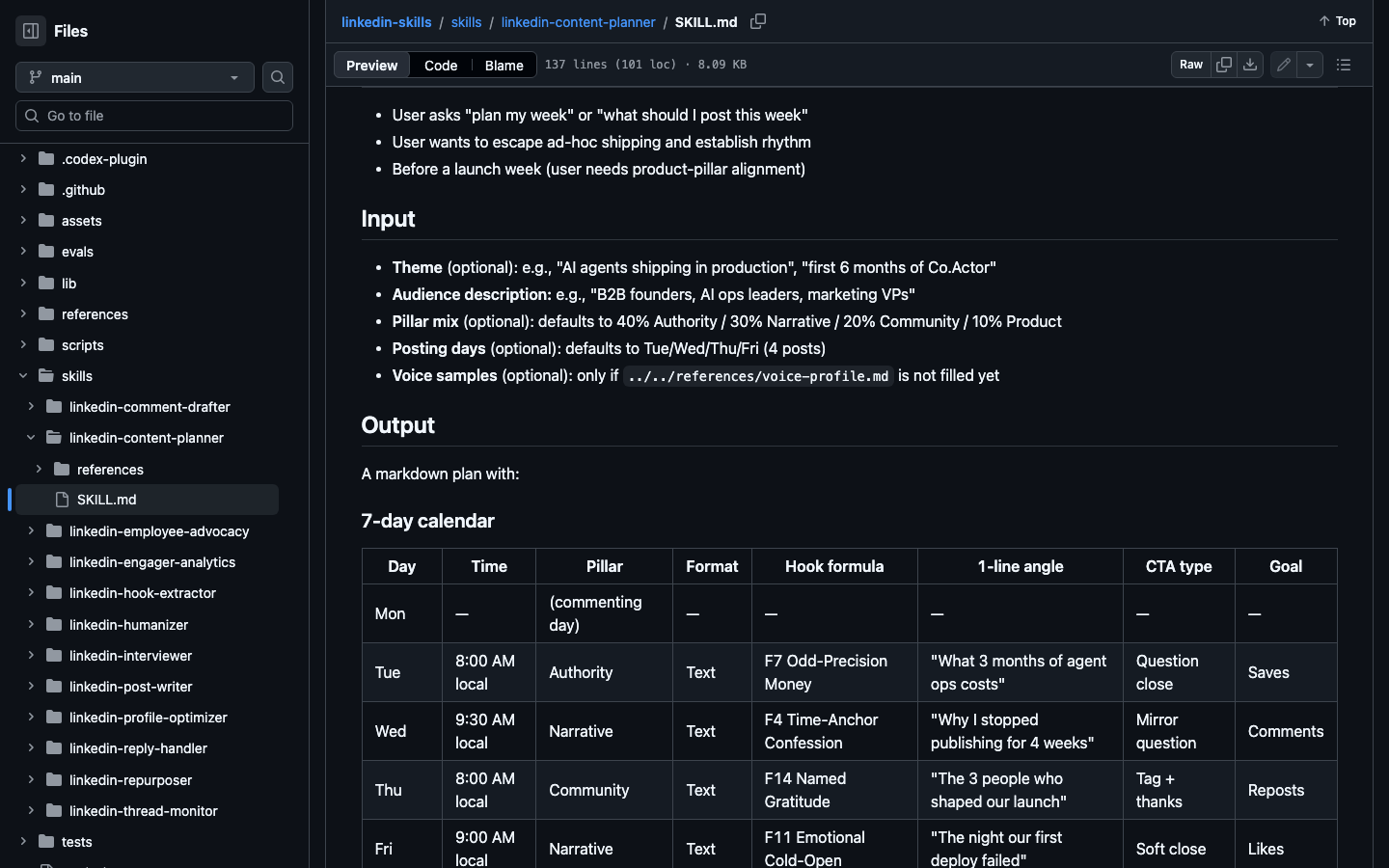
Its defaults are deliberately modest: three to five posts a week, weighted toward Tuesday to Thursday, with one day reserved for commenting only. The plan ends with a readiness checklist, including at least one post with real data and no single kind of post taking over the week.
6.2Profile Optimizer
The Profile Optimizer scores nine parts of your profile as pass, fail or needs work, ranks the fixes by impact, and writes before-and-after versions. The rewrites follow fixed patterns: a headline that states what you do, who you help and the result, within the 220-character limit; an About section in seven steps whose first 270 characters or so work as a hook before the “see more” cut; three Featured items matched to your goal; and Experience entries rewritten as an action plus a specific number.
It cannot read your profile from a link by itself, so paste the text:
Do this once before you start posting. More visitors arriving at a résumé-style profile is wasted effort.
6.3Employee Advocacy
Employee Advocacy is for teams. It plans a program in which colleagues post too: a 14-day launch, a posting rhythm, brand rules that say what people may and may not claim, and a way to measure reach and pipeline. Its central rule is a time budget of five minutes per post per person, on the reasoning that anything heavier dies by week three. If you work alone, skip it.
The check for this section is the planner’s own checklist. If the week it produced passes every line, publish to that plan. If it fails a line, ask for a revision instead of filling the gap by hand.
7.Connect Reading and Publishing Carefully
Everything so far works at the Draft level, with you pasting text in and out. Two optional connections remove the pasting. They are also where cost and account risk begin, so add them one at a time.
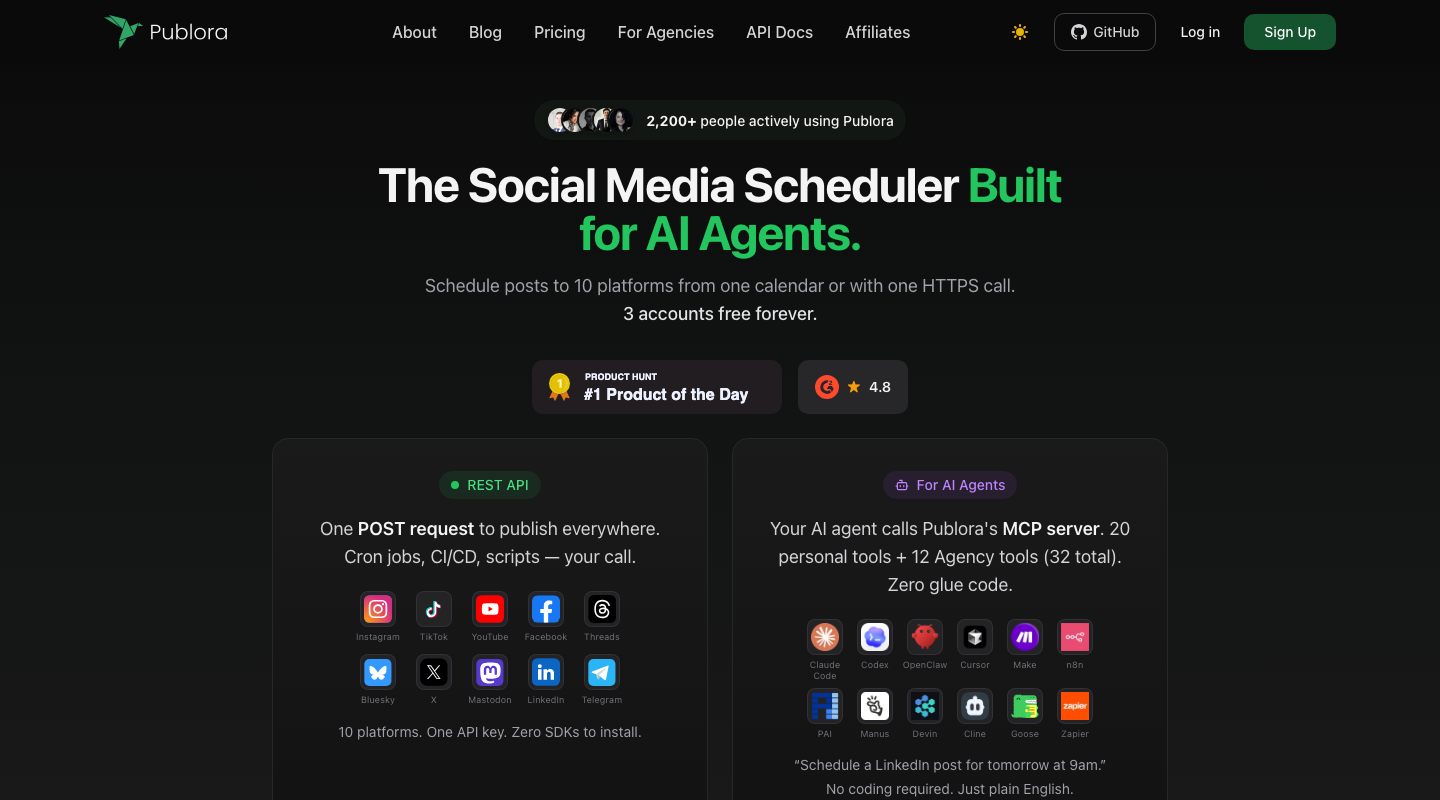
Publishing with Publora. Publora is a scheduling service with an authorized connection to your LinkedIn account. Once connected, approving a draft can schedule it instead of leaving you to copy it. There are two ways to connect: a connector you authorize once in Claude’s settings, or an API key stored in a local file. The connector is simpler and leaves no key on your disk. The pack’s setup guide suggests a safe test: schedule a throwaway post for 24 hours ahead, confirm it appears in the Publora dashboard, then cancel it.
Reading with Apify. Apify runs small programs that fetch public LinkedIn posts, comments and lists of people who engaged. With an Apify token, four skills stop asking you to paste text. This connection only works in Claude Code, not in the web app.
The costs are small. This table collects the figures from the pack’s documentation.
| Service | Free allowance | Paid usage | Used by |
|---|---|---|---|
| Publora | 15 posts a month | Paid plans above that | Any skill that publishes |
| Apify | $5 of credit a month | $1 to $5 per 1,000 results | Comment Drafter, Reply Handler, Hook Extractor, Thread Monitor, Engager Analytics |
| Pixfaro (images, optional) | None listed | From $0.004 per image | Post Writer illustrations |
The authors estimate that daily commenting plus a weekly engagement review stays under $2 a month on Apify, inside the free credit. Two disclosures: these are the services the pack recommends and is built around, and the Pixfaro signup link in its documentation carries a referral tag. None of them is required.
Risk matters more than cost here. Fetching LinkedIn data with a scraper is the activity section 8.2 of the User Agreement describes, even when no login is used. So set your own rules:
- Start at Draft. Add publishing when pasting becomes the bottleneck. Add reading last, if at all.
- Read your own posts and threads, not other people’s audiences in bulk.
- Never let comments, replies or messages go out unattended. Scheduling an approved post is different from a robot commenting for you.
- Do not automate connection requests or direct messages. A community add-on drafts them, and you still paste and send each one yourself.
You have connected safely when one test post has been scheduled and cancelled, and nothing in your setup can speak to another person without you pressing approve.
8.A Weekly Routine That Uses All Twelve
A list of skills only saves time once it becomes a habit. This routine puts all twelve in order, with a time budget, for someone working alone. The setup week happens once.
Setup week, about two hours in total. Run the Interviewer to fill your Story Bank. Run the Humanizer in profile mode on a few posts you wrote yourself. Run the Profile Optimizer and apply its rewrites. From then on, the weekly loop looks like this.
| Day | What you do | Skills | Time |
|---|---|---|---|
| Monday | Plan the week; comment on five to ten posts | Content Planner, Comment Drafter | 30 min |
| Tuesday | Approve and schedule post one; reply to comments in the evening | Post Writer, Reply Handler | 20 min |
| Wednesday | Turn this week’s newsletter or video into post two | Repurposer, Humanizer audit | 20 min |
| Thursday | Post three; follow up on threads where authors answered you | Post Writer, Thread Monitor | 20 min |
| Friday | Review who engaged; study one post that outperformed | Engager Analytics, Hook Extractor | 20 min |
That is under two hours a week for three posts and steady commenting. The planner’s own target of 10 to 20 comments a day is higher than this routine. Treat that as a ceiling for people whose main channel is LinkedIn, not a requirement.
A marketing team uses the same loop with two changes. One person runs Employee Advocacy to set the rules and the five-minute budget. Each teammate builds their own Story Bank and voice profile, so five people do not publish five versions of the same voice. The Interviewer matters more here, not less.
Measure two things after a month. The first is time: the routine should take less of your week than doing it by hand did. The second is quality: profile visits and real conversations in comments and messages, not likes. If time drops but conversations do not appear, the usual cause is a thin Story Bank. Go back to the Interviewer and add the numbers and turning points you left out.