On October 1, 2026, Claude Code gained a feature that changes what the tool itself is. A mod is a small add-on that runs inside Claude Code and can redraw its screen, add buttons and side panels, step in before a command runs, or add a new slash command. If you can describe a feature you wish Claude Code had, you can now ask Claude to build it into its own interface.
Nine days later, a community catalogue had counted almost three thousand public mods. Most of them are fun, some are useful, and all of them run with full access to your machine. This guide explains what a mod is, how to check one before you trust it, which ones are worth trying first and how to have Claude build your own.
The facts here come from Anthropic’s mods documentation and sample code. The inspection output in the vetting section was produced on a real machine with Claude Code 2.1.293. The mods themselves were not run interactively for this article, so descriptions of what they draw come from their authors.
In this article
1.What a Mod Is
A mod is a plugin whose code runs inside Claude Code. That one detail, inside, is what separates it from everything that came before.
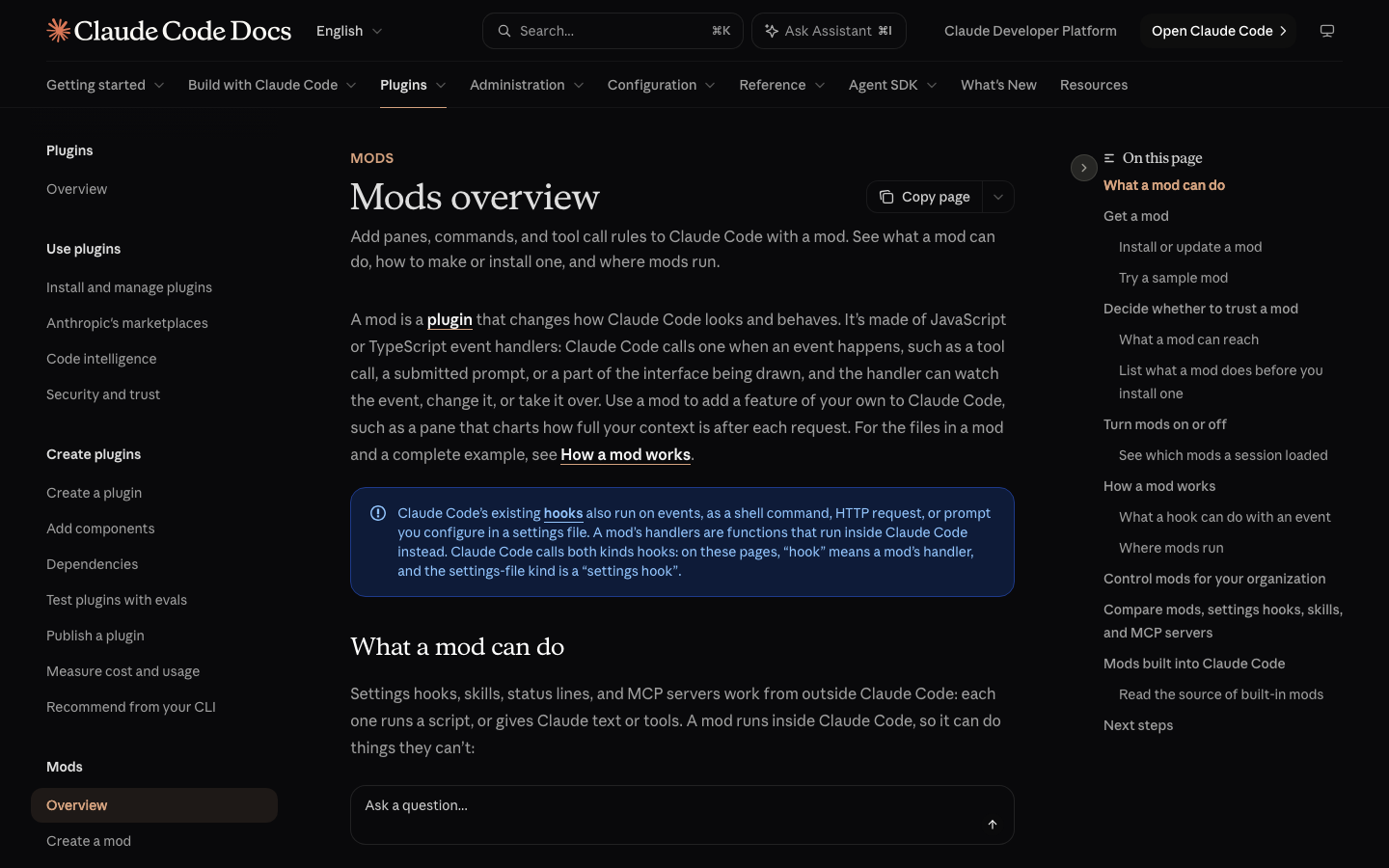
Until now, every way of extending Claude Code worked from the outside. A skill is a file of instructions that Claude reads. An MCP server is a separate program that gives Claude extra tools. A settings hook is a script that Claude Code runs when something happens. Each of these can change what Claude knows or what it is allowed to do, but none of them can change what you see on screen.
A mod can. Because it runs in the same process as Claude Code, it can:
- Draw its own interface: a pane beside the conversation or a band above the prompt box, with tabs, buttons and text fields.
- Restyle Claude Code’s interface: the row for each tool call, the spinner, the dialog Claude uses to ask you a question.
- Step into a tool call: pause it while you confirm, answer it without running the tool, or change it.
- Add a slash command that runs your code immediately, with no Claude turn, even while Claude is busy.
There is one thing a mod cannot touch: the permission prompt. It cannot restyle it or change what it shows you.
Mods overlap with the older extension types, so it helps to see all four side by side before deciding which one a job needs. The comparison below follows Anthropic’s own documentation.
| Mod | Settings hook | Skill | MCP server | |
|---|---|---|---|---|
| What it is | Functions that run inside Claude Code | A script or request Claude Code runs on an event | A file of instructions Claude reads | A separate program that gives Claude tools |
| What it can change | Tool calls, prompts, commands and the interface | Whether a tool call or prompt goes ahead | What Claude knows and does | Which tools Claude has |
| Can it draw on screen | Yes | No | No | No |
| What you write | JavaScript or TypeScript | A script and a settings entry | Markdown | A server in any language |
The rule of thumb is short. If you keep pasting the same instructions, write a skill. If Claude needs to reach another system, use an MCP server. If you want a panel, a button, a live readout or a custom command, that is a mod.
2.How a Mod Works
You do not need to write code to use mods, but a two-minute look at the mechanism makes everything else in this guide easier to follow, especially the safety section.
Every time something happens in Claude Code, it sends out a signal called an event. Claude is about to run a command: that is an event. You submit a prompt: an event. The spinner is about to be drawn: also an event. A mod registers small functions, called hooks, that Claude Code calls when a chosen event happens.
Claude Code calls the hook before it acts, so the hook decides what happens next. It has three choices:
- Observe: note what is happening and let it continue unchanged.
- Rewrite: change the event before it continues.
- Answer: handle the event itself, so the normal behavior never runs. Refusing a command is an example.
A small mod is three files in a folder. The layout below shows the whole thing: a manifest that names the plugin, a pointer file, and the code.
first-mod/
├── .claude-plugin/
│   └── plugin.json
└── hooks/
    ├── hooks.json
    └── register.js
The code file is shorter than most people expect. This complete example from Anthropic’s documentation counts the tools Claude uses and shows the running count next to the spinner, so the spinner reads “Thinking · tool calls: 3…”.
let calls = 0

export function register(on) {
  on('tool.call', async ($, e, next) => {
    calls += 1
    $.ui.invalidate('ui.render')
    return next(e)
  })

  on('ui.render', { component: 'Spinner' }, async ($, e, next) => {
    return next({ ...e, props: { ...e.props, suffix: ' · tool calls: ' + calls + '…' } })
  })
}
Read it as two sentences. The first hook observes: whenever Claude is about to use a tool, add one to the count, ask for a redraw, then let the tool run as usual with next(e). The second hook rewrites: whenever the spinner is drawn, keep the normal spinner but add the count after its word.
Two details matter later. The $ object is the only way a mod can reach outside its own code, to draw, read a file, start a process or call a model. And because every such action goes through $, Claude Code can list what a mod does without running it. That is what makes vetting possible.
3.Check Your Version and Where Mods Run
The most common reason a mod does nothing is an old version of Claude Code, so check this before anything else. Mods need version 2.1.287 or later in the terminal and 2.1.286 or later in the Desktop app, and they are switched on by default from those versions.
In a terminal, check and update with these two commands:
Bash
claude --version
claude update
In the Desktop app, type /status in a local session in the Code tab and read the Claude Code row. The Desktop app carries its own copy of Claude Code, so the two can be on different versions. That is not a theoretical warning. On the machine used for this article, the Desktop app was on 2.1.293 while the terminal command was still on 2.1.218. On the old version, the inspection command covered later in this guide fails on every sample mod with a confusing message:
✘ Found 1 error:
  ❯ hooks: Invalid input: expected record, received undefined
✘ Validation failed
If you see that error, nothing is wrong with the mod. Your Claude Code is too old to understand it.
The second thing to check is where you are running Claude Code. A mod’s hooks run almost everywhere, but its drawing only appears in two places. This table shows which surfaces display a mod’s panes and bands.
| Where you run Claude Code | Hooks run | Panes and bands appear |
|---|---|---|
| Terminal, including an editor’s built-in terminal | Yes | Yes |
| Desktop app, Code tab | Yes | Yes |
| VS Code extension chat panel | Yes | No |
claude -p and the Agent SDK |
Yes | No |
| Cloud sessions | Yes, if the plugin reaches them | No |
So a guard mod that blocks risky commands still protects you in VS Code, but a mod that shows a progress panel shows nothing there.
To confirm mods are working, type /plugin at the Claude Code prompt. A dim line under the tabs names the active ones, such as “1 mod active · first-mod”. If a mod you installed is not named there, it did not load.
4.Try Anthropic’s Sample Mods First
The safest first contact with mods is the three samples Anthropic publishes. They are short, the code is public, and you can load one for a single session without installing anything permanently.
Clone the repository and start Claude Code with one sample loaded:
Install
git clone https://github.com/anthropics/claude-code-playground.git
cd claude-code-playground/claude-code/mods
claude --plugin-dir ./token-weather
The --plugin-dir flag loads a mod for that session only. Close the session and it is gone. To try another sample, replace the folder name.
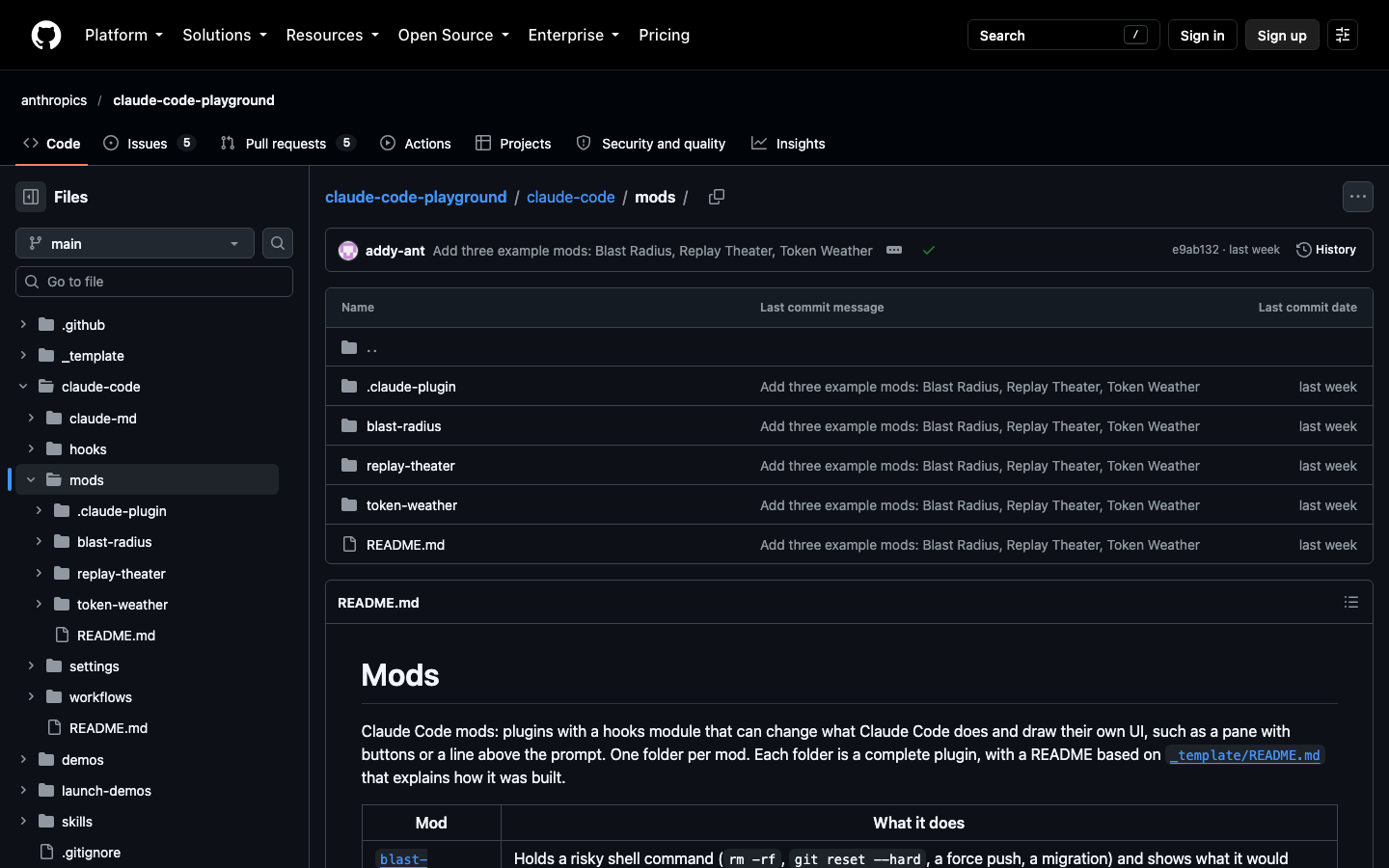
Here is what each one does:
- token-weather draws a one-line forecast of your context window above the prompt. It turns the percentage of context used into weather, from clear skies when nearly empty to a storm when nearly full. It only reads usage numbers and draws, which makes it the gentlest starting point.
- blast-radius watches for risky shell commands such as
rm -rf,git reset --hard, a force push or a database migration. It holds the command, shows what it would change, and gives you Proceed and Cancel buttons. - replay-theater adds a
/replaycommand that steps through the file edits Claude made in the last turn, one change at a time. It is useful for code, and equally for seeing exactly what Claude changed in a long document.
Two cautions come with these. Anthropic shares them “as they are, without support,” so treat them as examples, not products. And blast-radius is a safety net, not a lock: it works by reading the text of a command, so something destructive hidden inside a script or an alias gets past it. For a hard block, use Claude Code’s permission rules.
If you want to keep one, register your clone as a local marketplace and install from it:
Install
claude plugin marketplace add ./
claude plugin install token-weather@claude-code-playground-mods --scope user
You will know it worked when the forecast line appears above your prompt in a new session. Because the marketplace points at your clone, the mod stops loading if you move or delete that folder.
5.Vet a Mod Before You Install It
This is the section to read twice. A mod is not sandboxed. Anthropic’s documentation is direct about what a loaded mod can do:
- Read and write any file your user account can, start programs and make network requests.
- Read your environment variables and settings files, including an API key stored in either.
- See every prompt you send and every tool call Claude makes.
- Rewrite a prompt or a tool call, or submit a prompt as if you had typed it.
- Approve a tool call before you are asked, including one a permission rule would normally stop to ask about.
- Call a model on your plan or API key, which spends your usage.
Even Claude Code’s own sandbox setting does not contain a mod. It isolates the shell commands Claude runs, and a process started by a mod runs outside it.
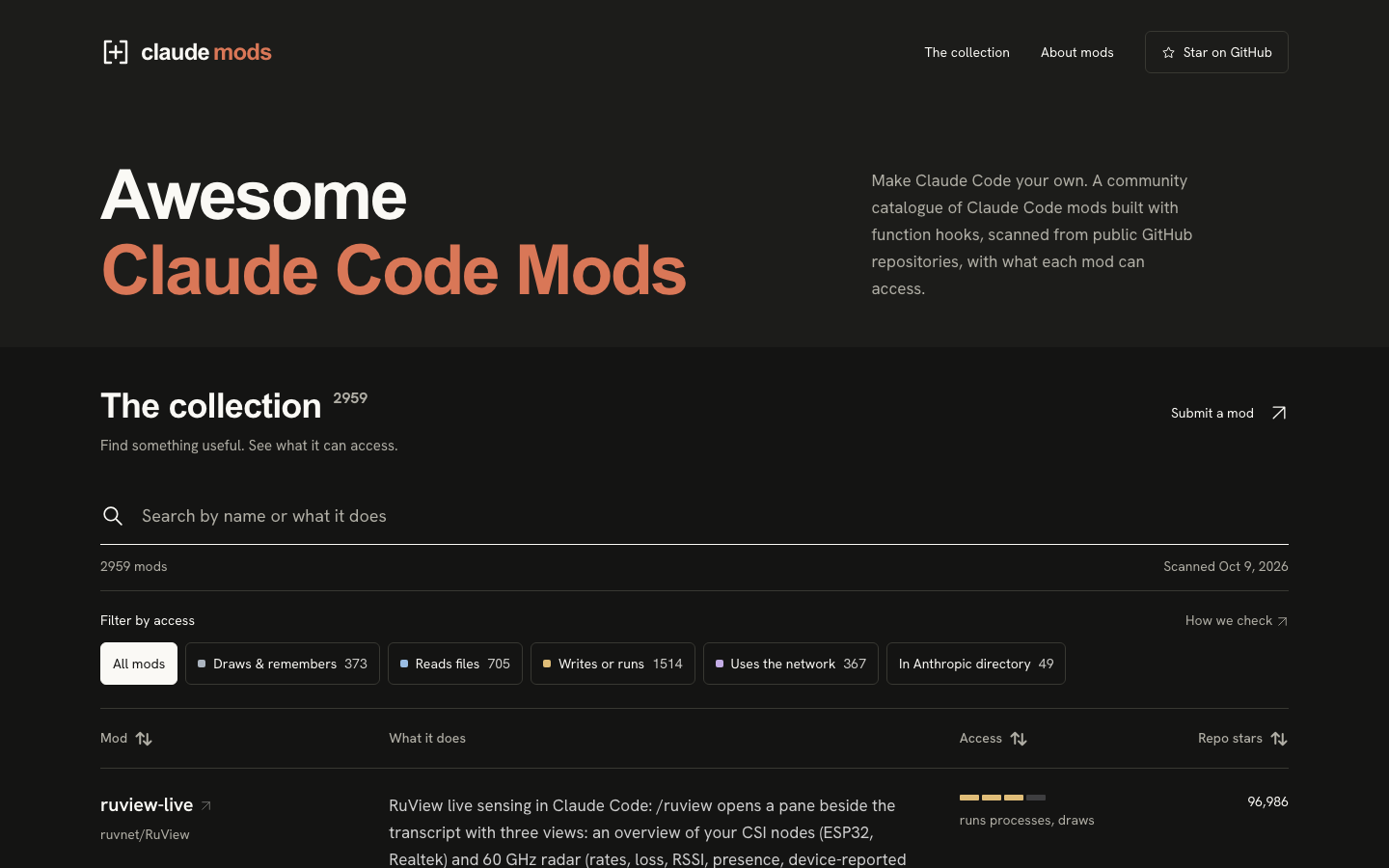
The scale of the risk is visible in the community catalogue at mods.aidojo.si, which scans public mods and labels what each can access. On October 9, 2026 it listed 2,959 mods. Of those, 1,514 write files or run processes and 367 use the network. Only 49 were in Anthropic’s own plugin directory.
The good news is that you can inspect a mod without running it. Download the mod’s folder, then run the validate command on it:
Bash
claude plugin validate ./blast-radiusClaude Code reads the code and prints which events the mod hooks and which outside actions it can take. This is the output for Anthropic’s three samples, produced with Claude Code 2.1.293 and trimmed to the key lines:
token-weather
  hooks: session.start, turn.complete, ui.render{component=AbovePrompt}
  calls: $.session.usage, $.ui.invalidate, $.ui.resolve

blast-radius
  hooks: tool.call{tool=Bash}, ui.render{component=Pane}, ui.render{component=AbovePrompt}
  gating hook without .catch: tool.call{tool=Bash}
  calls: $.clock.now, $.process.run, $.session.cwd, $.ui.close, $.ui.invalidate, $.ui.open, $.ui.resolve, $.ui.toast

replay-theater
  hooks: session.start, command.run{command=replay}, tool.call, turn.start, turn.complete, ui.render{component=AbovePrompt}, ui.render{component=Pane}, ui.close
  calls: $.clock.sleep, $.command.register, $.fs.exists, $.fs.read, $.session.cwd, $.ui.close, $.ui.invalidate, $.ui.open, $.ui.resolve
Reading this takes a minute once you know what to look for. The hooks line says when the mod wakes up. The calls line says what it can do when it does.
- token-weather only reads session usage and draws. Nothing on its list touches your files or the network.
- blast-radius hooks every shell command, which is its job, and it can start a process (
$.process.run), which it uses to work out what a command would change. The “gating hook without .catch” line means the hook that can hold a command has no fallback written for the case where the hook itself fails. - replay-theater reads files (
$.fs.read) so it can show you the edits. It does not write any.
When you inspect a mod from a stranger, these are the calls that deserve a closer look: anything under $.process (starting programs), $.fs writes, network requests, $.model (spending your usage), and any env reads line, which means it looks at your environment variables. A theme mod has no reason to do any of those.
Finally, know the off switches before you need them. To stop one mod, disable or uninstall it in the Installed tab of /plugin. To start a session with every installed mod off, run claude --safe-mode. To turn all of them off everywhere, add this line to ~/.claude/settings.json:
{ "disableAllHooks": true }That setting also stops your settings hooks and custom status line, so use it as an emergency brake rather than a default.
6.Which Mods to Start With
With thousands of mods available, the useful question is not which exist but which jobs are worth giving to a mod. Four jobs cover what most people need, and for each one there is a low-risk place to start.
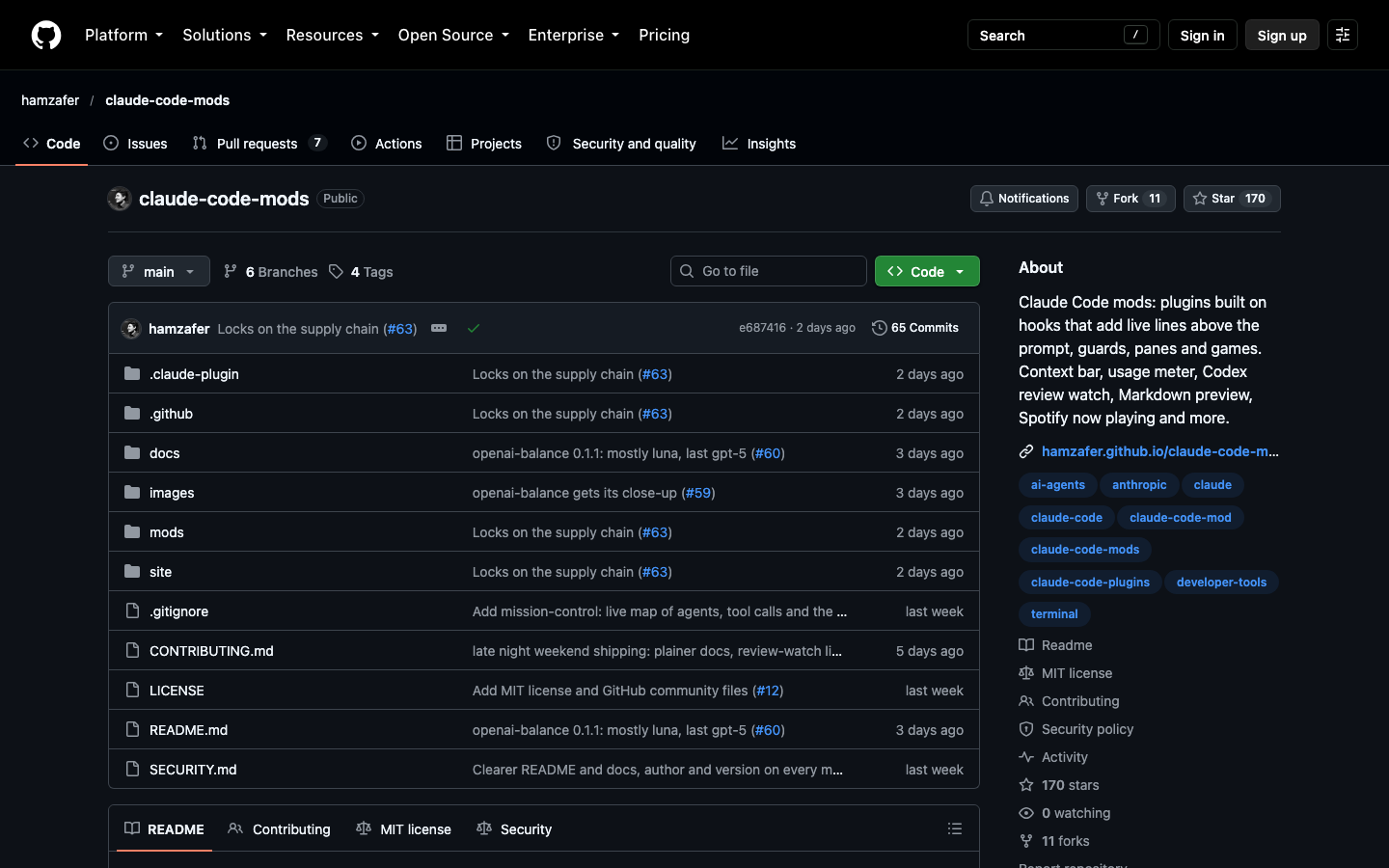
The table groups verified examples by job. “Anthropic sample” means the playground repository above. “Community” entries are from the open-source hamzafer/claude-code-mods collection, which is MIT-licensed and installs as a marketplace. Run the validate command on any community mod before installing it.
| Job | Example | Source | What to check first |
|---|---|---|---|
| See how full your context is | token-weather, context-bar | Anthropic sample; community | token-weather only reads usage and draws (validated above) |
| See usage limits and session cost | usage-meter | Community | Reads usage; confirm no network calls |
| Know when the prompt cache is about to expire | cache-clock | Community | Needs Node; setup command |
| Stop destructive commands | blast-radius | Anthropic sample | Reads command text only; not a hard block |
| Review what Claude changed | replay-theater, the built-in /diff |
Anthropic sample; built in | Reads files, does not write |
| Watch subagents work | agent-radar | Community | Validate first; should only draw |
| Get flagged on things you might miss | you-should-know | Built in, off by default | Runs a second agent, so it uses more of your plan |
Three of these deserve a short explanation.
The prompt cache. Claude keeps a short-term copy of your conversation so it does not have to reread everything on each message. After a period without a message, about an hour on a subscription plan, that copy expires, and your next message pays to reload the entire conversation. In a long session that one message can be expensive. A cache mod shows a countdown so you can either send something before it expires or start a fresh session on purpose.
You-should-know. This one is built by Anthropic and ships inside Claude Code, switched off. It runs a second agent that reads along while Claude works and puts a note above your prompt when something important is buried in a long answer, such as a cost you did not ask about. Turn it on with /plugin enable cc-plugin-you-should-know@builtin. Because it runs a second agent, it adds to your usage. Most other mods on this list are plain code and cost nothing to run.
Installing a community mod. Add the collection once, then install by name:
Install
claude plugin marketplace add hamzafer/claude-code-mods
claude plugin install context-bar@claude-code-mods
A sensible first set is one display mod for context, one guard for destructive commands and one review tool. Add more only when you notice a real gap. Every mod that draws competes for the same few lines above your prompt, and a crowded screen is its own kind of problem. You have chosen well if you can say what each installed mod does and what it is allowed to touch.
7.Ask Claude to Build Your Own
The larger promise of mods is not the catalogue. It is that you can describe a feature and have Claude add it to Claude Code, shaped around how you work. A mod Claude writes for you is also the easiest kind to trust, because you can read every line and ask Claude to explain it.
Claude Code ships with a built-in skill called plugin-authoring that tells Claude how mods are put together on your exact version. You do not need to load it yourself. The process has four steps.
1. Describe the mod. Say what you want to see and when. Be specific about where it appears and what triggers it:
2. Approve hot reloading. When Claude saves the first file, Claude Code asks whether to enable hot reloading for the session, with the choices “Enable for this session” and “Not now.” This is the approval step: nothing Claude wrote runs until you say yes. Once enabled, the mod loads when Claude’s turn ends and reloads after every later change. In the default permission mode you will also be asked to approve each file, because Claude is writing inside the protected ~/.claude folder.
3. Try it and correct it. Use the feature. If something is off, say so in plain language, the way you would to a colleague, and the mod reloads when Claude finishes the edit.
4. Keep it. This step is easy to miss. A mod Claude writes lives in a temporary folder tied to that one session and is eventually cleaned up. To keep it, ask Claude to copy it somewhere permanent and tell you how to load it:
From then on, start Claude Code with claude --plugin-dir ~/mods/git-band, or have Claude set it up as a local marketplace so it installs like any other plugin.
If you are not sure what to build, start from friction you already have. A useful first prompt asks Claude to find it for you:
These are ideas that work well as personal mods, each small enough to build in one sitting:
- A cache warning: before you send a message after a long pause, show what reloading the conversation will cost and offer to start a fresh session.
- A recording mode: a command that masks email addresses, keys and money amounts on screen while you share or record it.
- A collision guard: before Claude edits a file, check whether another session changed it in the last half hour, and ask what you want to do.
- A feedback catcher: when you correct Claude with a phrase like “no, not like that,” offer a one-click button to save the correction as a permanent rule in your project instructions.
A prompt for the last one shows how little you need to specify:
Before you rely on any mod you built, run the same check you would run on a stranger’s: claude plugin validate on its folder. If the list of calls contains something you did not ask for, such as a network request in a mod that only shows a branch name, ask Claude why it is there and have it removed. You are done when the mod appears under Installed in /plugin, does what you described, and still loads in a new session after you have moved it out of the temporary folder.