
Every time an AI coding agent reads a file, runs a grep search, checks a git diff, and executes a test suite using standard tool calling, it pays for a full model round-trip at every single step. Raw command logs, sprawling directory trees, and multi-kilobyte MCP responses pile straight into the conversation history before the model even decides what to edit.
Claude Code Mode flips that loop. Introduced as an experimental opt-in feature in Claude Code v2.1.323 and expanded through v2.1.332 (including cloud provider support on Amazon Bedrock, Google Cloud’s Agent Platform, and Microsoft Foundry), Code Mode lets Claude write a single local JavaScript snippet that chains, parallelizes, and filters tool calls in one step, returning only the distilled output to the context window.
Used on multi-file refactors and heavy MCP data pulls, it strips out wasted round-trips and keeps context lean. Used blindly, it introduces a security boundary that catches many developers off guard: your sandbox settings isolate shell commands, not the JavaScript runtime or its file, web, and MCP calls. This guide walks through how the REPL engine works under the hood, how to enable and verify it, what real benchmarks show, and the exact permission rules and hooks required to run it safely.
In this article
- How Claude Code Mode Batches Tool Calls in JavaScript
- How to Enable Claude Code Mode and Verify Your Setup
- Claude Code Mode vs Cloudflare Code Mode vs API Programmatic Tool Calling
- Real Token and Latency Savings: Where Code Mode Pays Off and Where It Slows Down
- Permissions, Sandbox Boundaries, and Hooks You Must Configure
- Long-Running Scripts, Enterprise Blocking, and Troubleshooting Startup Errors
- When to Keep Code Mode On and When to Leave It Off
1.How Claude Code Mode Batches Tool Calls in JavaScript
In a standard Claude Code session, tool orchestration happens across alternating API turns. Claude emits a structured tool request (Bash, Read, Grep, Edit, or an MCP tool), waits for Claude Code to execute it locally, ingests the entire tool output into the prompt context, and runs another inference pass to decide the next call. A ten-step search-and-patch task means ten inference round-trips and ten raw payloads accumulating in memory.
With Code Mode enabled, Claude Code exposes an internal tool named REPL. You still describe your task in plain English, and the terminal conversation still displays familiar file diffs and command outcomes. Behind the scenes, however, Claude writes a short JavaScript program that drives built-in helpers—such as tagged shell templates ($), edit(), and connected MCP calls—inside your local session. Only the expression or object returned at the end of the script enters Claude’s conversation context.
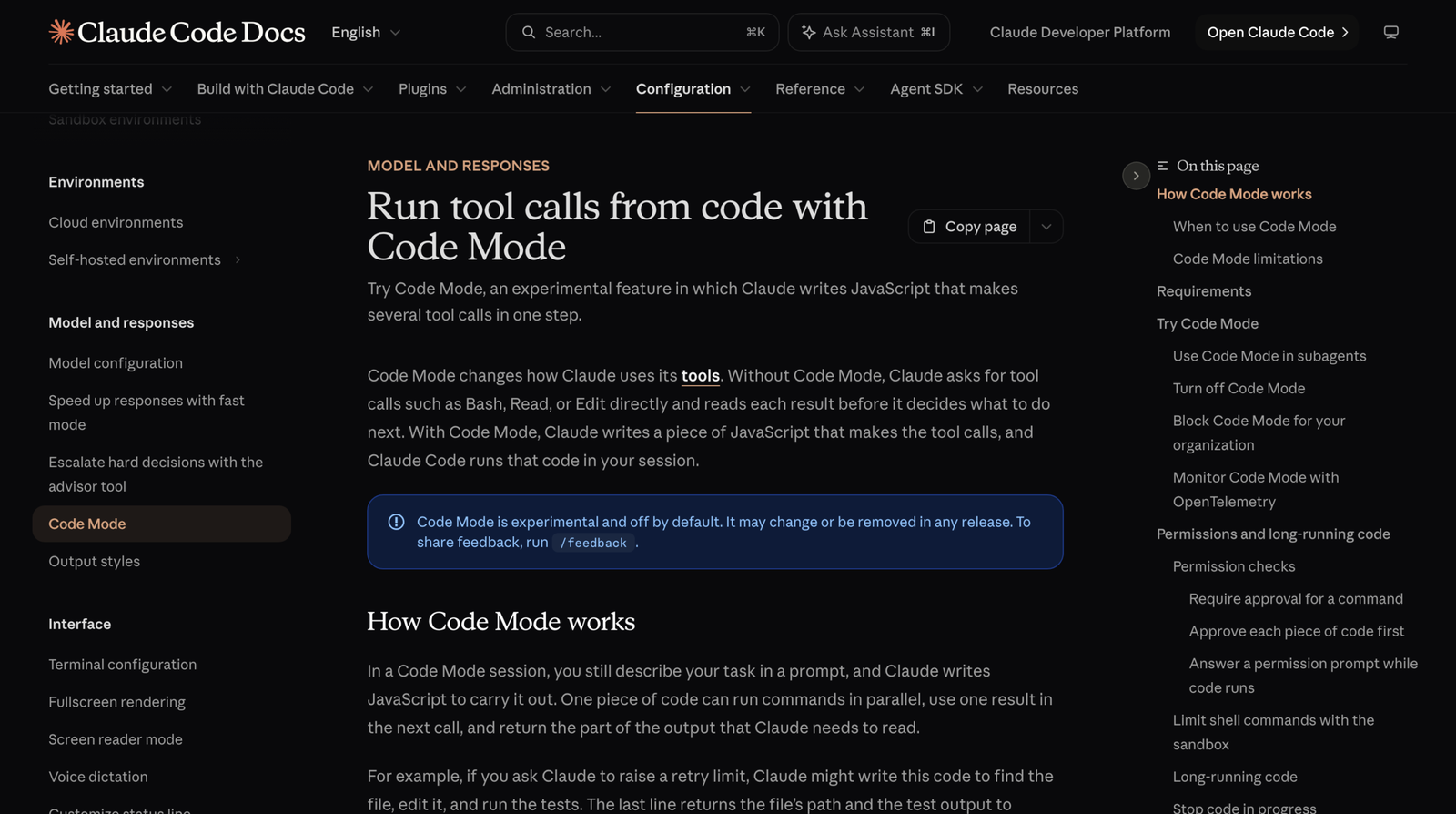
Anthropic’s official Code Mode documentation illustrates this pattern with a routine codebase change: locating a retry policy function, bumping maxAttempts from 3 to 5, and running the targeted test suite. Instead of three sequential turns where raw rg and npm test output bloat the prompt, Claude batches the entire sequence into four lines of JavaScript:
const files = await $`rg -l "function retryPolicy" src`.text();
const target = files.trim().split("\n")[0];
await edit(target, "maxAttempts: 3", "maxAttempts: 5");
({ edited: target, tests: $`npm test -- retryPolicy`.nothrow() });
Notice how control flow moves out of probabilistic model reasoning and into deterministic code. The script captures rg output locally, extracts the first matching path in memory, executes the file edit, and runs npm test with .nothrow() so a failing test still returns structured diagnostics instead of aborting the batch. Because intermediate outputs stay inside the local JavaScript execution context unless returned, large search hits or log dumps never pollute the prompt window.
You do not lose visibility into what Claude wrote. While the standard conversation hides the raw JavaScript to keep the terminal readable, pressing Ctrl+O opens Claude Code’s transcript viewer, where every execution appears as a collapsed Code row you can expand line by line. On Claude Code v2.1.331 and later, when a script produces unusually long output, Claude also receives a local file path pointing to the uncut text instead of silently truncating the middle.
Press
Ctrl+Oin any active Code Mode session to expand the collapsed Code rows and verify the exact JavaScript driving your file edits and shell commands.
2.How to Enable Claude Code Mode and Verify Your Setup
Code Mode ships off by default and enforces strict version, model, and surface requirements before activating. Running an older build or an unsupported surface silently falls back to standard tool calling—or prints a refusal line at session startup—so check your environment baseline before flipping the switch.
As of Claude Code v2.1.332 (November 2026), your setup must satisfy these official requirements:
- Version floor:
v2.1.323or later for direct Anthropic subscriptions and Console accounts;v2.1.326+for Agent Teams (in-process display mode only, not split panes);v2.1.327+for mods hooking tool calls;v2.1.329+for OpenTelemetry events/metrics and disabled feature-flag fetching;v2.1.331+for Amazon Bedrock, Google Cloud’s Agent Platform, Microsoft Foundry, and Claude Platform on AWS. - Supported models: Claude Opus 5.5, Sonnet 5.5, Haiku 5.5, or Fable 5.2. Pass the full model identifier if an alias like
sonnetresolves to an older model on your provider. - Interactive terminal only: Requires the native CLI build in an interactive terminal session. Code Mode does not run inside the VS Code panel, Claude Desktop app, web/cloud sessions, Remote Control, Claude in Chrome, or computer use.
- Account and platform exclusions: Unavailable through LLM gateways, Claude for Government, HIPAA or zero-data-retention (ZDR) organizations, or setups using
apiKeyHelperon direct Anthropic connections. On Windows, Git for Windows is required because shell templates execute in Git Bash.
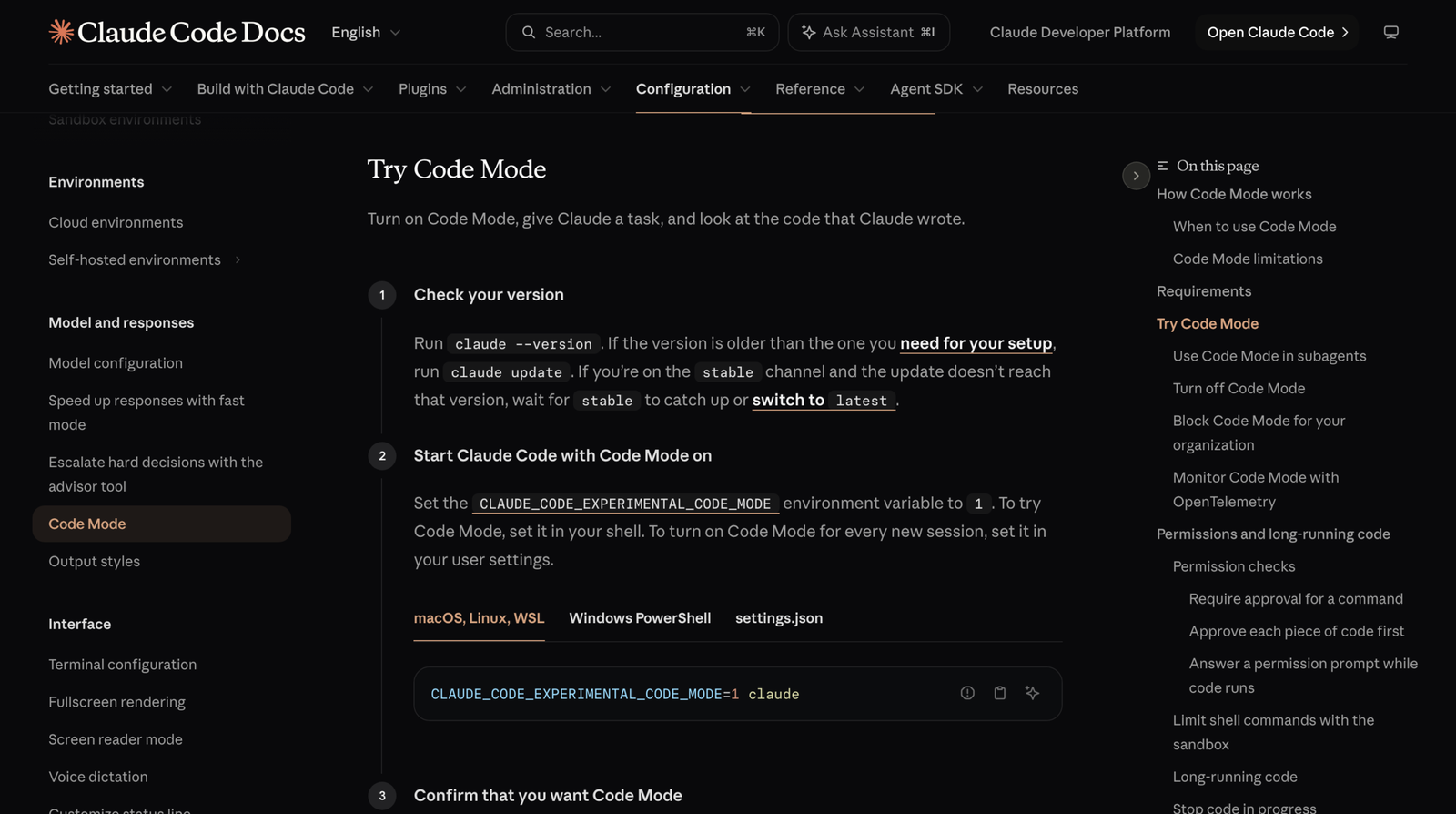
Start by checking your installed version and updating if you sit below the floor for your provider, then launch a single test session with CLAUDE_CODE_EXPERIMENTAL_CODE_MODE=1 set in your shell:
Bash
claude --version
claude update
CLAUDE_CODE_EXPERIMENTAL_CODE_MODE=1 claude
On Windows PowerShell, set $env:CLAUDE_CODE_EXPERIMENTAL_CODE_MODE = "1" on the line before launching claude. Once you confirm the workflow behaves well on your repositories, you can enable Code Mode persistently across every new interactive session by adding the environment variable to your user-level ~/.claude/settings.json file:
{
  "env": {
    "CLAUDE_CODE_EXPERIMENTAL_CODE_MODE": "1"
  }
}
Claude Code deliberately ignores CLAUDE_CODE_EXPERIMENTAL_CODE_MODE inside repository-level .claude/settings.json files. That design prevents a cloned third-party repo from silently activating local JavaScript tool batching on your machine. If you define custom subagents with an explicit tools allowlist in frontmatter, you must also add REPL so the subagent can batch its own calls:
tools: Read, Bash, REPLOn your first launch, Claude Code prompts you to select Yes, turn on Code Mode, restarts the session, and prints Code Mode (experimental) is on · this session can be resumed only with Code Mode on. Verify the engine works by asking Claude to scan every Markdown file in a local repository and report broken local links, then press Ctrl+O to confirm a Code row ran the sweep. Keep one strict resume rule in mind: a Code Mode session can only be resumed (claude --continue or claude --resume) while CLAUDE_CODE_EXPERIMENTAL_CODE_MODE=1 remains set, and a session started on a Claude subscription or Console account cannot be resumed on a cloud provider like Amazon Bedrock.
3.Claude Code Mode vs Cloudflare Code Mode vs API Programmatic Tool Calling
The name “Code Mode” first gained traction through Cloudflare’s engineering blog before Anthropic shipped its native Claude Code implementation, and Anthropic had previously published Code execution with MCP alongside Programmatic Tool Calling on the Claude Developer Platform. Because all three let an LLM write code to orchestrate tools, developers frequently assume they share the same runtime and security guarantees. They do not.
The table below separates the four tool-calling architectures by where the script executes, how tools are discovered, what each system actually saves, and where the isolation boundary sits.
| Architecture | Execution Layer | Language & Tool Interface | Documented Token Impact | Isolation Boundary | Best Operational Fit |
|---|---|---|---|---|---|
| Standard Direct Tool Calling | Host app / API loop per call | JSON tool calls one step at a time | Baseline (full schemas + raw intermediate outputs in context) | Per-call permission prompts and classifier checks | Single-file edits, quick lookups, debugging unexpected errors step by step |
Claude Code Mode (REPL) |
Local interactive terminal session | JavaScript with $, edit(), and connected MCP tools |
Community tests: 62%–77% fewer tokens on bulk MCP pulls; ~17% net cost drop on routine edits | Shell sandbox covers shell commands only; JS, file, web, and MCP calls run outside sandbox | Multi-file refactors, parallel repo commands, local MCP workflows |
| Anthropic API Programmatic Tool Calling | Anthropic-managed code_execution container |
Python calling API tools tagged with allowed_callers |
Anthropic evals: 37% fewer tokens on complex research (43,588 → 27,297); 200 KB → 1 KB | Server-side managed Python sandbox container | Custom production agents querying databases, spreadsheets, or internal APIs |
| Cloudflare Server-Side Code Mode | Remote MCP server on Dynamic Worker V8 isolates | Async JavaScript via two tools: search() and execute() |
Cloudflare benchmark: 99.9% input token drop (1.17M → ~1,000 tokens for 2,500+ endpoints) | Strict V8 isolate: no local filesystem, no exposed env vars, outbound fetches blocked by default | Exposing huge REST/OpenAPI surfaces over remote MCP servers |
Cloudflare’s server-side Code Mode solves an API surface-area problem: instead of dumping 2,500+ OpenAPI endpoints (1.17 million tokens) into an agent’s system prompt, the MCP server exposes only search() and execute(), running generated async JavaScript inside a disposable V8 isolate with zero local disk access. Anthropic’s API Programmatic Tool Calling solves a cloud agent data-plumbing problem: a custom backend hands Claude a Python container so loops over 20 expense endpoints return 1 KB instead of 200 KB of line items.
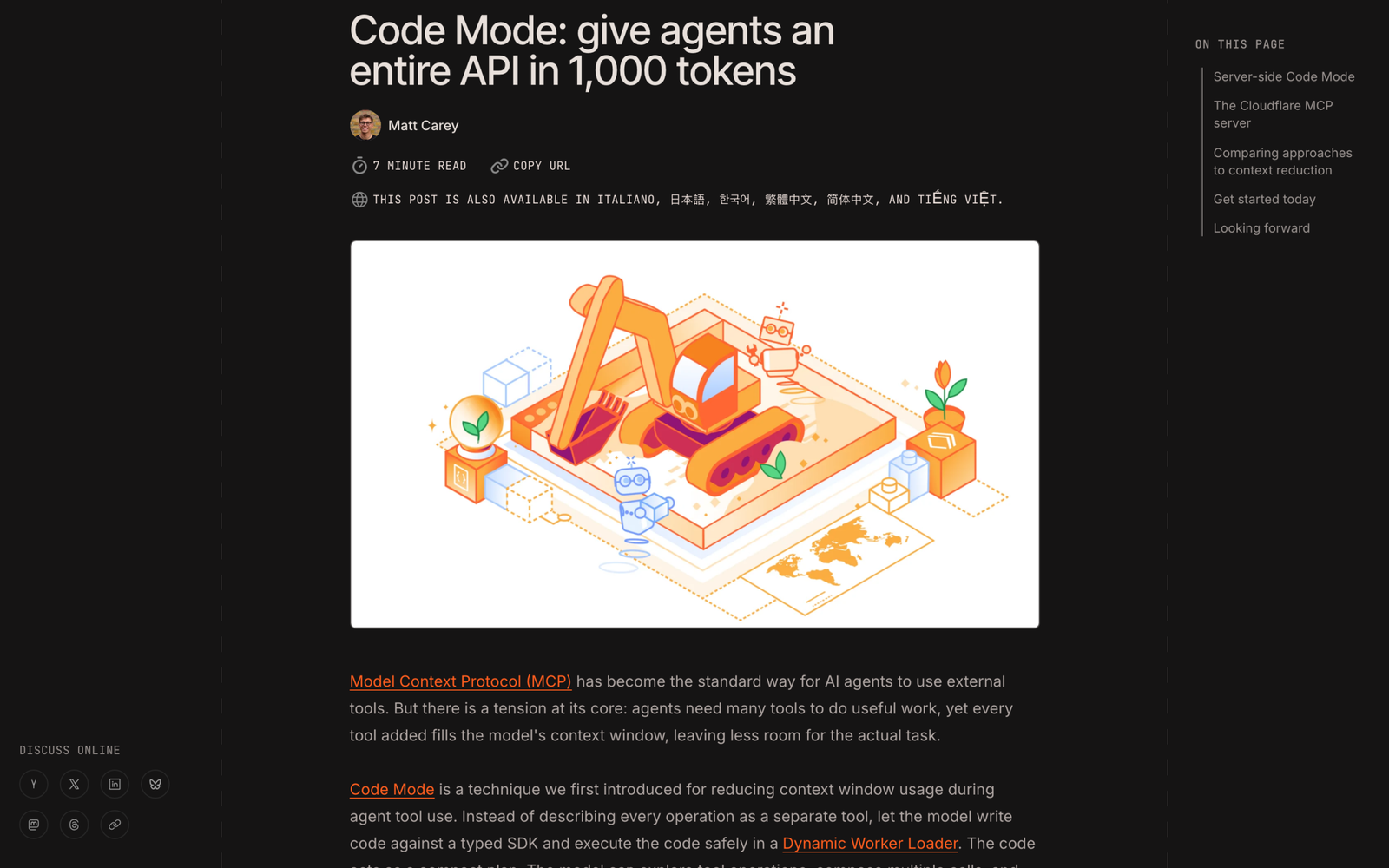
Claude Code Mode solves a different job entirely: local developer-environment batching. Because the JavaScript runs directly inside your local Claude Code process, Claude can inspect your git tree, filter ripgrep output, invoke local MCP servers, and patch multiple files in one turn without shipping your repo to a remote container. That proximity makes it immediately useful on real codebases—and makes local permission engineering non-negotiable.
4.Real Token and Latency Savings: Where Code Mode Pays Off and Where It Slows Down
Headlines around code-driven tool execution often conflate three completely different benchmarks. Keeping the provenance straight prevents unrealistic expectations when you measure your own Anthropic bill.
First-party numbers from Anthropic and Cloudflare measure specific architectural bottlenecks:
- Massive MCP schema elimination: In Cloudflare’s benchmark of its full 2,500+ endpoint API, collapsing individual tool definitions into
search()andexecute()cut input overhead from 1.17 million tokens to roughly 1,000 tokens (99.9%). In Anthropic’s November 2025 MCP code-execution study, presenting MCP tools as on-demand TypeScript modules dropped upfront context overhead from 150,000 tokens to 2,000 tokens (98.7%), while Anthropic’s Tool Search Tool cut 50+ MCP server definitions from ~77K tokens to ~8.7K tokens (85%) and lifted Opus 4.5 MCP evaluation accuracy from 79.5% to 88.1%. - Intermediate payload filtering: In Anthropic’s Programmatic Tool Calling benchmarks on complex research tasks, filtering results inside code reduced average usage from 43,588 to 27,297 tokens (37%), improved internal knowledge retrieval from 25.6% to 28.5%, and lifted GIA benchmark accuracy from 46.5% to 51.2%.
Community benchmarks specifically testing Claude Code Mode (v2.1.323+) across Opus 5.5, Sonnet 5.5, Haiku 5.5, and Fable 5.2 (reported across developer threads on Reddit and independent write-ups such as MindStudio and InfoQ) show a sharp split by workload type:
- High-ROI workloads (bulk MCP & multi-file sweeps): Pulling and filtering 120+ records from an MCP server cut total processed tokens by 62% to 77% in community tests, and multi-record read-and-judge batches dropped 40% to 68%, because raw payloads never entered the conversation window. Sessions also began roughly 13,000 tokens leaner on baseline tool definitions.
- Modest-ROI workloads (routine code edits): On standard local codebase edits where Claude already relies heavily on prompt caching, community suites measured roughly 35% fewer raw input tokens, which translated to only about 17% net bill reduction once heavily discounted cached input tokens were weighted at actual API rates.
Latency follows the same workload split. When Claude runs ten independent searches or fetches in parallel inside one script, eliminating nine model inference passes produces an immediate wall-clock speedup—especially after v2.1.328 removed a 0.75-second pause after scripts in auto and bypass modes. Conversely, when Claude generates an unoptimized loop that spawns dozens of tiny serial shell commands, or writes a JavaScript wrapper for a simple single-file edit, execution can run slower and burn slightly more output tokens than a direct tool call. Another practical risk noted by testers is blind execution: if an upstream tool returns a 200 OK status with malformed data and the script omits validation checks, the batch keeps marching forward instead of letting Claude pause and pivot.
5.Permissions, Sandbox Boundaries, and Hooks You Must Configure
The most important operational sentence in Anthropic’s Code Mode documentation sits under its sandbox section: your sandbox settings apply only to the shell commands that code runs; the JavaScript itself and its file, web, and MCP tool calls run outside the sandbox. If you rely on Claude Code’s built-in sandbox to contain an untrusted codebase or risky MCP server, Code Mode widens that boundary unless you run Claude Code inside a container or virtual machine and turn on strict sandbox mode to block unsandboxed command retries.
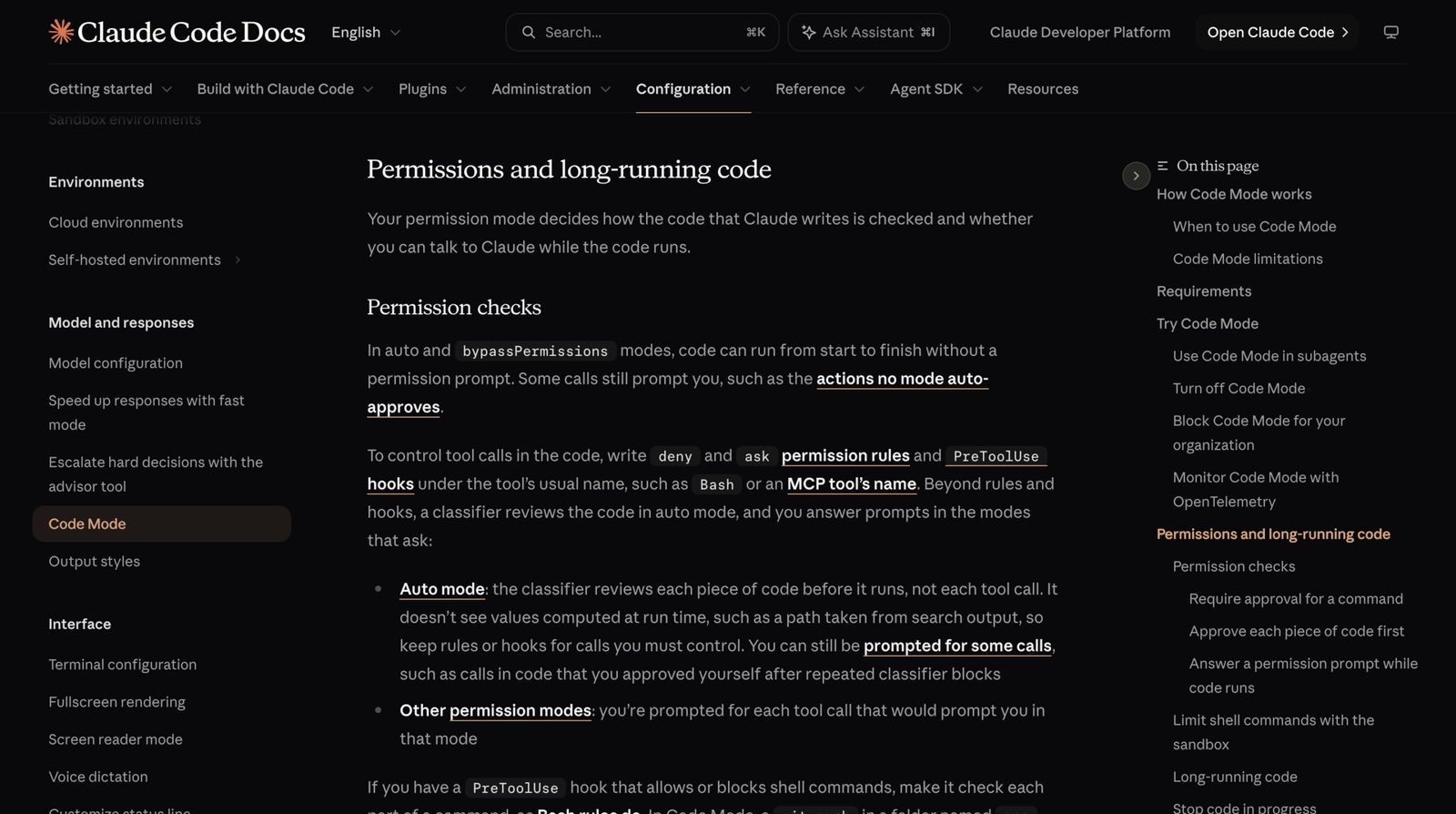
Permission review behavior also shifts in auto mode. Outside Code Mode, the safety classifier evaluates individual tool calls with their concrete arguments. Inside Code Mode, the auto mode classifier reviews the JavaScript block before execution, which means it cannot see paths or arguments computed dynamically at runtime from search results. If you want hard stops on high-impact actions—even inside auto or bypassPermissions sessions—add explicit ask or deny rules in ~/.claude/settings.json under the underlying tool’s standard name, or gate the REPL tool itself so you can inspect every script via Ctrl+O before it runs:
{
  "permissions": {
    "ask": [
      "Bash(git push *)",
      "REPL"
    ]
  }
}
Note two documented trade-offs if you add "REPL" to ask: approving a script manually in auto mode starts the code even if the classifier would have blocked it (allowing its project edits and read-only commands without further prompts), and Anthropic notes that if Claude reports the code cannot start a subagent, you should remove the "REPL" ask rule and rely on targeted command rules instead. To verify a Bash(git push *) rule, launch an auto mode session in a repository with no remote and ask Claude to run git push origin main—you should see an explicit approval prompt.
If your team enforces policy or secret redaction through Claude Code hooks, update three specific details for Code Mode:
- Parse compound shell commands in
PreToolUsehooks: Code Mode frequently prefixes directory changes onto shell calls, so agit pushinsideapp/can arrive at your hook ascd 'app' && git push. Check every segment of compound commands rather than matching only the start of the string. - Set
"onFailure": "block"explicitly (v2.1.329+): Starting inv2.1.329, aPreToolUsecommandorhttphook that times out refuses the tool call, but a hook that fails another way (such as a missing script path) falls through to normal permission checks unless"onFailure": "block"is configured consistently across every settings file that declares the hook. - Move secret redaction to a
PostToolUsehook onREPL: Onv2.1.328and later,UserPromptSubmithooks no longer receive Code Mode script output—even in managed enterprise settings. Instead, matchREPLin aPostToolUsehook and return a sanitized copy oftool_responseinsideupdatedToolOutput.
The JSON response below shows the exact structure Anthropic requires in a PostToolUse hook to redact a secret from notes.txt before Claude reads it. You must preserve string types on code, stdout, and stderr, clear images, documents, and imagePagesFailed to [] if hiding media, and omit uncutOutputNote on v2.1.331+ so Claude is not handed a path to the unredacted file:
{
  "hookSpecificOutput": {
    "hookEventName": "PostToolUse",
    "updatedToolOutput": {
      "code": "(await $`cat notes.txt`.text())",
      "result": "deploy token: REDACTED",
      "stdout": "",
      "stderr": "",
      "toolsUsed": ["Bash"]
    }
  }
}
Always return a redacted updatedToolOutput payload even when your hook blocks ("decision": "block") or catches an internal error—if the hook crashes, times out, or emits malformed JSON, Claude Code passes the original unredacted output back to Claude. Also remember one documented blind spot: refusedCalls can repeat the raw input of a blocked shell command unchanged, so never rely solely on PostToolUse redaction to hide secrets embedded in command arguments. Test your hook by writing a dummy token to a local file, asking Claude in a Code Mode session to read and quote it (typing the path without @), and confirming Claude only sees REDACTED.
6.Long-Running Scripts, Enterprise Blocking, and Troubleshooting Startup Errors
Long builds, integration tests, and large repository sweeps hit different execution timeouts depending on how you start the session. In foreground waiting mode, Claude pauses until the script finishes and hard-stops execution after 10 minutes (on v2.1.328+, time you spend answering a manual permission prompt no longer burns that ten-minute clock). In background mode, you can continue prompting Claude while the script runs for up to 2 hours—provided the session was originally started in auto or bypassPermissions mode without passing --tools restrictions.
Press Esc to abort a foreground script immediately; if you reject a mid-script permission prompt with No (no comment), the script halts while earlier completed calls remain on disk, whereas No with a comment refuses only that single call and lets the script keep running. After stopping any script—foreground or background—always run /tasks, select any still-running background shell commands, MCP calls, or subagents the script spawned, and press x to terminate them cleanly.
Teams running OpenTelemetry (v2.1.329+ for events and metrics; tracing still disables Code Mode) will see inner tool calls logged under their standard tool names (Bash, Edit, MCP names) with tool_use_id prefixed repl_ or toolu_cc_, while the outer REPL call carries the auto-mode classifier_verdict under the shared request_id. Leave OTEL_LOG_TOOL_DETAILS unset if you do not want file secrets read by one step and passed into another exported to your telemetry backend.
Enterprise administrators who want to prohibit Code Mode across an organization can deploy "CLAUDE_CODE_EXPERIMENTAL_CODE_MODE": "0" in managed settings—any 0 overrides a user’s 1, and admins cannot force Code Mode on from managed settings. If engineers connect through cloud providers such as Bedrock, push that managed setting via MDM or a local managed settings file rather than relying solely on server-managed settings, which cloud-provider launches bypass:
{
  "env": {
    "CLAUDE_CODE_EXPERIMENTAL_CODE_MODE": "0"
  }
}
When Code Mode refuses to activate, Claude Code prints Code Mode (experimental) isn't available alongside a specific reason (also visible in /status). Use the lookup table below to resolve the most frequent startup blocks without guessing.
| Startup Refusal Message | Root Cause | Exact Fix |
|---|---|---|
it only works directly with the Anthropic API |
Cloud provider session running below v2.1.331, or routed through an LLM gateway |
Run claude update to v2.1.331+ for direct Bedrock, Agent Platform, or Foundry; remove gateway config if using a proxy |
it doesn't work with an API key helper |
apiKeyHelper, ANTHROPIC_AUTH_TOKEN, or custom Authorization/X-Api-Key headers are set |
Remove the helper/headers and authenticate via standard login or ANTHROPIC_API_KEY |
it only works with Opus 5.5, Sonnet 5.5 and later models |
Model alias (e.g., sonnet) resolves to an older model generation |
Pass the explicit model ID such as --model claude-opus-5-5 (or your Foundry deployment name) |
OpenTelemetry tracing is on / OpenTelemetry is on |
OTel tracing is enabled, or events/metrics are enabled below v2.1.329 |
Unset CLAUDE_CODE_ENHANCED_TELEMETRY_BETA / ENABLE_BETA_TRACING_DETAILED; update to v2.1.329+ for events and metrics |
it can't be used together with agent teams yet or it doesn't work in background jobs |
Agent Teams below v2.1.326, split-pane display mode, or --remote-control active |
Update to v2.1.326+, switch Agent Teams to in-process display mode, and drop --remote-control |
this launch's tool options |
--restricted, --disallowedTools, or deny rules block REPL |
Remove --restricted, include REPL in --tools, and remove REPL from deny/--disallowedTools |
7.When to Keep Code Mode On and When to Leave It Off
Treat Claude Code Mode as a specialized power tool for batch-heavy engineering sessions rather than an unconditional global toggle. Keep CLAUDE_CODE_EXPERIMENTAL_CODE_MODE=1 on when your session involves multi-file codebase migrations, parallel test or lint runs, or MCP-heavy audits pulling dozens of records that need local filtering before Claude reasons over them—ideally inside a containerized workspace with explicit ask rules for destructive commands and a PostToolUse hook on REPL if sensitive tokens live on disk.
Leave Code Mode off when you are making quick single-file edits (where prompt-cached standard tool calling is already cheap and lets you watch every step), when you rely on Remote Control, Claude in Chrome, computer use, VS Code panels, or Desktop app handoffs, or when compliance rules require HIPAA, ZDR, or strict per-call safety classification. Because Code Mode sessions cannot be resumed without the flag active—and because the feature remains explicitly experimental—starting your day with a targeted CLAUDE_CODE_EXPERIMENTAL_CODE_MODE=1 claude alias for heavy automation tasks gives you the token and round-trip savings without locking your routine coding sessions into experimental constraints.