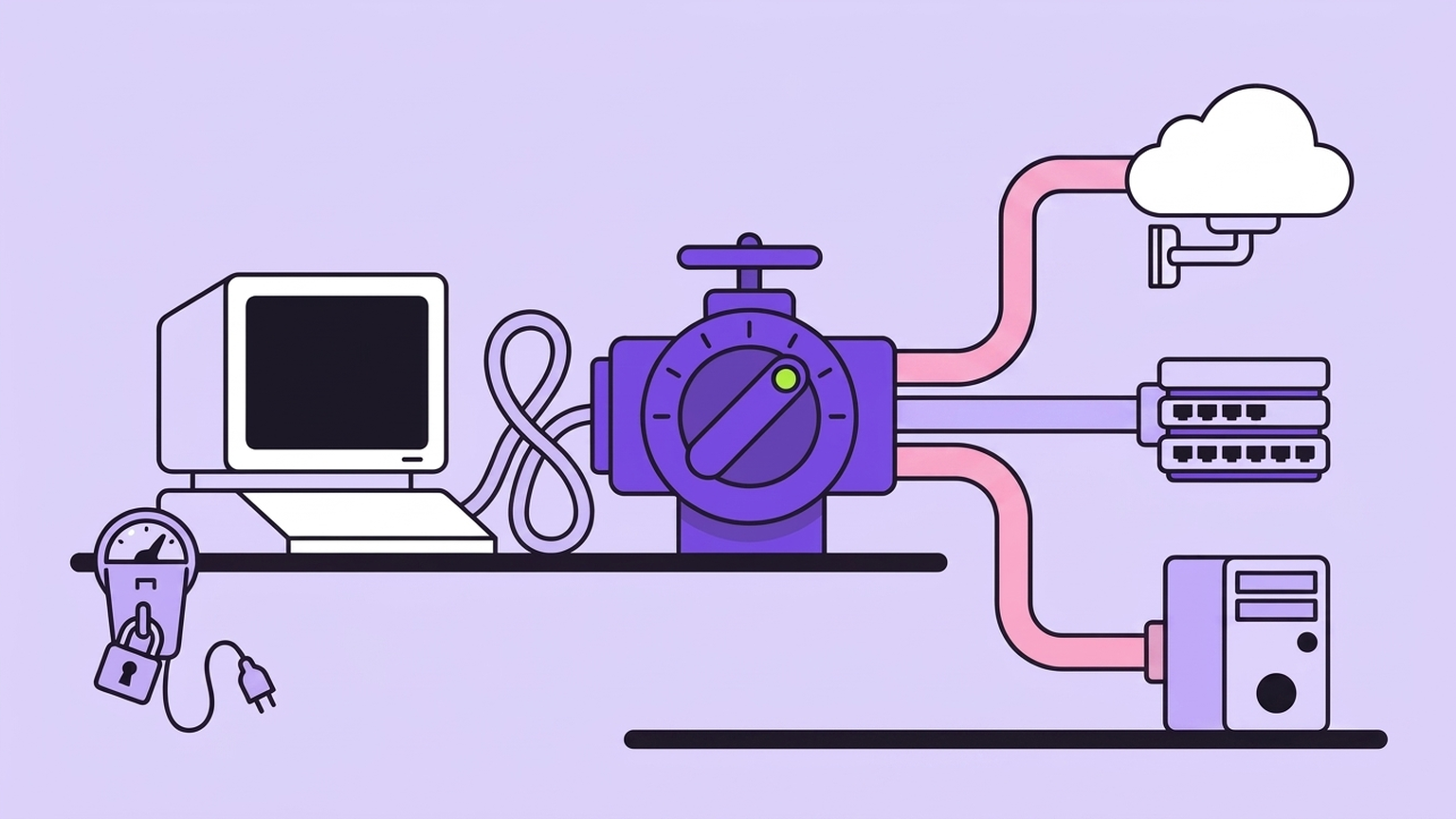
Claude Code does not require an Anthropic subscription or paid API key to run on your machine. Because the CLI communicates over the standard Anthropic Messages API (/v1/messages), pointing a handful of environment variables at a compatible local server, cloud router, or translation proxy lets you swap in open-weight and free-tier models directly inside the native terminal interface.
Choosing the right backend depends on whether you have 32 GB of local memory to spare, need zero-hardware cloud inference, or want automatic failover across free API keys from providers like NVIDIA NIM and Groq.
| Backend Setup | Cost and Quota | Setup Method | Context and Hardware | Main Tradeoff |
|---|---|---|---|---|
| Ollama: One-Command Local and Cloud Setup | $0 locally; free/paid tiers on Ollama Cloud | ollama launch claude or ANTHROPIC_BASE_URL |
64K+ context recommended; local GPU/Apple Silicon for local weights | Hosted WebSearch and advanced tool controls are not fully supported |
| LM Studio: GGUF and Apple Silicon MLX via Local Server | $0 locally (GGUF and MLX weights) | lms server start --port 1234 + env vars |
25K+ token minimum recommended; local RAM/VRAM required | Manual model loading and context slider tuning per model |
| OpenRouter: Zero-Hardware Free Cloud Models | $0 for 20 RPM / 50 RPD (1,000 RPD after $10 lifetime credits) | Direct https://openrouter.ai/api Anthropic Skin |
Cloud-hosted; zero local GPU needed | Strict daily caps; background Haiku calls must be pinned to :free |
| Free Claude Code and Claude Code Router: Multi-Provider Proxies | $0 proxy software + provider free tiers (NVIDIA NIM, Groq, etc.) | Local proxy (fcc-claude or CCR v3.1.6 app) |
Cloud or local models; lightweight local daemon | Extra local middleware to maintain; provider terms can change |
1.How Claude Code Connects to Non-Anthropic Models
Claude Code routes every prompt, tool call, and subagent turn through the Anthropic Messages API at https://api.anthropic.com by default. According to Anthropic’s LLM gateway documentation, setting ANTHROPIC_BASE_URL redirects all model traffic to any endpoint that speaks that same /v1/messages schema. Pair it with ANTHROPIC_AUTH_TOKEN for bearer authentication and explicitly blank out ANTHROPIC_API_KEY="" so the CLI never falls back to a direct Anthropic key sitting in your shell environment.
One rule trips up almost every first-time configuration: never append /v1 or /v1/messages to ANTHROPIC_BASE_URL. Claude Code appends those paths automatically, so passing http://localhost:11434/v1 produces double-path 404 failures on your first message. Because Claude Code reads environment variables once at startup, you also have to reload your shell or restart the process whenever you switch endpoints.
A second architectural detail matters just as much when avoiding surprise bills or broken turns. As documented in Anthropic’s model configuration reference, Claude Code dispatches work across four internal model tiers—fable, opus, sonnet, and haiku—routing quick file summaries and subagent helpers to Haiku even while your main chat runs on another model. Placing every tier override inside ~/.claude/settings.json ensures background calls never leak to an unrecognized Anthropic model ID.
{
  "env": {
    "ANTHROPIC_BASE_URL": "http://localhost:11434",
    "ANTHROPIC_AUTH_TOKEN": "ollama",
    "ANTHROPIC_API_KEY": "",
    "ANTHROPIC_DEFAULT_FABLE_MODEL": "qwen3.5",
    "ANTHROPIC_DEFAULT_OPUS_MODEL": "qwen3.5",
    "ANTHROPIC_DEFAULT_SONNET_MODEL": "qwen3.5",
    "ANTHROPIC_DEFAULT_HAIKU_MODEL": "qwen3.5"
  }
}
Once a session starts, run /status inside Claude Code to verify the routing before sending a prompt. The Anthropic base URL line appears only when an override is active, confirming that your requests are leaving for your chosen backend rather than api.anthropic.com.
2.Ollama: One-Command Local and Cloud Setup
Ollama added native Anthropic Messages API compatibility in v0.14.0 on January 16, 2026, turning a local Ollama daemon into a drop-in backend for Claude Code without any translation proxy. As detailed in the official Ollama Claude Code guide, the runtime now ships a dedicated launcher that configures the endpoint, lets you pick a model interactively, and supports both local open-weight models and Ollama Cloud models from the same CLI.
This route fits developers who want the shortest path from installation to a working local agent—especially on Apple Silicon Macs or desktops with 24 GB+ VRAM where open-weight models like qwen3.5, qwen3-coder, or gpt-oss:20b run with zero per-token fees and full repository privacy. If your laptop cannot hold a large coding model in memory, Ollama’s direct cloud endpoint (https://ollama.com) lets you run models like glm-5.3-flash, gemma4:cloud, or kimi-k2.7-code:cloud without even installing the local runtime.
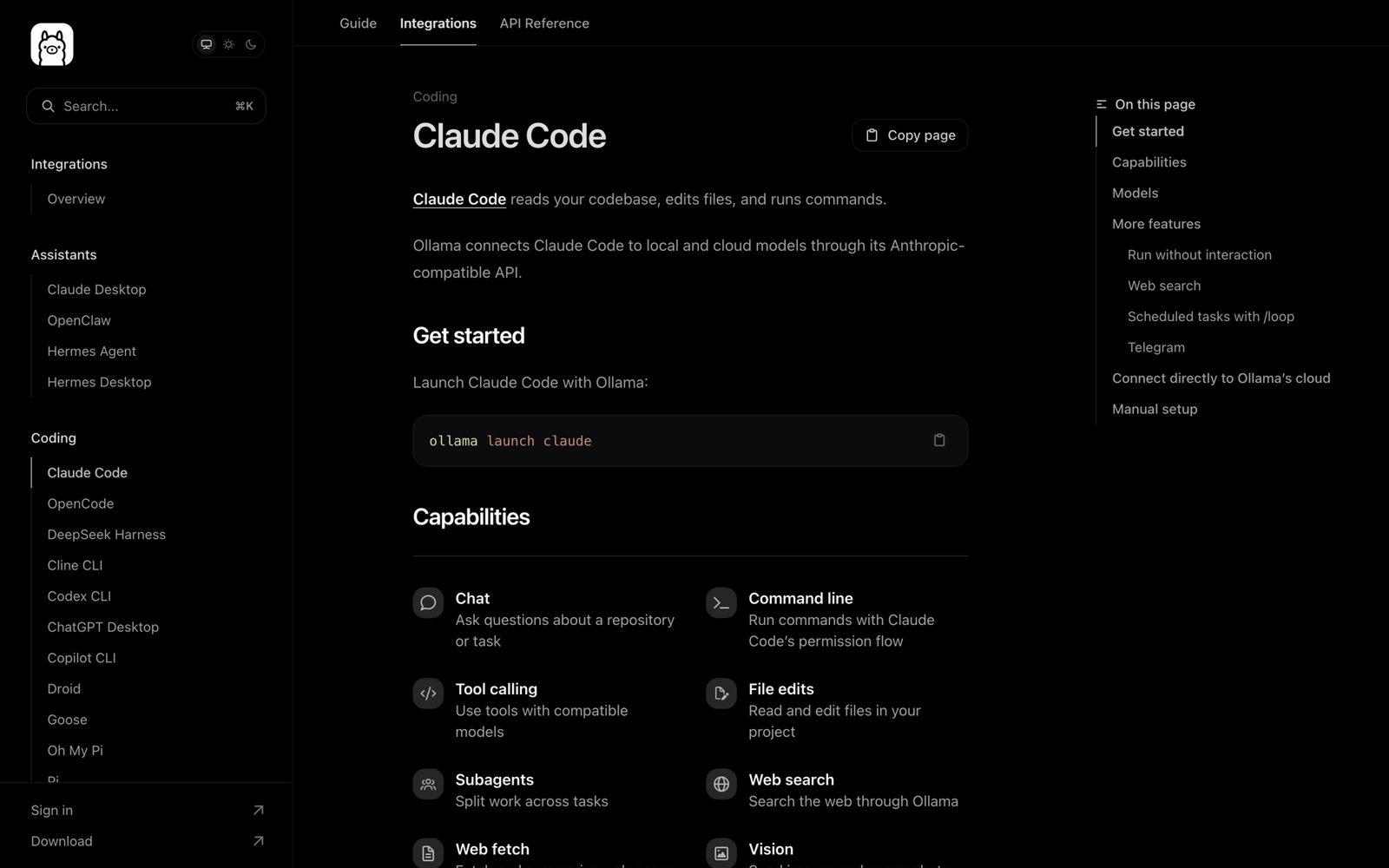
Install both Ollama and Claude Code, then launch interactively or pass explicit environment variables for scripted runs. The commands below cover the one-line launcher, a non-interactive CI invocation, and manual environment wiring for local inference.
Install
# Interactive setup and model picker
ollama launch claude

# Non-interactive single-prompt run (auto-pulls model if missing)
ollama launch claude --model gemma4:cloud --yes -- -p "how does this repository work?"

# Manual local wiring against port 11434
export ANTHROPIC_BASE_URL=http://localhost:11434
export ANTHROPIC_AUTH_TOKEN=ollama
export ANTHROPIC_API_KEY=""
claude --model qwen3.5
Before running on a real codebase, raise the local model’s context length to at least 64K tokens in Ollama’s settings (docs.ollama.com/integrations/claude-code bumped this recommendation up from 32K in the January 2026 launch post). Claude Code injects system instructions, tool schemas, and file reads on every turn, so default 4K or 8K local contexts silently truncate tool definitions and cause looping edits. Ollama Cloud models run at their full native context window automatically.
In return, Claude Code’s core capabilities—repository chat, multi-file edits, shell execution with permission prompts, subagents, vision inputs, and /loop scheduled commands—work against compatible tool-calling models. Ollama explicitly notes two boundaries: hosted WebSearch and advanced Anthropic-specific tool controls are not fully supported. After starting a session, run /status to confirm Anthropic base URL displays http://localhost:11434 (or https://ollama.com for direct cloud mode), then ask Claude Code to inspect a small file and propose a one-line edit to verify tool calling end to end.
3.LM Studio: GGUF and Apple Silicon MLX via Local Server
LM Studio introduced its native Anthropic-compatible POST /v1/messages endpoint in version 0.4.1 on January 30, 2026, allowing Claude Code to talk directly to local GGUF and Apple Silicon MLX weights on port 1234. Unlike Ollama’s CLI-first workflow, LM Studio pairs a graphical quantization browser, live memory-footprint telemetry, and per-model context sliders with a lightweight headless server (llmster) for Linux VMs and remote workstations.
That hardware visibility matters when tuning local coding models on unified-memory Macs. Running an MLX-quantized coding model in LM Studio often yields noticeably higher prompt-processing speed on Apple Silicon than generic GGUF builds, and the built-in developer log lets you inspect every incoming /v1/messages payload, SSE stream event (message_start, content_block_delta, message_stop), and tool-call JSON block in real time while debugging agent behavior.
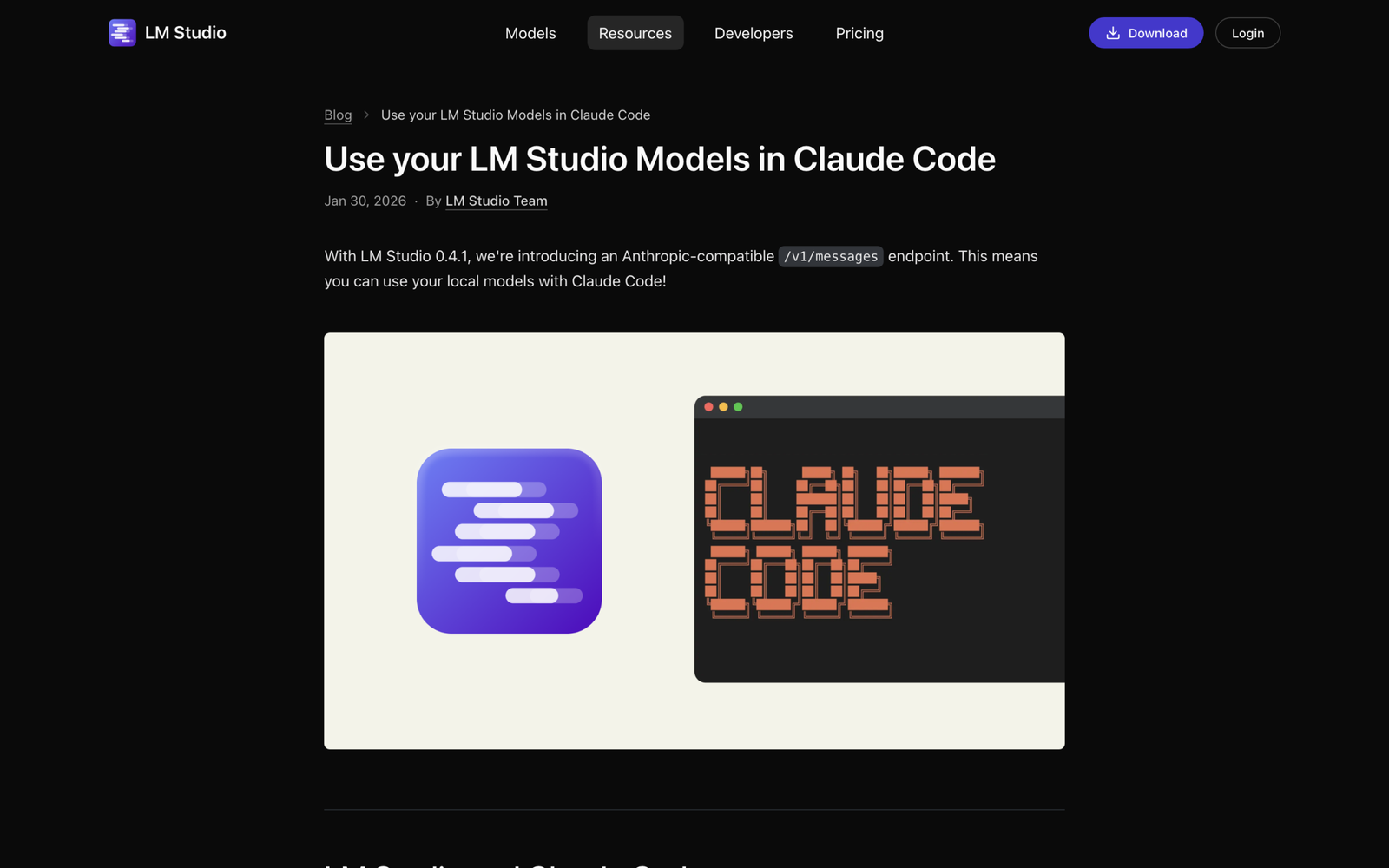
Start by loading a tool-capable coding model in LM Studio and setting its context length to at least 25K to 32K tokens—the LM Studio Claude Code blog warns that smaller windows trigger context overflow as soon as Claude Code scans a directory. Then start the local server on port 1234 and point Claude Code at it from your terminal.
Run
# Start LM Studio's local Anthropic-compatible server
lms server start --port 1234

# Route Claude Code to LM Studio with a loaded model ID
export ANTHROPIC_BASE_URL=http://localhost:1234
export ANTHROPIC_AUTH_TOKEN=lmstudio
export ANTHROPIC_API_KEY=""
claude --model openai/gpt-oss-20b
If you prefer running Claude Code inside the VS Code extension instead of a standalone terminal, LM Studio documents a persistent extension block so every workspace session automatically targets your local server without editing shell profiles.
{
  "claudeCode.environmentVariables": [
    {
      "name": "ANTHROPIC_BASE_URL",
      "value": "http://localhost:1234"
    },
    {
      "name": "ANTHROPIC_AUTH_TOKEN",
      "value": "lmstudio"
    },
    {
      "name": "ANTHROPIC_API_KEY",
      "value": ""
    }
  ]
}
When everything is wired correctly, LM Studio streams tool calls and file diffs straight back to the CLI with zero cloud traffic and zero token charges. Run lms status in a second terminal to confirm the server is listening on port 1234, and watch LM Studio’s server logs during your first prompt to verify 200 OK responses on POST /v1/messages with no context-length warnings.
4.OpenRouter: Zero-Hardware Free Cloud Models
If your laptop lacks the RAM for a 20B–30B coding model, OpenRouter provides a cloud-hosted Anthropic compatibility layer (“Anthropic Skin”) at https://openrouter.ai/api that requires no local proxy and no GPU. Combined with OpenRouter’s Free Models Router (openrouter/free) and :free model variants, you can connect Claude Code straight to hosted open-weight models that support tool calling and structured outputs.
The catch is understanding OpenRouter’s exact quota math before starting a multi-file refactor. According to OpenRouter’s official rate-limits documentation, all :free endpoints share a ceiling of 20 requests per minute and 50 requests per day on accounts that have purchased fewer than 10 credits all-time. Once an account has purchased at least $10 in lifetime credits (which stay in your balance rather than acting as a subscription fee), the free-model daily ceiling rises twentyfold to 1,000 requests per day. Because a single complex Claude Code task can burn 15 to 25 agentic turns, the 50-request cap fits light experimentation and small fixes, whereas the 1,000-request tier covers sustained daily work.
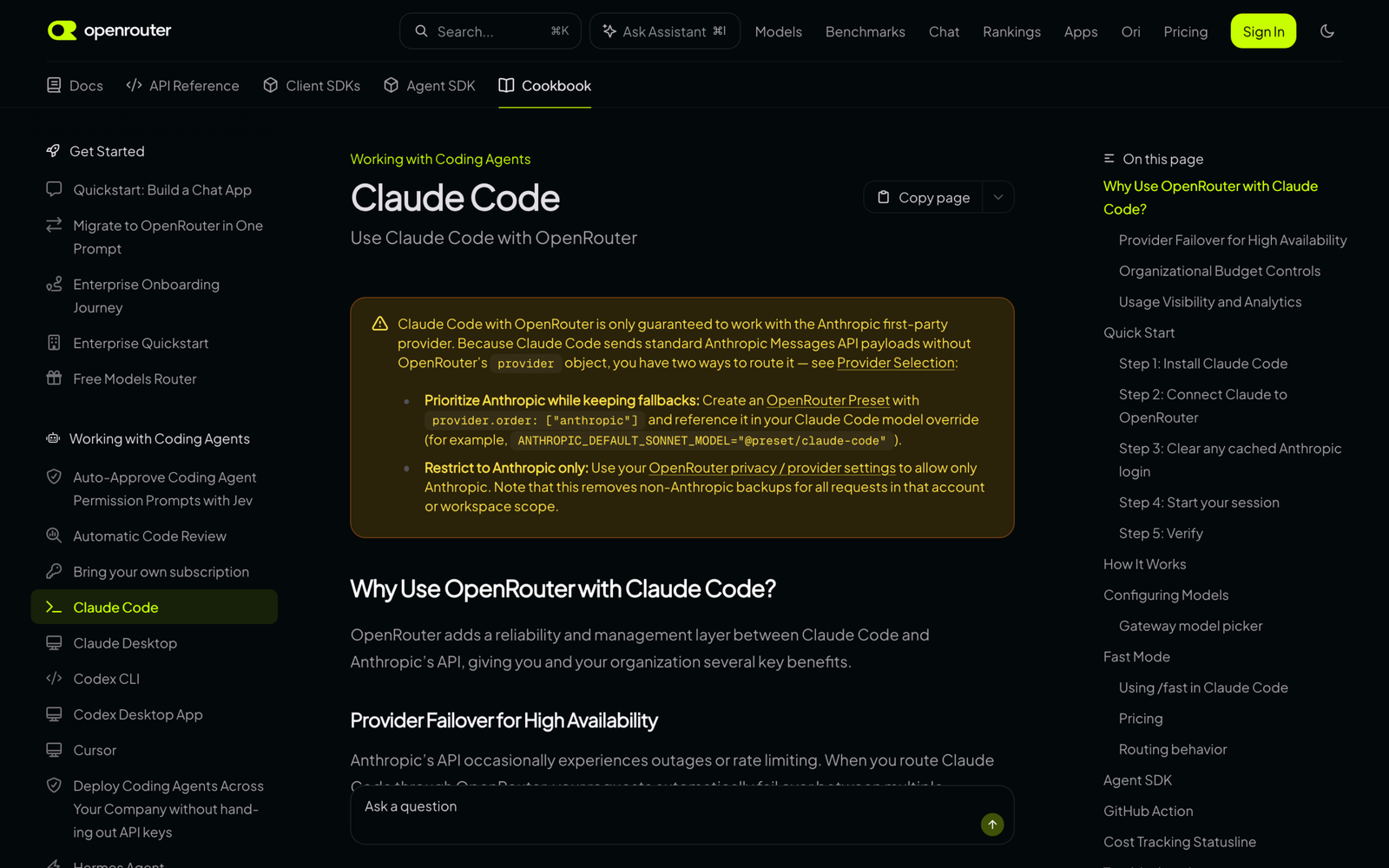
OpenRouter’s Claude Code integration guide highlights two setup rules that prevent silent auth failures and accidental paid calls. First, if you export variables in ~/.zshrc, define OPENROUTER_API_KEY before ANTHROPIC_AUTH_TOKEN="$OPENROUTER_API_KEY" so shell expansion does not evaluate to an empty string. Second, pin all four model tiers in ~/.claude/settings.json to openrouter/free (or a specific :free model slug) and enable CLAUDE_CODE_ENABLE_GATEWAY_MODEL_DISCOVERY=1 so background Haiku requests never route to a paid Anthropic model.
{
  "env": {
    "ANTHROPIC_BASE_URL": "https://openrouter.ai/api",
    "ANTHROPIC_AUTH_TOKEN": "sk-or-v1-your-key-here",
    "ANTHROPIC_API_KEY": "",
    "CLAUDE_CODE_ENABLE_GATEWAY_MODEL_DISCOVERY": "1",
    "ANTHROPIC_DEFAULT_FABLE_MODEL": "openrouter/free",
    "ANTHROPIC_DEFAULT_OPUS_MODEL": "openrouter/free",
    "ANTHROPIC_DEFAULT_SONNET_MODEL": "openrouter/free",
    "ANTHROPIC_DEFAULT_HAIKU_MODEL": "openrouter/free"
  }
}
OpenRouter explicitly warns that Claude Code is only guaranteed to work with Anthropic’s first-party provider, and free models can experience upstream 429 congestion during peak hours. To verify your setup and watch your exact daily quota rather than guessing when a session will stall, call GET https://openrouter.ai/api/v1/key with your bearer token and inspect the returned free_model_daily_requests metadata alongside /status inside Claude Code.
{
  "data": {
    "label": "sk-or-v1-...6ed",
    "is_free_tier": true,
    "limit_remaining": 0,
    "free_model_daily_requests": {
      "used": 4,
      "limit": 50
    }
  }
}5.Free Claude Code and Claude Code Router: Multi-Provider Proxies
Direct environment overrides only work when an upstream provider speaks Anthropic’s /v1/messages protocol natively. Fast or generous free developer tiers—including NVIDIA NIM, Groq, Cerebras, Google AI Studio, and DeepSeek—often expose OpenAI Chat Completions or Gemini schemas instead, and hitting a single provider’s per-minute throttle stalls your coding session unless a gateway fails over automatically.
Two widely adopted open-source local proxies solve that translation and routing layer. Free Claude Code (AGPL-3.0, over 73,400 GitHub stars as of November 2026) acts as a local multi-agent router supporting 12 coding clients and 61 providers across Anthropic Messages, OpenAI Chat/Responses, and Gemini APIs. It preserves native streaming, tool calling, and interleaved thinking, maps fable, opus, sonnet, and haiku tiers from a local Admin UI, and ships optional RTK and Headroom token compression. Its default quick-start pairs with a free NVIDIA NIM API key (build.nvidia.com/settings/api-keys) targeting nvidia_nim/nvidia/nemotron-3-ultra-550b-a55b.
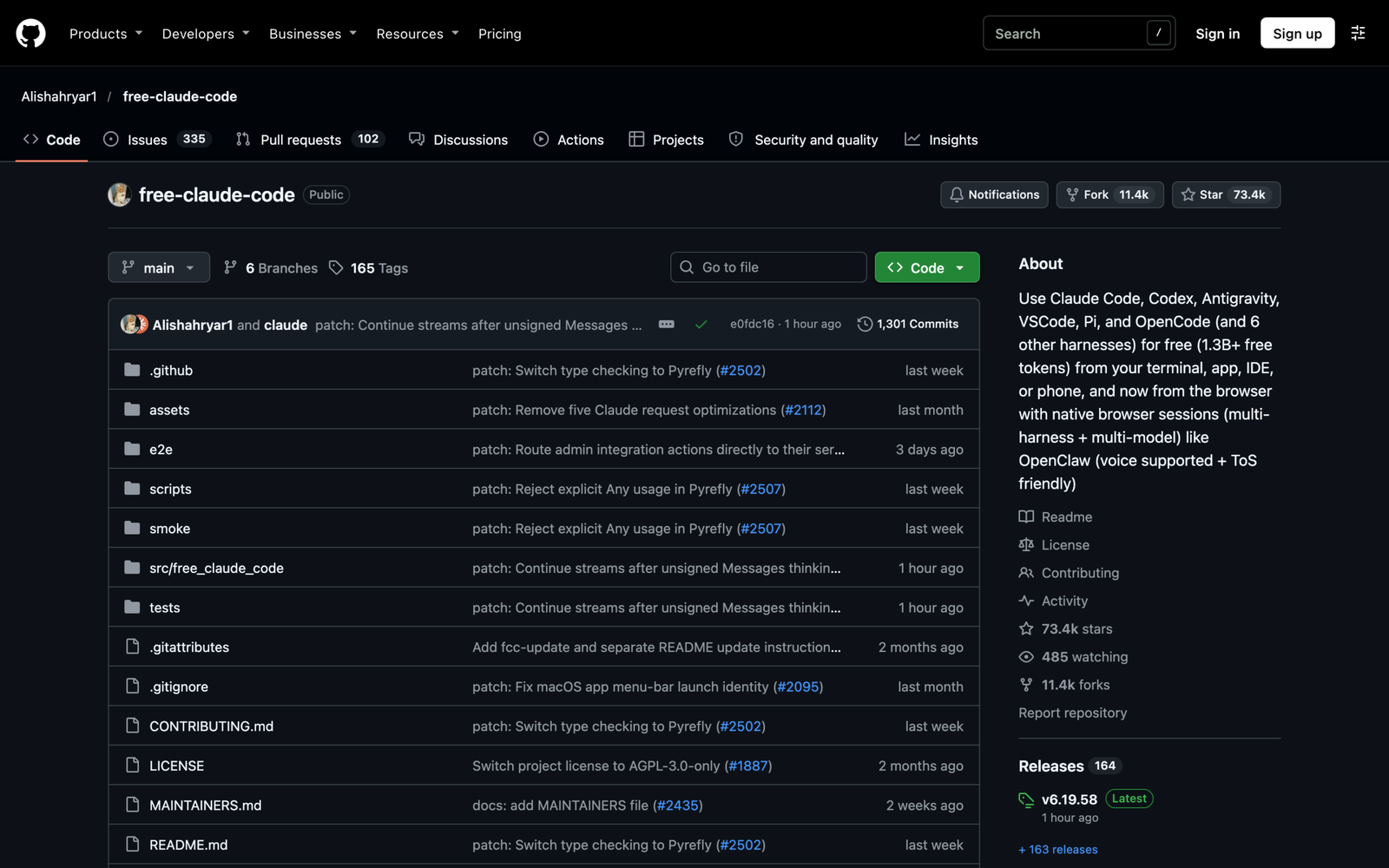
Install Free Claude Code with its official shell script, configure your free provider key in the local Admin UI (with Proxy Authentication enabled if you share a network), and launch Claude Code through the bundled fcc-claude wrapper.
Install
# Install Free Claude Code (macOS / Linux)
curl -fsSL "https://raw.githubusercontent.com/Alishahryar1/free-claude-code/main/scripts/install.sh" | sh

# Launch Claude Code routed through your configured local proxy
fcc-claude
If you prefer an MIT-licensed desktop control plane with explicit per-task routing rules, credential rotation, and ordered fallback chains, Claude Code Router (over 38,300 GitHub stars, v3.1.6 desktop release for macOS, Windows, and Linux) provides a single local endpoint for Claude Code, Codex, and OpenCode. You can point background subagents at a fast free model while reserving higher-reasoning routes for architecture edits, and inspect per-request latency and token counts inside the desktop dashboard.
After launching either proxy, run /model inside Claude Code to verify that your configured provider models populate the native picker. Trigger a multi-step prompt that reads two files and runs a test command, then check the proxy’s local Admin UI or request log to confirm every tool-calling turn returns HTTP 200 without falling back to Anthropic’s servers.
6.What Breaks on Free Backends—and How to Fix It
Anthropic is unambiguous in its LLM gateway documentation: “Anthropic doesn’t endorse, maintain, or audit third-party gateway products, and doesn’t support routing Claude Code to non-Claude models through any gateway.” In practice, three concrete failure modes account for almost every broken free setup, and all three have documented workarounds in Anthropic’s gateway compatibility guide.
First, Claude Code treats any model name it does not recognize—including local Ollama tags and OpenRouter aliases—as a current-generation Claude model and attaches thinking: {"type": "adaptive"} plus experimental beta headers such as context_management. When a local server or third-party upstream rejects those unfamiliar fields, you get immediate HTTP 400 errors mentioning thinking or Extra inputs are not permitted. Exporting the compatibility flags below strips those proprietary headers and also turns off nonessential background telemetry requests.
CLAUDE_CODE_DISABLE_ADAPTIVE_THINKING=1
CLAUDE_CODE_DISABLE_EXPERIMENTAL_BETAS=1
CLAUDE_CODE_DISABLE_NONESSENTIAL_TRAFFIC=1
Second, agentic reliability drops faster than raw chat quality on smaller open-weight models. A 20B local model or throttled free cloud endpoint handles single-file explanations, boilerplate generation, unit-test scaffolding, and git commit workflows cleanly, yet frequently hallucinates diff hunks or loops on bash errors during 15-file refactors. Prompt caching savings and Anthropic’s hosted web-search tools also disappear on most third-party gateways.
Use free local or cloud backends for repository exploration, scaffolding, documentation, and routine edits—then switch back to native Anthropic models when a refactor spans dozens of interdependent files and strict tool-call accuracy saves more engineering time than the API bill.
Keeping separate shell aliases—such as claude-local for Ollama or LM Studio, claude-free for OpenRouter or fcc-claude, and plain claude for paid Anthropic sessions—gives you zero-cost daily mileage without breaking your production workflow when you need frontier reasoning.