November 2026’s top-growing AI repositories are not chat wrappers or prompt collections. The projects gaining thousands of stars per week solve operational bottlenecks around coding agents: reverse-engineering existing software, keeping token costs down, enforcing front-end taste, inspecting native desktop apps through accessibility trees, and grounding specs before any file is edited.
To separate lasting tools from launch-day spikes, I scored 14 active repositories surfaced across Trendshift and DataAIHub on November 16, 2026. Every entry below excludes picks from our October 2026 roundup and pairs with our Claude Code hub and evergreen AI GitHub repositories index. Star counts come from live GitHub API snapshots taken on November 16, 2026, and usage details come from official repository documentation rather than local lab benchmarks.
| Repository | Best use | Stars (Nov 2026) | License | Local GPU |
|---|---|---|---|---|
| REA | Reverse-engineer binaries and web apps via MCP | 463,479 | MIT | Not required |
| Skills For Real Engineers | Composable engineering workflows across agents | 325,729 | MIT | Not required |
| Spec Kit | Spec-driven development and scoped bug triage | 150,053 | MIT | Not required |
| Caveman | Token compression across 30+ coding agents | 120,680 | Apache-2.0 | Not required |
| Taste Skill | Production front-end design systems over templates | 116,655 | MIT | Not required |
| Scrapling | Stealth scraping and Markdown extraction via MCP | 103,557 | BSD-3-Clause | Not required |
| Craft Anything | Clean-room Rust rebuilds with parity checks | 34,513 | MIT / Apache-2.0 | Not required |
| Astryx | Meta React 19 and StyleX accessible UI library | 29,405 | MIT | Not required |
| agent-desktop | OS accessibility-tree computer use without screenshots | 24,521 | Apache-2.0 | Not required |
| Modern Web Guidance | Browser standards skills and legacy code scanning | 19,478 | Apache-2.0 | Not required |
The clear November trend is agent infrastructure that sees and verifies reality before generating code—reading binary evidence, OS accessibility trees, live DOMs, and written specs instead of guessing in a blank chat box.
1.REA: reverse engineer binaries and runtime behavior through MCP
REA (Reverse Engineer Anything) tops November’s developer charts with 463,479 stars by packaging binary and application inspection behind a single Model Context Protocol server and agent skill. Built in TypeScript under an MIT license, it lets coding agents inspect compiled applications, desktop bundles, JavaScript builds, and live runtime behavior before writing equivalent features for your own codebase.
The practical workflow starts by connecting your client—such as Claude Code, Codex, Cursor, or Gemini CLI—and pointing the analyzer at software you own or have permission to study. Instead of summarizing guesswork from file names, REA exposes deterministic inspection commands that emit structured JSON traces covering search mechanics, IPC boundaries, and state flows.
Bash
npx rea-agents setup
npx -y rea-agents@latest analyze-javascript-application /path/to/app --json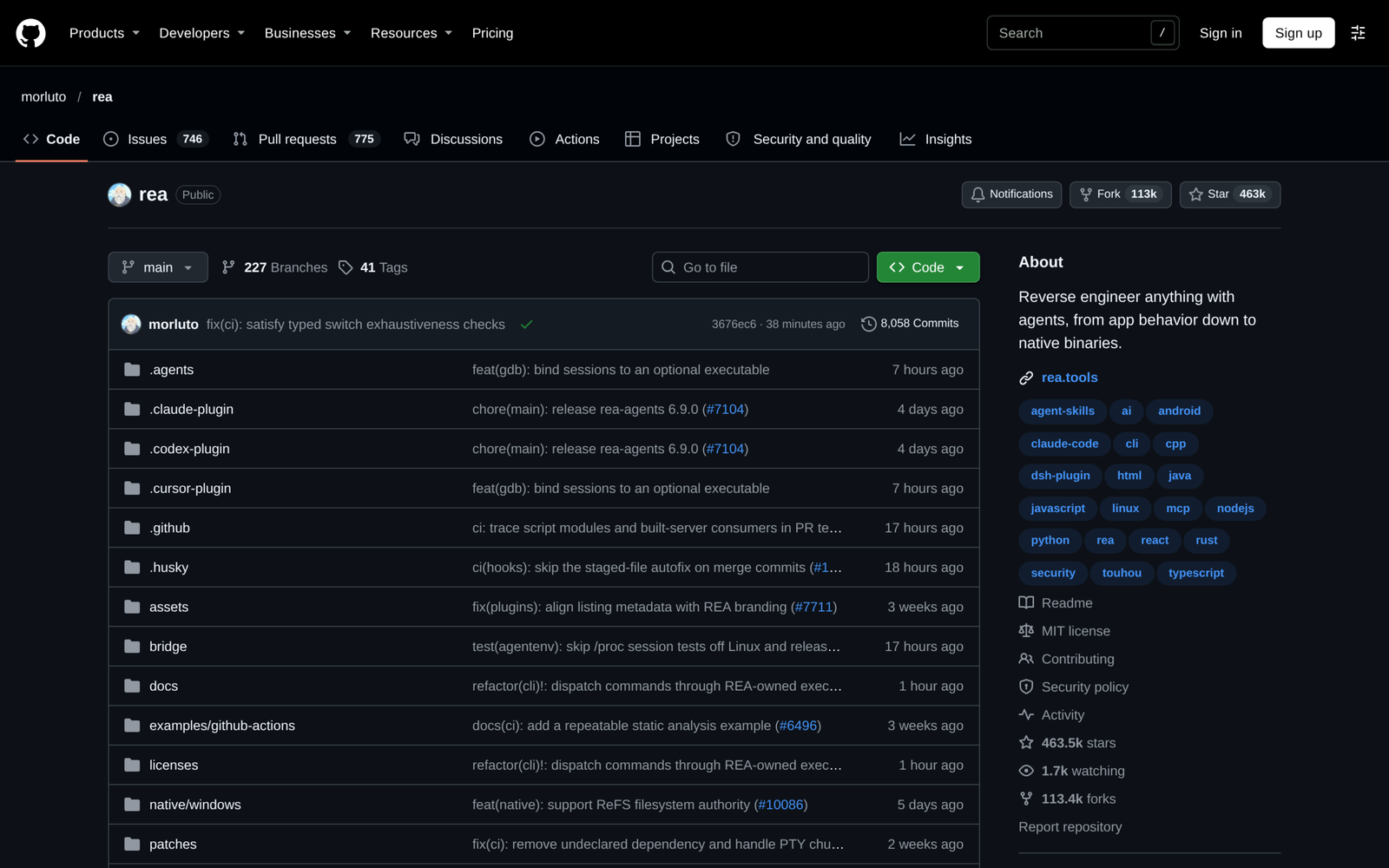
Once configured, you ask your agent to inspect a concrete behavior and map evidence straight back to your working repository rather than re-inventing architecture blindly.
Keep strict boundaries before installing it on production machines. According to the documentation, Node.js is required locally, Linux owned-process checks expect a procps-compatible ps binary, and reverse-engineering tools should stay confined to codebases and binaries you are legally authorized to analyze.
2.Skills For Real Engineers: composable workflows for coding agents
Skills For Real Engineers has reached 325,729 stars because developers want repeatable discipline without surrendering repository control to monolithic orchestrators. Published by Matt Pocock under an MIT license, this Shell-backed repository collects small, hackable SKILL.md modules covering adversarial interview questioning, scoped refactoring, test-first loops, and pull request checks.
Unlike end-to-end frameworks that prescribe every git branch and ticket phase, each skill drops cleanly into Claude Code, Codex, GitHub Copilot, Cursor, or Windsurf. Engineers can install the official marketplace bundle for automatic updates or copy plain Markdown files into a repository folder to adapt rules directly for a team’s stack.
Bash
claude plugin install mattpocock-skills@claude-plugins-officialAfter setup, invoking an interview or architecture skill right before building catches mismatched assumptions before dozens of files change unnecessarily. Notice the intentional tradeoff highlighted in the README: avoid installing both the plugin version and the editable skills.sh copy inside the same agent, because doing so registers every slash command twice and clutters skill selection. Choose the managed plugin for personal velocity or editable project files when teams customize prompts in git.
3.Spec Kit: spec-driven development and bug-fixing workflows
Spec Kit, maintained under the official github organization with 150,053 stars and an MIT license, formalizes Spec-Driven Development into repeatable templates and CLI extensions. Rather than firing one-shot prompts straight into application code, the Python toolkit splits features, bug investigations, and idea assessments into inspectable artifacts that survive across sessions.
Teams typically use Spec Kit on multi-module features where ambiguous edge cases derail autonomous coding runs halfway through implementation. You install specify-cli with uv, generate a project constitution covering testing and architectural constraints, and add optional extensions such as scoped bug fixing only when needed.
Bash
uv tool install specify-cli
specify init my-project --integration copilot
specify extension add bug
Because every phase writes a clean Markdown contract—constitution, specification, technical plan, and verification checklist—reviewers can audit intent before touching application code. That ceremony is also its main limitation: small hotfixes, exploratory scripts, and single-file tweaks run faster with a brief prompt than a four-step spec pipeline. Reserve Spec Kit for features spanning multiple components, APIs, or contributors.
4.Caveman: cut coding-agent token bills without switching models
Caveman climbed to 120,680 stars on a blunt pitch: cut wasted tokens by stripping conversational filler out of agent instructions and responses without changing your underlying model. Written in Go under an Apache-2.0 license, it ships both as an interactive CLI wrapper covering 30-plus tools and a drop-in Claude Code plugin that activates automatically across subagents.
Its appeal centers on cost and latency during full workdays of terminal coding. In benchmark notes published by its maintainers in November 2026 against stock Claude Code and Codex configurations, compressed sessions used 33.2% fewer input tokens while keeping identical task pass rates and trimming per-task bills by 14% to 76% depending on tool overhead.
Bash
npx @caveman-ai/cli@latest
claude plugin marketplace add JuliusBrussee/caveman && claude plugin install caveman@caveman
Treat those savings numbers carefully until verified on your own workload, since they come from the author’s self-published runs rather than an independent third-party benchmark. Keep in mind too that terse telegraphic output hurts readability when non-technical stakeholders inspect transcripts; keep Caveman active during fast inner coding loops and turn normal prose back on for documentation or architecture memos.
5.Taste Skill: stop coding agents from shipping generic UI
Taste Skill sits at 116,655 stars with an MIT license by fixing the visual giveaway of generated web apps: identical purple hero cards, bloated shadows, awkward six-line wraps, and mismatched icon badges. Authored as an agent skill alongside companion styles, it enforces disciplined editorial spacing, plain product copy, balanced edges, and grounded photography across frontend builds.
You add the core design-taste-frontend module via the Vercel skills CLI or inside Claude Code and Codex plugins, which namespaces commands cleanly under taste-skill: so existing workspace rules stay intact. Once loaded, agents apply consistent layout grids and visual restraint automatically whenever scaffolding pages or marketing routes.
npx skills add https://github.com/Leonxlnx/taste-skill --skill "design-taste-frontend"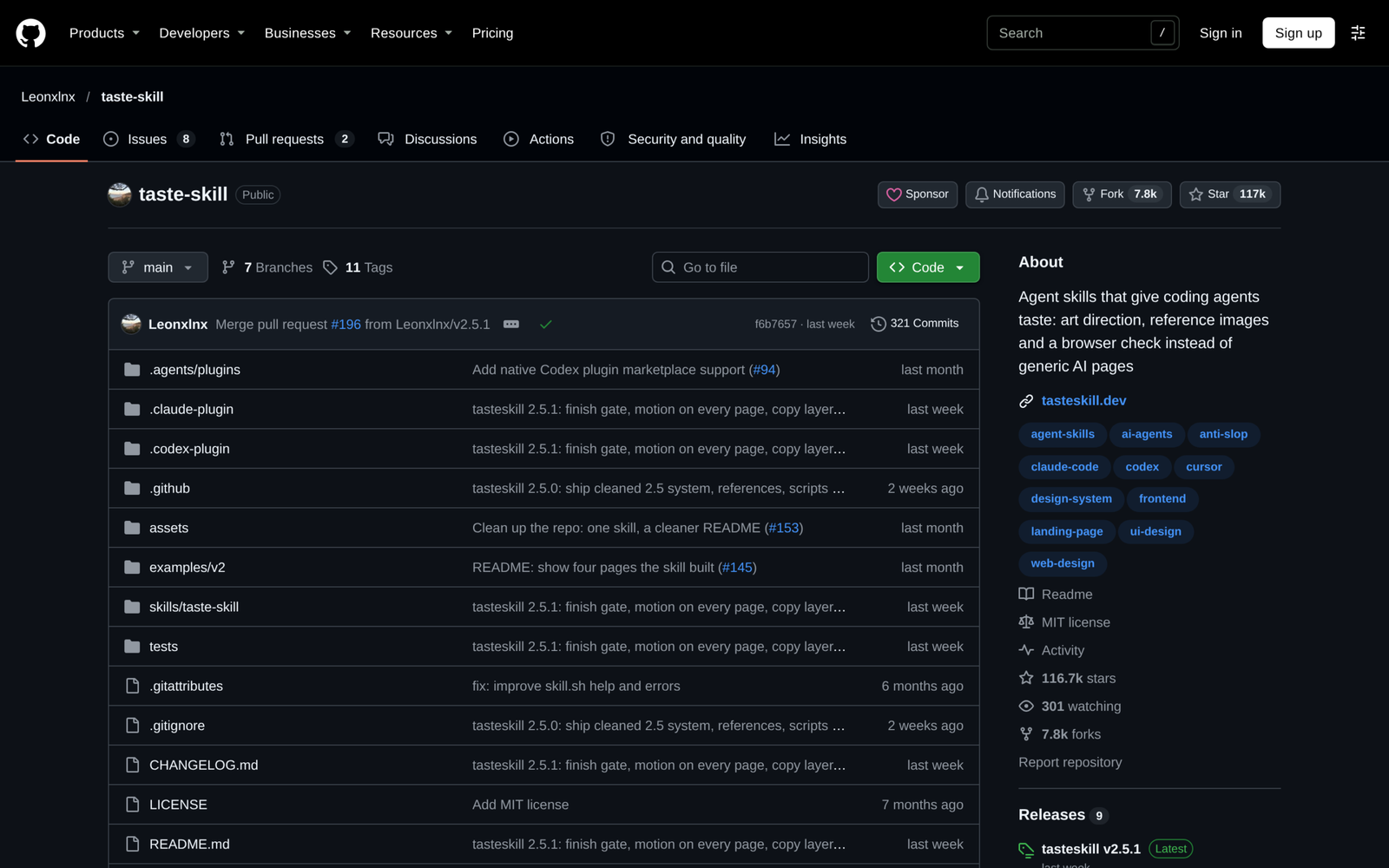
After loading the skill, ask the agent to rebuild an existing screen against your product tokens rather than inventing synthetic SaaS metrics or filler sections.
Know what it omits before shipping: Taste Skill raises visual craft and spacing discipline, not backend security, database indexing, or WCAG keyboard testing. Pair it with accessible UI primitives and automated browser checks before treating any frontend screen as finished.
6.Scrapling: stealth web scraping and Markdown extraction via MCP
Scrapling reaches 103,557 stars under a BSD-3-Clause license by unifying high-speed HTTP fetching, TLS fingerprint impersonation, async spiders, and an MCP server inside one Python 3.10+ package. For developers wiring research or competitive-intel agents into live websites, it eliminates brittle custom Playwright boilerplate and turns pages straight into structured selectors or clean Markdown.
Small extraction scripts can start with the core Python package, while workflows needing dynamic browser stealth, built-in proxies, or agent tools install the fetcher extras. Its adaptive parsing also remembers element structure so minor DOM tweaks do not immediately break downstream scrapers.
from scrapling.fetchers import Fetcher, FetcherSession

with FetcherSession(impersonate="chrome") as session:
    page = session.get("https://example.com/", stealthy_headers=True)
    headings = page.css("h2::text").getall()
Operational caveats matter when deploying crawlers into automated pipelines. Python 3.10 or newer is mandatory, headless browser dependencies download separately under scrapling[fetchers], and stealth capabilities do not waive terms-of-service boundaries, rate limits, or authorization rules on third-party sites. Use its MCP integration responsibly for permitted documentation, owned domains, and compliant data collection.
7.Craft Anything: clean-room Rust rebuilds with parity checks
Craft Anything brings 34,513 stars and a pure-Rust engine built specifically for developers who want coding agents to inspect an existing site or desktop app and build a clean-room implementation alongside automated checks. Dual-licensed under MIT and Apache-2.0, it runs as a cross-platform desktop app or CLI (craft-anything-cli mcp) that hands inspection evidence directly to Claude Code.
Instead of pasting vague screenshots into chat, a workspace folder records craft.json state, structural captures, likeness metrics, and deviation reports that require explicit human sign-off whenever a rebuild crosses defined rules. That feedback loop keeps multi-turn rebuilds measurable across iterations rather than relying on subjective visual checks.
git clone https://github.com/storytold/craft-anything
cargo install --path apps/craft-anything-cli
craft-anything-cli mcp
Be realistic about maturity before building team pipelines on top of it: the repository marks itself explicitly as early alpha, source compilation expects Rust 1.97 or newer, and Linux builds require desktop development headers such as libgtk-3-dev and libwayland-dev. Experiment with clean-room UI or utility prototypes now, and keep human code and license reviews mandatory before publishing outputs.
8.Astryx: Meta’s open design system built for people and agents
Astryx, released from Meta’s internal UI stack with 29,405 stars under the MIT license, packages 150-plus accessible React components and StyleX theming tokens with a dedicated agent CLI. The goal is simple: both human engineers and coding agents query exact component contracts via npm run astryx -- component --list instead of guessing prop names or hand-rolling brittle CSS.
Setup stays lightweight because Astryx delivers pre-built theme stylesheets (@astryxdesign/theme-neutral) alongside typed @astryxdesign/core primitives and built-in dark mode, avoiding complex compiler plugins. Teams building dashboards or SaaS interfaces gain predictable focus management, modal stacking, and design-token parity without inventing an internal component library from scratch.
npm install @astryxdesign/core @astryxdesign/theme-neutral @stylexjs/stylex
npm install -D @astryxdesign/cli
npm run astryx -- component --list
Two version constraints determine whether your project is ready today. First, Astryx sits in public Beta, so breaking token or component API updates remain possible across minor releases. Second, @astryxdesign/core lists React 19 and react-dom 19 or later as peer dependencies, which blocks drop-in adoption inside legacy React 18 apps until a framework upgrade finishes.
9.agent-desktop: operate native desktop apps via accessibility trees
agent-desktop from Vercel Labs brings 24,521 stars and Apache-2.0 licensing to desktop automation by replacing expensive vision-only screenshots with semantic OS accessibility trees. Written in Rust and distributed with native bindings via npm or Homebrew, it exposes macOS, Windows, and Linux UI controls as JSON elements tagged with snapshot-scoped refs.
Instead of asking a multimodal model to guess pixel coordinates every click, your coding agent captures interactive refs from the target window, triggers exact clicks or text input, and refreshes the accessibility snapshot to verify the state transition. Stale refs fail explicitly (STALE_REF) rather than clicking the wrong button after a dialog shifts.
npm install -g agent-desktop
agent-desktop status
agent-desktop snapshot --app Finder -i
agent-desktop click @s8f3k2p9:e8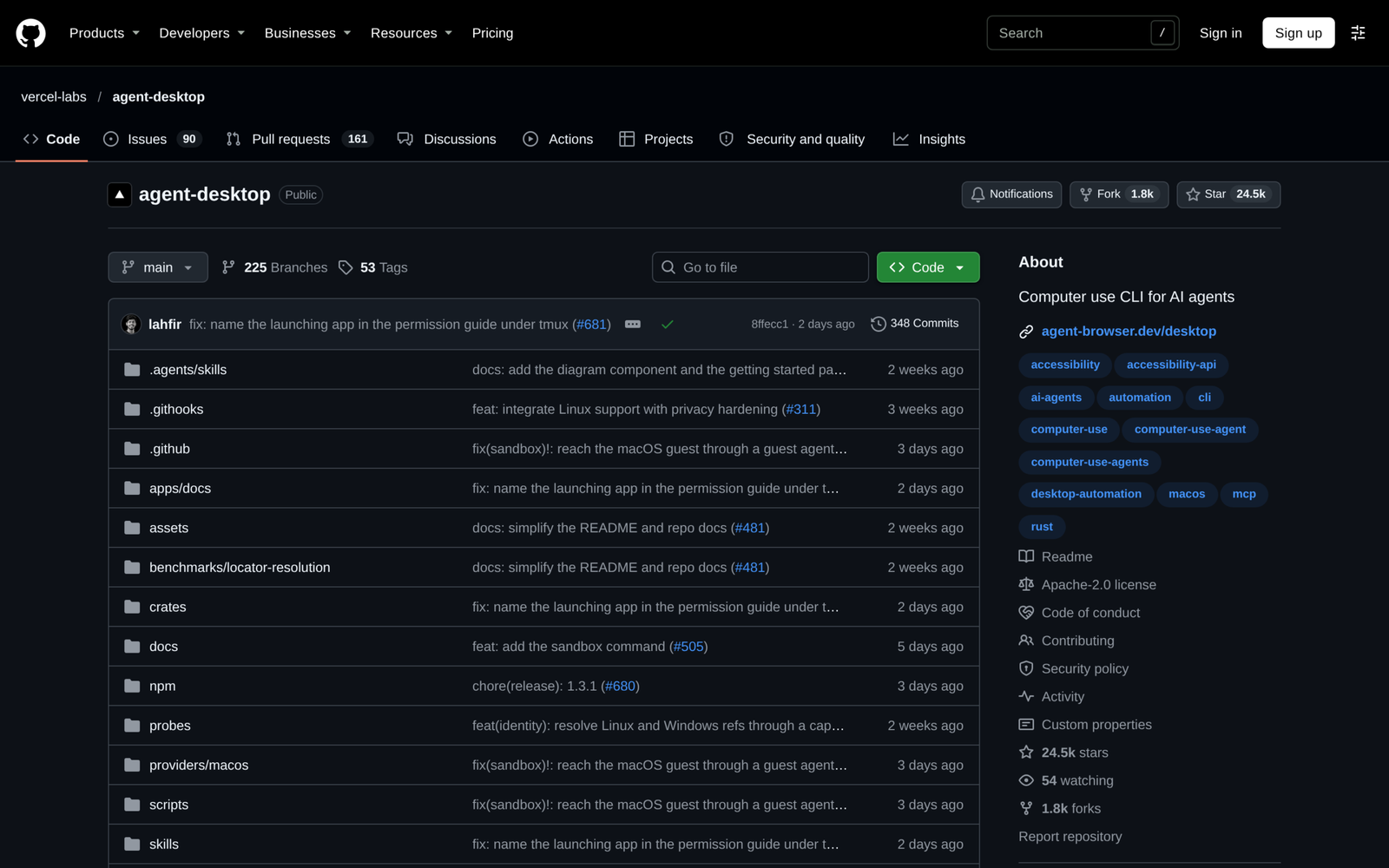
Accessibility-tree control also avoids streaming sensitive full-screen captures across API providers when structured JSON suffices. Still, two precautions apply before enabling it on workstations: users must grant OS Accessibility permissions first (guided on macOS via agent-desktop permissions --guide), and clipboard or snapshot outputs can include private desktop content that should stay excluded from public logs.
10.Modern Web Guidance: steer agents away from legacy web patterns
Modern Web Guidance reaches 19,478 stars under an Apache-2.0 license through joint stewardship by the Google Chrome, Microsoft Edge, Firefox, and MDN engineering teams. It installs browser compatibility guidance and architectural skills directly into AI coding agents so they stop emitting heavyweight polyfills and obsolete DOM hacks pulled from older training weights.
Running the interactive installer adds search, retrieval, and a local legacy codebase scanner that flags outdated modals, layout workarounds, and CSS bugs offline without leaking source files. When agents query exact guidance IDs like animate-to-from-top-layer, they pull verified cross-browser patterns rather than inventing fragile workarounds.
npx modern-web-guidance@latest install
npx modern-web-guidance@latest search "animate a dialog modal backdrop"
npx modern-web-guidance@latest legacy-scan .
Once the CLI indexes a project’s HTML, stylesheets, and interactive scripts, pairing legacy-scan with a constrained review prompt converts obsolete polyfills into standards-compliant primitives across your component tree without touching backend logic.
Its natural scope is strictly the browser platform—HTML, CSS, DOM APIs, and modern baseline compatibility. Backend services, database migrations, and native mobile targets still need stack-specific tests alongside browser verification.
11.Frequently Asked Questions About November 2026 AI GitHub Repositories
11.1How often does GitHub Trending update with new AI repositories?
GitHub updates its main daily, weekly, and monthly Trending feeds continuously throughout each day based on star velocity, forks, and developer traffic. Checking monthly aggregators alongside direct commit timestamps prevents chasing short-lived hype spikes whose maintainers stop shipping two weeks after launch.
11.2Which November 2026 repository is easiest for a solo developer to try first?
GoogleChrome/modern-web-guidance and mattpocock/skills take under two minutes to adopt because neither requires API keys, Rust toolchains, or background daemons. Drop one skill or run a local legacy-scan on an existing project, verify the suggested diff, and expand from there.
11.3Do any of these ten repositories require a local GPU?
No repository in this November 2026 shortlist requires local GPU hardware or CUDA drivers. Every project runs lightweight CLI binaries, MCP servers, Markdown skill files, or Node/Python libraries that connect to whichever local or cloud coding model you already run.
11.4Which projects integrate directly with Claude Code and Codex?
morluto/rea, mattpocock/skills, JuliusBrussee/caveman, Leonxlnx/taste-skill, D4Vinci/Scrapling, storytold/craft-anything, meta/astryx, and GoogleChrome/modern-web-guidance all ship native MCP endpoints, plugins, or agent skill definitions compatible with Claude Code and Codex workflows. github/spec-kit and vercel-labs/agent-desktop also work naturally through CLI tool calls inside both terminals.
11.5What checks should teams run before adding trending repos to production?
Verify three basics first: match the software license (MIT, Apache-2.0, BSD-3-Clause) against company policy, inspect install hooks or MCP network permissions before granting workspace access, and pin package versions rather than running unreviewed @latest scripts inside automated CI pipelines.