
Most AI SEO workflows stall at the copy-paste boundary: an agent suggests keywords inside chat, a marketer opens three SaaS tabs to double-check Search Console, and broken internal links keep piling up on WordPress. Pairing Claude Code in your terminal with OpenSEO’s MCP server closes that loop by putting live search telemetry, site-audit findings, and your WordPress REST endpoints inside one scriptable workflow.
In our earlier breakdown of OpenSEO vs Claude SEO, we mapped when teams need data versus structured audit rules. This implementation guide shows how to connect OpenSEO (27,903 stars on GitHub) directly to Google Search Console and WordPress REST APIs alongside our Claude Code SEO guide and Claude Code hub. Pricing and connector flags come from OpenSEO’s live documentation as of November 16, 2026; Python audit commands represent our deterministic pre-filter pattern rather than an automated unattended writer.
In this article
- Connecting Claude Code, OpenSEO MCP, and WordPress REST
- Task One: Detecting Zero-Internal-Link Orphan Posts
- Task Two: Generating Verified FAQ Schema JSON-LD
- Task Three: Catching Keyword Position Decay Before Traffic Drops
- Complete Python Pipeline Script for Weekly WordPress Audits
- Cost and Rate Limit Economics vs Traditional SEO SaaS
- Hosted OpenSEO vs Self-Hosted Docker and Hybrid Rollout
1.Connecting Claude Code, OpenSEO MCP, and WordPress REST
The reliable architecture splits responsibilities across three narrow layers instead of asking one chat prompt to guess everything. OpenSEO MCP supplies current keyword metrics, SERP snapshots, backlinks, and Search Console performance records. Local Python scripts fetch WordPress posts deterministically and compute link graphs without burning LLM context tokens. Claude Code acts as the orchestrator that reads prioritized queues, drafts targeted diffs, and leaves live publishing gated behind explicit review flags.
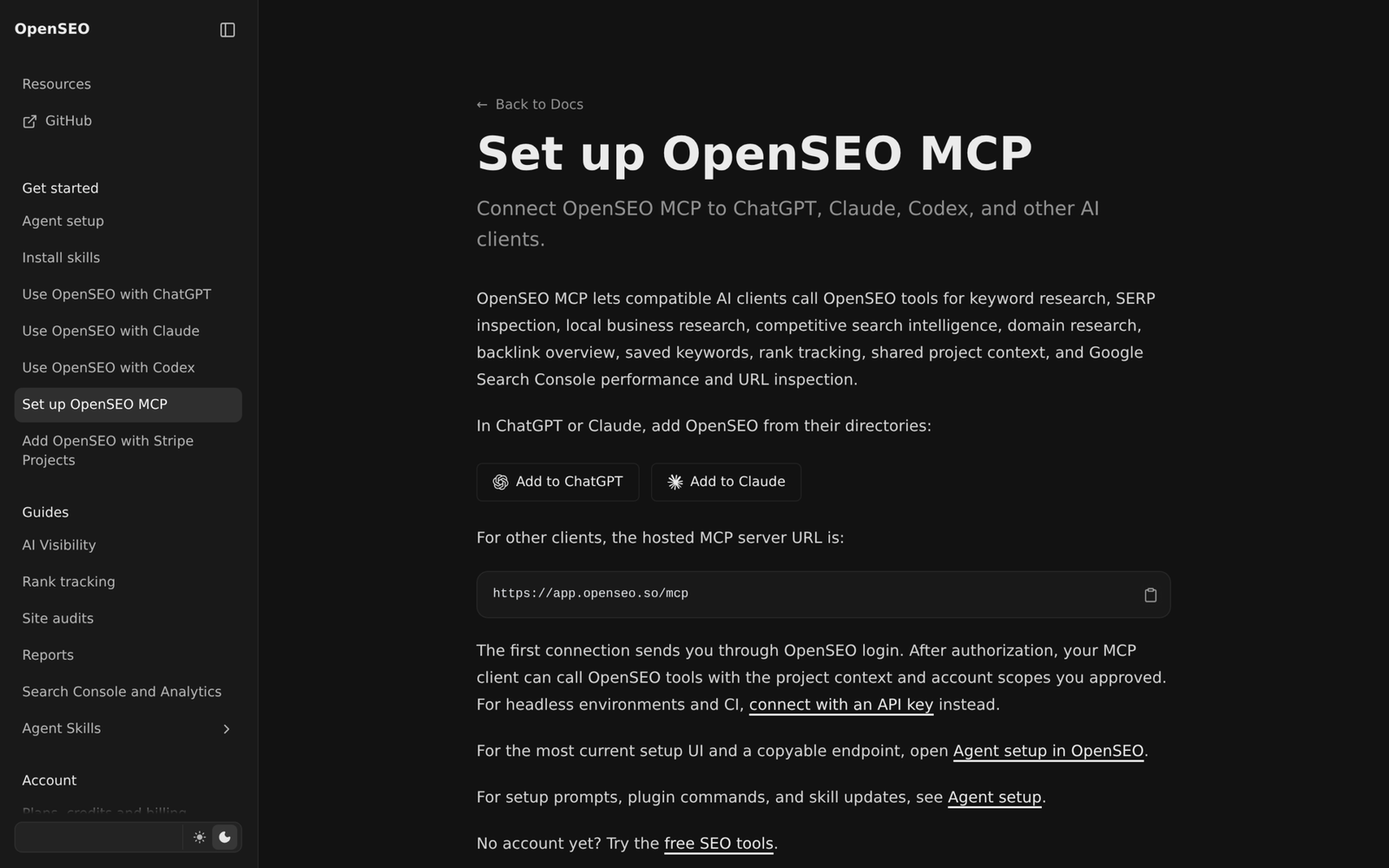
One subtle setup quirk trips up new builders right after connecting OpenSEO. Adding the bare MCP server URL (https://app.openseo.so/mcp) gives Claude raw SEO tools, whereas installing the OpenSEO plugin or running the skills installer adds the 12 procedural SKILL.md playbooks such as /seo-audit, /keyword-research, and /ai-visibility-audit. Run both registrations in terminal sessions so headless scripts can authenticate cleanly via API key.
Bash
claude mcp add --transport http --scope user openseo https://app.openseo.so/mcp \
  --header "Authorization: Bearer oseo_YOUR_KEY"
npx skills add https://github.com/every-app/open-seo/tree/main/plugins/openseo/skills --skill '*' --agent claude-code
Once connected, verify your workspace credentials and test read access against both OpenSEO projects and your local WordPress environment file before generating any write request. Never embed application passwords inside checked-in scripts or prompt files, and remember that self-hosted Docker instances of OpenSEO require an authenticating proxy or Tailscale layer in front of them because default local auth is disabled.
2.Task One: Detecting Zero-Internal-Link Orphan Posts
New tutorials routinely lose rankings because no existing high-authority post links back to them. Solving orphan pages autonomously does not require letting an LLM crawl five hundred URLs page by page. Instead, fetch published post HTML in batches from /wp-json/wp/v2/posts, parse internal <a href> destinations pointing to your domain, and sort posts where incoming contextual link count equals zero.
With that deterministic orphan list in JSON, ask Claude Code inside your workspace to cross-reference OpenSEO’s Search Console data and nominate two or three semantically related pillar posts where an anchor fits naturally. Framing the task as targeted link insertion keeps edits small, readable, and easy to verify in git or WordPress revisions.
Before accepting any automated link edit, filter out utility pages, staging drafts, and 301-redirected legacy slugs so link equity flows exclusively toward live canonical URLs. Keeping exclusions inside your deterministic Python scanner ensures the agent never wastes a turn linking into retired destinations.
3.Task Two: Generating Verified FAQ Schema JSON-LD
Google Search Console often reveals long-tail question queries where a guide already ranks between positions six and fifteen, yet lacks explicit Q&A markup or concise on-page answers. Rather than asking an AI agent to invent questions out of thin air, query OpenSEO for question-phrased impressions tied to a specific URL and verify whether each answer is already stated clearly in the article copy.
Only after matching visible paragraphs exist should the pipeline assemble structured FAQPage JSON-LD blocks. Generating schema strictly from verified HTML text protects against structured-data mismatches where hidden markup answers questions the human reader cannot find on the page.
{
  "@context": "https://schema.org",
  "@type": "FAQPage",
  "mainEntity": [
    {
      "@type": "Question",
      "name": "Does OpenSEO MCP include Google Search Console data on Base plans?",
      "acceptedAnswer": {
        "@type": "Answer",
        "text": "Yes. OpenSEO documentation lists Search Console performance and URL inspection as zero-credit features included on the $10/month Base tier."
      }
    }
  ]
}
Route every generated JSON-LD snippet through JSON parsing validation and editorial inspection before injecting it into WordPress custom fields or header blocks. If a high-impression query has no real answer on the page yet, update the article body first and derive the schema afterward.
4.Task Three: Catching Keyword Position Decay Before Traffic Drops
Search traffic rarely crashes overnight; most guides drift slowly from position five to twelve over four to eight weeks as competing tutorials ship fresher screenshots or clearer code examples. Catching decay early requires comparing rolling 28-day position averages and click-through rates filtered by meaningful impression volume—for instance, queries with at least fifty impressions and a two-position slip.
Once flagged, hand the declining query and target URL to OpenSEO MCP inside Claude Code to inspect current SERP headers and competitor angles without manually clicking through ten tabs. Pairing live SERP diffs with your current WordPress title and excerpt gives you a concrete refresh hypothesis grounded in what searchers see today.
Avoid rewriting URLs or chasing single-day ranking noise on low-volume keywords. Wait until two-week averages confirm steady slippage, refresh only stale sections or meta excerpts under 156 characters, and log the change date so next month’s audit measures recovery accurately.
5.Complete Python Pipeline Script for Weekly WordPress Audits
Offloading deterministic REST pagination and HTML anchor parsing to a local Python script keeps Claude Code fast, repeatable, and inexpensive. Save the script below inside your workspace scripts directory; it authenticates via environment variables (WORDPRESS_SITE_URL, WORDPRESS_USER, WORDPRESS_APP_PASSWORD), paginates published WordPress posts, maps internal link counts across body copy, checks excerpt lengths, and writes a structured weekly_seo_queue.json dry-run report without touching live content.
#!/usr/bin/env python3
"""Read-only WordPress REST audit emitting orphan and metadata queues for Claude Code."""
import base64
import json
import os
import re
import urllib.parse
import urllib.request
from bs4 import BeautifulSoup

SITE = os.environ["WORDPRESS_SITE_URL"].rstrip("/")
AUTH = base64.b64encode(
    f"{os.environ['WORDPRESS_USER']}:{os.environ['WORDPRESS_APP_PASSWORD']}".encode()
).decode()
HEADERS = {"Authorization": f"Basic {AUTH}", "User-Agent": "artimind-seo-audit/1.0"}


def fetch_published_posts():
    posts, page = [], 1
    while True:
        url = f"{SITE}/wp-json/wp/v2/posts?status=publish&per_page=100&page={page}"
        req = urllib.request.Request(url, headers=HEADERS)
        try:
            with urllib.request.urlopen(req, timeout=30) as resp:
                batch = json.loads(resp.read().decode())
        except urllib.error.HTTPError as err:
            if err.code == 400:
                break
            raise
        if not batch:
            break
        posts.extend(batch)
        page += 1
    return posts


def build_queue(posts):
    domain = urllib.parse.urlparse(SITE).netloc.lower()
    inbound = {p["slug"]: 0 for p in posts}
    rows = {}

    for p in posts:
        slug = p["slug"]
        html = p["content"]["rendered"]
        soup = BeautifulSoup(html, "html.parser")
        excerpt = re.sub(r"<[^>]+>", "", p.get("excerpt", {}).get("rendered", "")).strip()
        words = len(soup.get_text(" ", strip=True).split())

        for a in soup.find_all("a", href=True):
            parsed = urllib.parse.urlparse(a["href"])
            target_domain = parsed.netloc.lower()
            if (not target_domain or domain in target_domain) and parsed.path:
                target_slug = parsed.path.strip("/").split("/")[-1]
                if target_slug in inbound and target_slug != slug:
                    inbound[target_slug] += 1

        rows[slug] = {
            "id": p["id"],
            "title": p["title"]["rendered"],
            "words": words,
            "excerpt_len": len(excerpt),
            "inbound_links": 0,
        }

    for slug, count in inbound.items():
        rows[slug]["inbound_links"] = count

    orphans = [r for r in rows.values() if r["inbound_links"] == 0]
    bad_meta = [r for r in rows.values() if r["excerpt_len"] == 0 or r["excerpt_len"] > 160]
    return {"total_posts": len(posts), "orphans": orphans[:25], "metadata_fixes": bad_meta[:25]}


if __name__ == "__main__":
    all_posts = fetch_published_posts()
    report = build_queue(all_posts)
    with open("weekly_seo_queue.json", "w", encoding="utf-8") as fh:
        json.dump(report, fh, indent=2)
    print(f"Audited {report['total_posts']} posts | Orphans: {len(report['orphans'])} | Meta fixes: {len(report['metadata_fixes'])}")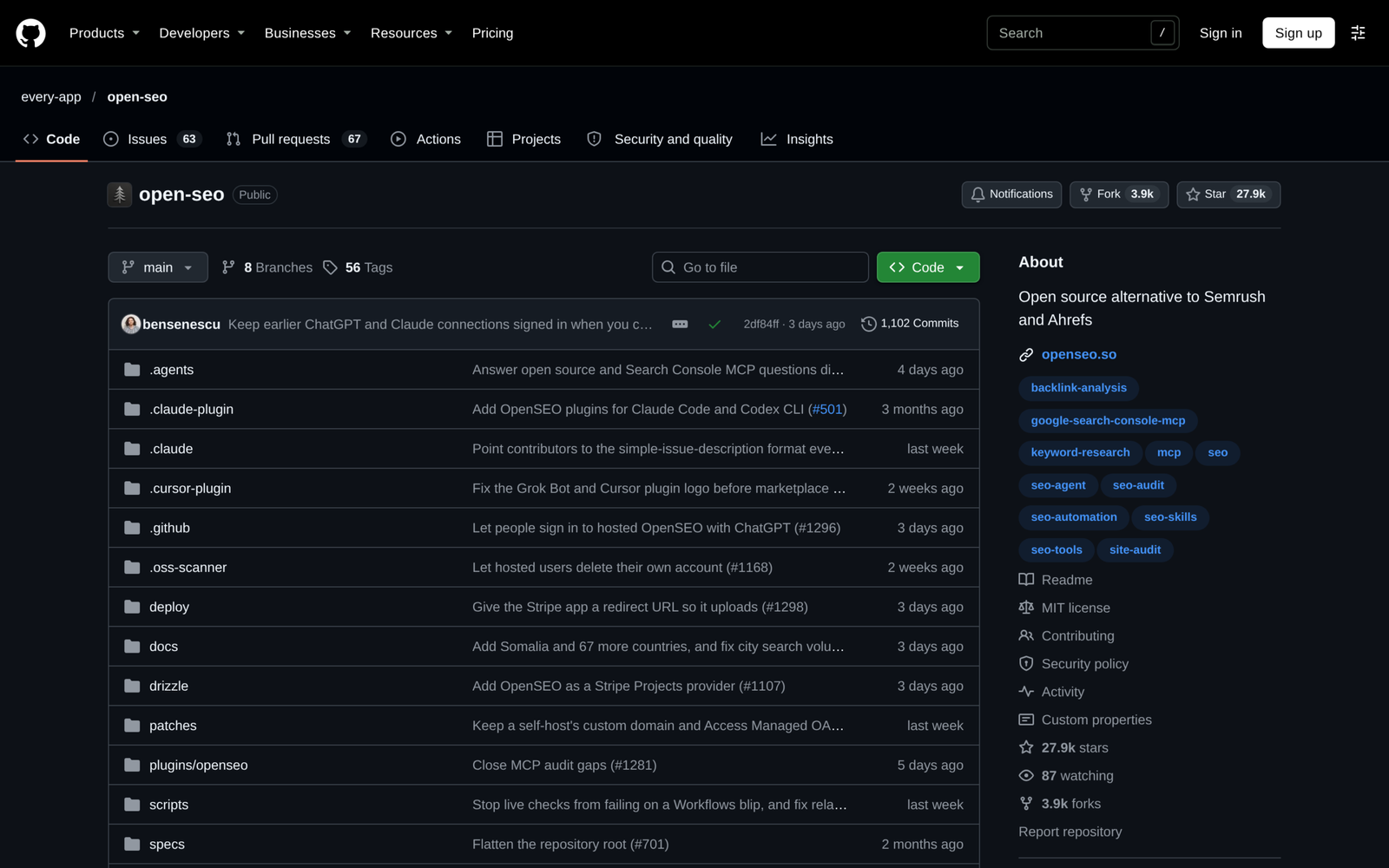
Execute the scanner from your shell using read-only environment variables first, inspect weekly_seo_queue.json, and then let Claude Code prioritize fixes using OpenSEO’s live keyword and GSC tools. Keeping mutations opt-in prevents partial script errors from scrambling production categories or overwriting custom shortcodes.
6.Cost and Rate Limit Economics vs Traditional SEO SaaS
Understanding usage-based economics keeps autonomous pipelines far cheaper than legacy SEO suites without surprise API bills. OpenSEO’s live pricing (verified November 16, 2026) begins with a $0.50 credit-card-free trial, followed by a $10/mo Base subscription containing $10 of monthly lookup usage, unlimited projects, zero per-seat fees, and zero-credit Google Search Console reads. Each paid action bills DataForSEO wholesale cost plus a 28% hosted markup—roughly $0.05 per keyword lookup, $0.08 per domain backlink overview, up to $0.015 per weekly rank check, and $0.002 per AI prompt check.
| Stack Option | Monthly Fixed Cost | Usage Charges (Nov 2026 Published Rates) | GSC & Projects | Primary Tradeoff |
|---|---|---|---|---|
| OpenSEO Hosted Base + Claude Code | $10/mo ($10 usage included) | ~$0.05 keyword search; $0.002 AI prompt check | Free GSC, unlimited | Small 28% markup over raw DataForSEO |
| OpenSEO Pro / Agency | $30/mo ($36 usage) / $100/mo ($120 usage) | 20% bonus usage credit over subscription | Unlimited seats | Overkill for single-site operators |
| Self-Hosted OpenSEO (Docker / Cloudflare) | $0 SaaS fee (+ hosting) | Direct DataForSEO billing (no 28% markup) | BYO credentials | Operator manages auth proxy and updates |
| Ahrefs Lite (OpenSEO Benchmark Ref.) | $129/mo | Tiered monthly report and credit caps | Seat-limited | High fixed floor; no native MCP pipeline |
By filtering 100 WordPress posts in Python locally before asking Claude Code to diagnose the top ten decayed URLs, LLM token overhead stays tiny—typically a few thousand input tokens per weekly batch under Sonnet or Opus rate limits rather than dumping full HTML bodies into context. Respect WordPress REST request intervals with small delays during write batches, and reserve paid OpenSEO SERP checks for pages with verified impression demand.
7.Hosted OpenSEO vs Self-Hosted Docker and Hybrid Rollout
Start with OpenSEO’s $10/mo Hosted Base tier plus your deterministic local Python scanner before deploying self-hosted infrastructure. Hosted OAuth and instant plugin updates let a solo developer or content team prove ROI across orphan fixes, decay alerts, and internal linking inside the first afternoon.
Move to self-hosted Docker or Cloudflare workers only once agency volume or proprietary client policies demand direct DataForSEO billing and isolated network authentication. Whichever deployment you pick, keep human approval on final WordPress writes and track Search Console impressions weekly so your pipeline stays accountable to traffic instead of raw task volume.