Most broken AI automations start with an architectural mismatch: developers stuff multi-step workflows into static CLAUDE.md files, wrap raw API credentials inside flaky shell scripts, or install six Model Context Protocol servers when a 40-line Markdown skill would do the job faster.
Now that Claude Code has merged legacy .claude/commands/ into the open SKILL.md standard alongside MCP tool search deferral and .claude-plugin bundles, the line between tools and instructions is crystal clear. Understanding where MCP ends and Skills begin cuts baseline token drag and makes your automations far easier to govern across teams.
This guide lays out the exact architectural divide documented in Claude Code’s current specification, along with decision rules for pairing both safely—building on our earlier look at Claude Skills best practices and our cross-agent analysis of Skills vs MCP.
In this article
- MCP vs Skills: Two Completely Different Jobs
- How Progressive Disclosure Keeps Skill Costs Near Zero
- MCP Transports, Tool Search, and Context Overhead
- Decision Matrix: Choosing MCP, Skills, or Plugins
- Five Production Rules for High-Reliability Automation
- Hybrid Blueprint: Wiring an MCP Connector Inside a Skill
- Architecture Rollout Checklist and Frequently Asked Questions
1.MCP vs Skills: Two Completely Different Jobs
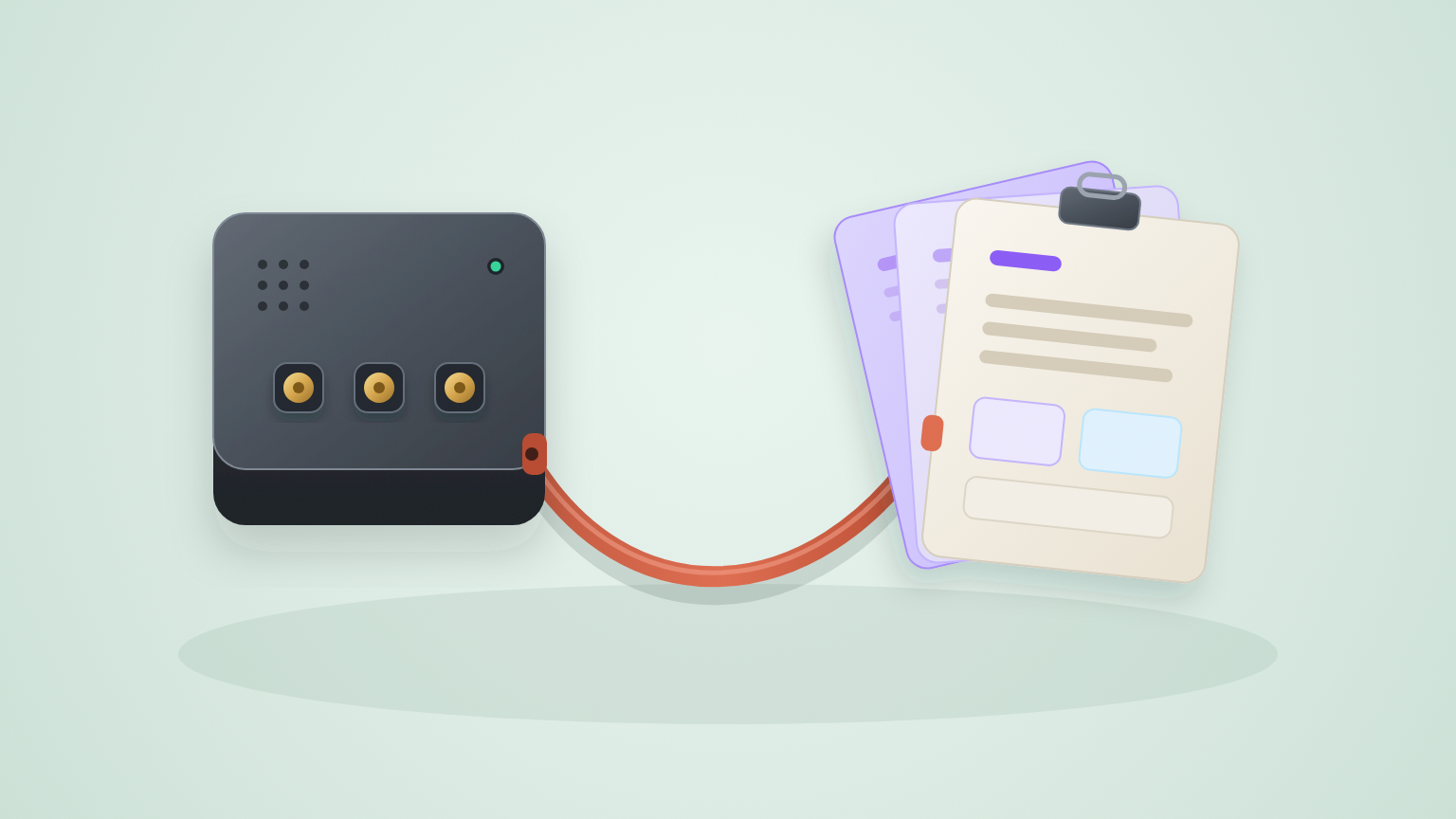
Think of the architecture like an engineering workshop: MCP servers are the utilities and API sockets plugged into the wall, while Skills are the repeatable assembly manuals sitting beside them. Mixing the two slows down every session because each abstraction solves a completely different bottleneck.
Model Context Protocol (MCP) is an open JSON-RPC standard that connects Claude Code to external data streams, databases, issue trackers, and local binaries. You reach for MCP whenever Claude needs live external capabilities it cannot get safely from local workspace files—reading a PostgreSQL table, fetching Sentry exceptions, or updating a Notion page without asking you to copy-paste JSON into chat.
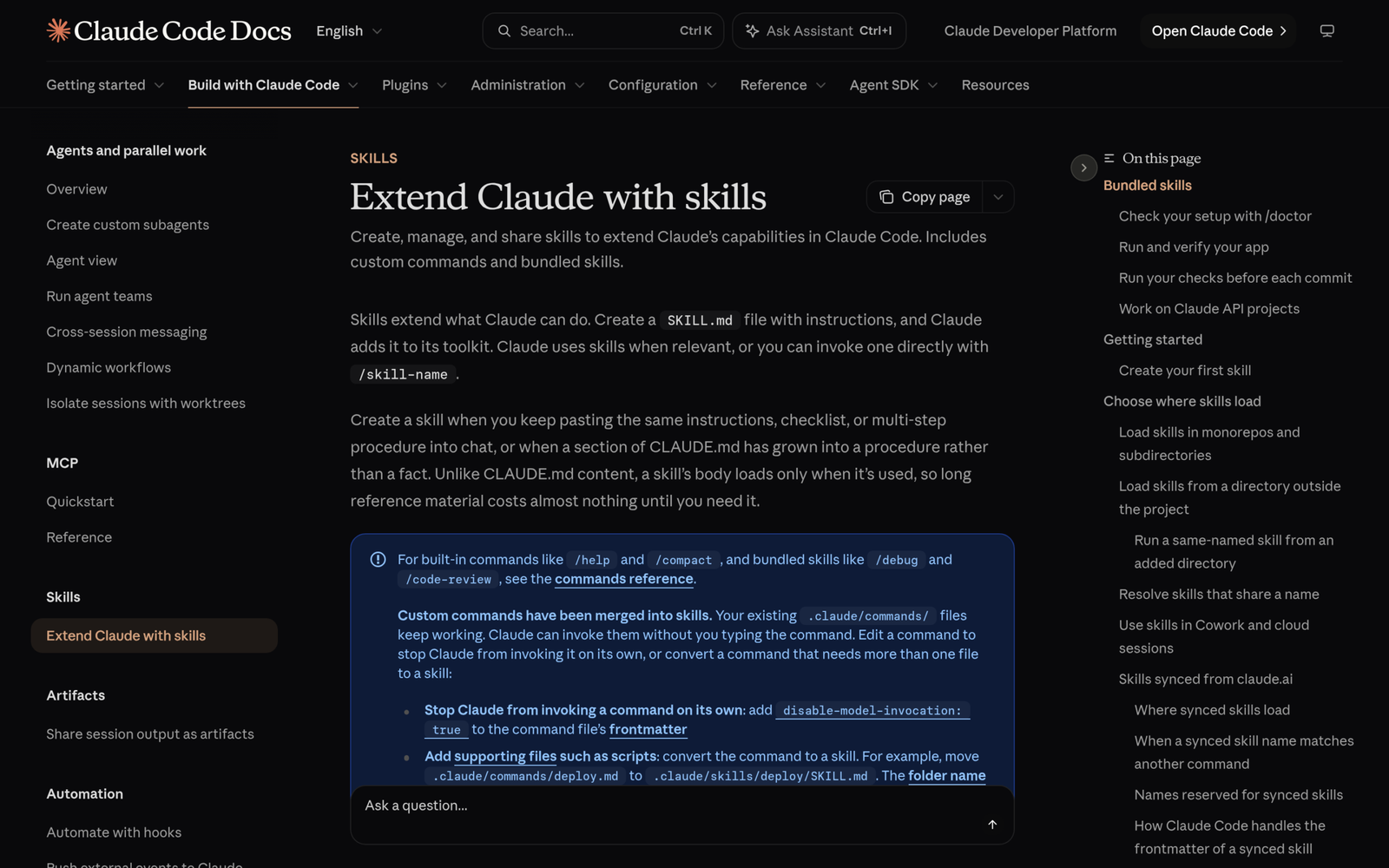
Skills, by contrast, are versioned instruction packages defined in .claude/skills/<skill-name>/SKILL.md under the open Agent Skills specification. Legacy .claude/commands/ files still work cleanly for backwards compatibility, though Claude Code now recommends .claude/skills/ folders because Skills bundle multi-file scripts, reference templates, and automatic contextual activation in one layout. Use a Skill whenever you keep pasting the same checklist, review standard, or multi-step workflow across unrelated sessions.
2.How Progressive Disclosure Keeps Skill Costs Near Zero
Unlike static instructions in CLAUDE.md, which get injected into every conversation turn whether needed or not, Skills use three-stage progressive disclosure to keep background context lean:
- Metadata index (always loaded): Only each skill’s concise
nameanddescriptionYAML frontmatter load at startup—costing roughly~100tokens per skill so Claude knows when the recipe applies. - Full
SKILL.mdinstructions (on-demand): The full body loads strictly after Claude decides the task matches or when you type/skill-namemanually. - Supporting assets (lazy-loaded): Heavy validation scripts, JSON schemas, or SQL templates inside the skill folder are read only if a running workflow explicitly calls them.
Skills can also execute live shell substitutions before Claude reads the instructions via dynamic context injection using !`command` syntax. Even better, adding disable-model-invocation: true inside frontmatter guarantees Claude never auto-triggers sensitive deployment or cleanup procedures without your explicit slash command. Save the pattern below to ~/.claude/skills/summarize-changes/SKILL.md to pull live diffs dynamically before review:
---
name: summarize-changes
description: Summarizes uncommitted git changes and flags production risks.
disable-model-invocation: true
---
## Current working tree diff
!`git diff HEAD`

## Checklist
Summarize edits in three tight bullets, flag hardcoded values or missing error handling, and list tests that require updates.
Because precedence resolves cleanly in order—Enterprise -> Personal (~/.claude/skills/) -> Project (.claude/skills/) -> Nested subdirectories -> Plugins—organization administrators can enforce global hygiene while teams override project-specific steps inside .claude/skills/. Watch two naming and sync edge cases from official docs: avoid naming personal or repo folders synced or anthropic-skills (reserved for claude.ai account skills cached in ~/.claude/skills/synced/), and remember web Cowork or cloud threads load account-synced skills rather than your local ~/.claude/skills/ folder. Run /doctor or /skills inside a session anytime to verify which overrides won.
3.MCP Transports, Tool Search, and Context Overhead
Installing MCP servers carelessly introduces the single largest source of hidden context bloat in modern coding sessions. Every active server advertises tool names, parameter schemas, and descriptions back to the prompt loop. Mount four broad SaaS connectors simultaneously and thousands of tokens evaporate on turn one before writing any code.
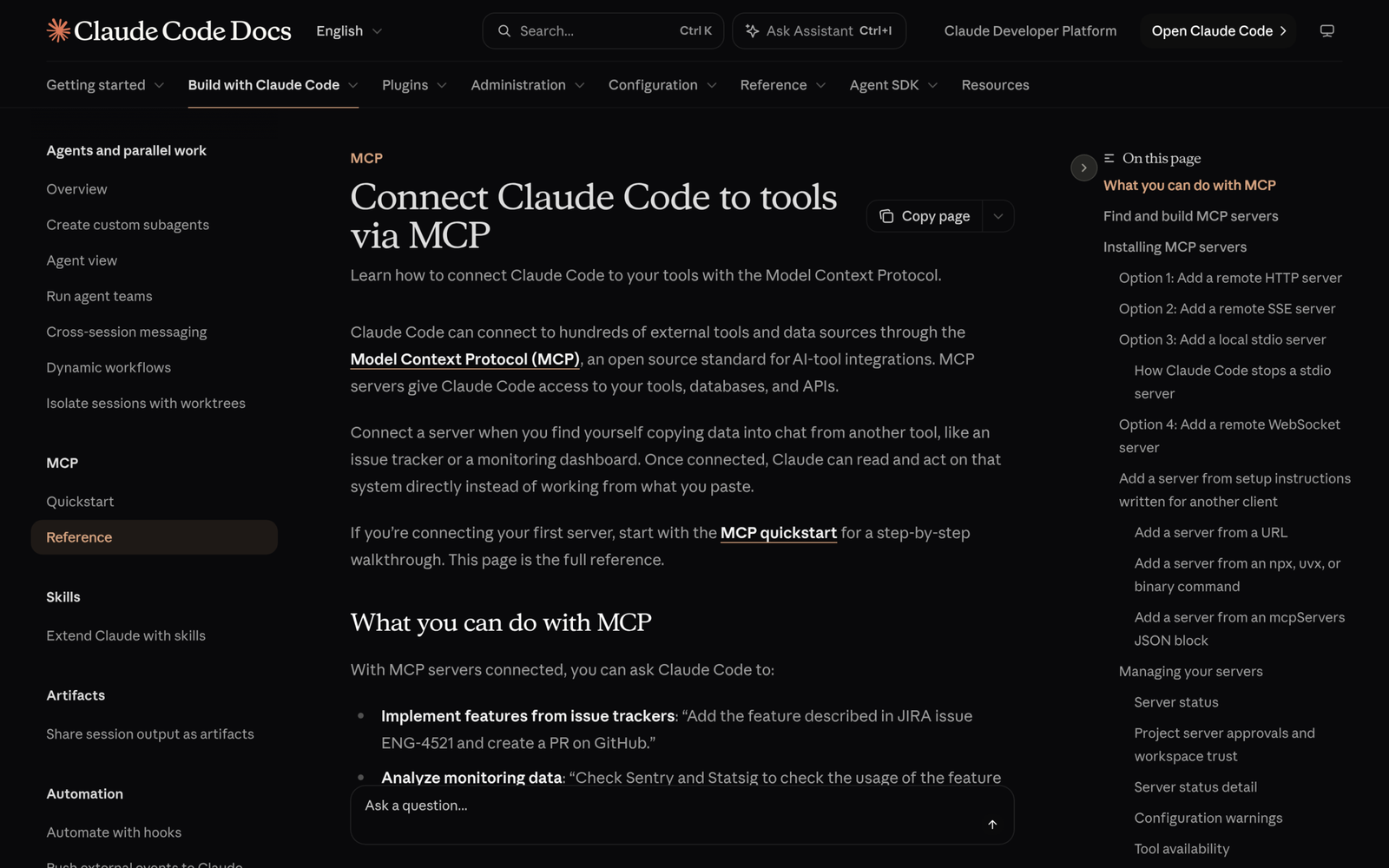
Claude Code addresses scale directly via MCP tool search deferral (ENABLE_TOOL_SEARCH=auto). Rather than cramming dozens of verbose parameter schemas into every message, Claude retains lightweight references upfront and dynamically resolves detailed schemas only for tools relevant to the active task. Choosing the right transport mode also prevents brittle local daemons from hanging across terminal restarts:
- Remote Streamable HTTP (
--transport http): Anthropic’s recommended production transport for cloud services, supporting Bearer tokens, OAuth flows, andstreamable-httpJSON aliases in.mcp.json. - Server-Sent Events (
--transport sse): Explicitly deprecated; recent builds (v2.1.265+) attempt HTTP first and fall back automatically only when an older host lacks Streamable HTTP. - Local stdio: Ideal for deterministic local binaries, Docker containers, or Python MCP servers where Claude Code pins
CLAUDE_PROJECT_DIRstably to the repo root regardless of subdirectory navigation.
Register clean remote connectors directly from your terminal so teammates inherit checked-in .mcp.json configurations rather than local shell hacks:
Bash
claude mcp add --transport http notion https://mcp.notion.com/mcp
claude mcp add --transport http secure-api https://api.example.com/mcp --header "Authorization: Bearer ${API_TOKEN}"
Never place raw secrets inside version-controlled .mcp.json manifests—always rely on environment variable expansion (${API_TOKEN}) and verify third-party server identities before clicking trust on workspace prompts. As Anthropic explicitly warns in the MCP security notes, any server reading external web content or third-party tickets introduces prompt-injection exposure into your workspace session.
4.Decision Matrix: Choosing MCP, Skills, or Plugins
Once your team moves beyond one experimental workflow, picking between a standalone Skill, an MCP server, a combined pattern, or a packaged Plugin (claude plugin install) stops duplication before it spreads across repositories.
| Architecture Layer | Core Job | Session Context Cost | Best Used When | Packaging & Governance |
|---|---|---|---|---|
Standalone Skill (SKILL.md) |
Encodes methodology, checklists, and dynamic bash context | Minimal (~100 tokens idle; body loads <5k tokens on trigger) |
Reusing code review, commit hygiene, or build recipes (e.g., /verify) |
Commit inside .claude/skills/ or share via ~/.claude/skills/ |
| MCP Server | Exposes live API, DB, webhook, and tool endpoints over JSON-RPC | Moderate upfront unless deferred by ENABLE_TOOL_SEARCH=auto |
Querying live Postgres schemas, Sentry traces, Notion docs, or external trackers | Configure in .mcp.json (project) or ~/.claude.json (user) with env vars |
| Skill + MCP Hybrid | Skill directs sequence and verification; MCP executes external reads/writes | Balanced (low procedure drag + on-demand tool schema lookup) | Multi-step SEO audits, release notes from Jira -> GitHub PRs, DB schema migrations | Keep secrets in MCP env; commit playbook inside .claude/skills/ |
Plugin / Mod (.claude-plugin/) |
Bundles skills, subagents, hooks, UI mods, and MCP servers as one versioned artifact | Cumulative (all enabled plugin metadata and daemons stay active across sessions) | Distributing unified multi-repo team standards or UI mods via marketplaces | Version in .claude-plugin/plugin.json and monitor in /plugin Installed tab |
Notice how cleanly Bundled Plugins and Mods extend raw MCP and Skills when sharing across a whole engineering org. Whenever you install a marketplace package via /plugin, remember that enabled plugin metadata stays mounted across every session rather than just one repository—even in workspaces where none of its tools fire. That constant baseline cost is why Anthropic’s plugin specification exposes per-plugin context cost indicators inside the Marketplaces tab and flags dormant bundles under the Installed tab’s Not used recently list.
If you want deeper customization patterns around custom terminal panels and JavaScript lifecycle hooks, see our dedicated Claude Code Mods guide. Meanwhile, keep solo and early team iterations nimble: keep ad-hoc utilities inside standalone .claude/skills/ folders and small .mcp.json project definitions until at least three engineers depend on coordinated semantic versioning, automated schema dependencies, or organization-wide policy enforcement via a private marketplace catalog.
5.Five Production Rules for High-Reliability Automation
Teams migrating messy custom prompts into Skills and MCP servers frequently repeat the same five operational mistakes. Lock down these architectural rules early so sessions remain deterministic at scale:
- Keep core
SKILL.mdbodies compact (<500lines /<5ktokens): Move bulky API tables or SQL migrations into sibling reference files inside the skill directory so lazy loading keeps the working prompt crisp. - Gate side-effect workflows with
disable-model-invocation: true: Any skill performing database pushes, production deploys, or bulk API updates should require manual/skill-nameexecution rather than autonomous agent matching. - Standardize on Streamable HTTP or project-scoped stdio: Retire hardcoded deprecated SSE URLs in old team setups and rely on
CLAUDE_PROJECT_DIRinside stdio wrappers so scripts work from nested subdirectories. - Rely on Tool Search deferral (
ENABLE_TOOL_SEARCH=auto) before pruning tools: Keep focused MCP servers narrow by domain and inspect plugin footprints via/pluginInstalled -> Not used recently to disable idle servers costing per-turn tokens. - Isolate untrusted MCP inputs from shell execution: Grant third-party issue-tracker or scraper MCP servers read-only API scopes and review diffs before approving state-changing bash commands inspired by external ticket text.
Run /doctor prompt-audit after any major plugin or skill cleanup to catch contradictory directives or stale patterns written for older models. Tight configuration hygiene keeps your entire Claude Code pillar workflow sharp without manual troubleshooting every Friday.
6.Hybrid Blueprint: Wiring an MCP Connector Inside a Skill
Real automation shines when you stop arguing MCP vs Skills as either/or and treat MCP as the capability bus while Skills act as the deterministic orchestration playbook. Suppose your team compiles weekly incident retrospectives from Sentry issues into tracked engineering tickets: an MCP server supplies live Sentry stack traces, while a .claude/skills/triage-incident/SKILL.md playbook enforces exact severity formatting and reproduction test generation.
Here is the minimal project .mcp.json configuration pairing an authenticated remote connector cleanly with environment-variable credential expansion:
{
  "mcpServers": {
    "sentry": {
      "type": "http",
      "url": "https://mcp.sentry.dev/mcp",
      "headers": {
        "Authorization": "Bearer ${SENTRY_MCP_TOKEN}"
      }
    }
  }
}
Wait until /mcp confirms the sentry connection shows healthy before wrapping your reproducible triage prompt in .claude/skills/triage-incident/SKILL.md. Once both layers are wired, kick off structured cross-tool runs from Claude Code using a tight instruction prompt like this:
That single architectural separation eliminates hundreds of fragile copy-paste lines across engineering wikis: .mcp.json remains purely responsible for transport, OAuth or token headers, and server health, while SKILL.md owns output schema validation, git diff verification, and severity rubrics. When a team rotates an upstream Sentry API key or swaps an internal ticketing provider next quarter, operators edit one environment variable or swap the connector mapping in .mcp.json without rewriting a single markdown instruction block.
Before merging a hybrid setup into shared repository workflows, verify two portability rules on developer laptops and CI runners alike:
- Confirm tool discovery health: Run
/mcpinside Claude Code first to inspect connection status and warning diagnostics—an entry declared with"url"but missing an explicit"type": "http"key in JSON is parsed by Claude Code as a broken stdio binary rather than a remote server. - Check cloud and Cowork execution boundaries: Remember that personal
~/.claude/skills/files never load automatically inside claude.ai web sessions or Cowork scheduled tasks; enable team-shared skills inside your claude.ai account settings when cloud agents must invoke the same triage rubric remotely.
7.Architecture Rollout Checklist and Frequently Asked Questions
Adopting every extension point at once creates friction and noisy pull requests. Roll out capabilities incrementally over three structured checkpoints tailored to real repo maturity:
| Rollout Stage | Concrete Deliverable | Verification Check | Next Trigger to Advance |
|---|---|---|---|
| Phase 1: Core Repo Skills | Migrate long procedural CLAUDE.md sections into .claude/skills/ plus /run-skill-generator |
Run /doctor prompt-audit cleanly with zero duplicate files |
Team repeats the same external dashboard lookup twice a week |
| Phase 2: Scoped MCP Transport | Add read-only Streamable HTTP or CLAUDE_PROJECT_DIR stdio servers in .mcp.json |
Run /mcp status check and verify ${VAR} secret expansion |
Multiple engineers need coordinated skills, hooks, and MCP defaults |
| Phase 3: Versioned Plugin Bundle | Package verified skills + .mcp.json + hooks inside .claude-plugin/plugin.json |
Audit overhead in /plugin Installed tab and prune stale servers |
Enterprise workspace or multi-repo marketplace distribution needed |
7.1Frequently Asked Questions
Did .claude/commands/ stop working in Claude Code?
No—existing .claude/commands/ files still work normally in Claude Code sessions. However, official documentation recommends organizing new workflows under .claude/skills/<name>/SKILL.md so you gain supporting script directories, YAML frontmatter invocation controls, and progressive loading.
Do local personal skills (~/.claude/skills/) work in web or Cowork cloud threads?
No—cloud sessions and Cowork threads do not read ~/.claude/skills/ from your laptop filesystem. Enable shared skills on your claude.ai account (or commit project workflows cleanly when targeting repo cloud sessions outside restricted project threads) so cloud agents access the same recipes.
How do I stop five MCP servers from blowing up my startup token count?
Keep ENABLE_TOOL_SEARCH=auto enabled so non-critical MCP schemas load on demand rather than eagerly, and disable unused multi-tool plugins inside /plugin instead of leaving idle servers mounted across unrelated coding sprints.