Anthropic’s skill authoring guide is short on theory and long on specific decisions: how many lines SKILL.md should have, which point of view the description uses, how deep reference files can nest, and when a step should be an exact script instead of a sentence. Most skills people install break several of these rules, and the failures are quiet. A skill with a weak description simply never loads. A reference file that is too long gets half read. Nothing errors; the output just gets worse.
I went through Anthropic’s skill authoring guide and the Claude Code skills documentation, then checked every rule against the 46 skills installed in my own working project, most of them written by other people. The numbers from that audit appear in the sections they belong to. Each rule below says what to change, shows a before and after where one helps, and ends with a way to check that the change worked.
The table gives the ten rules in the order this article covers them, with the failure each one prevents and the fastest check you can run.
| Rule | What breaks without it | Quick check |
|---|---|---|
| Write the Description for Discovery | The skill never loads, or loads for the wrong request | A matching request in a fresh session loads it |
| Name the Skill for the Job It Does | Names collide and nobody can tell skills apart | One naming pattern across /skills |
| Only Add What Claude Does Not Already Know | Context fills with explanations Claude never needed | /skill-doctor cost goes down, evals still pass |
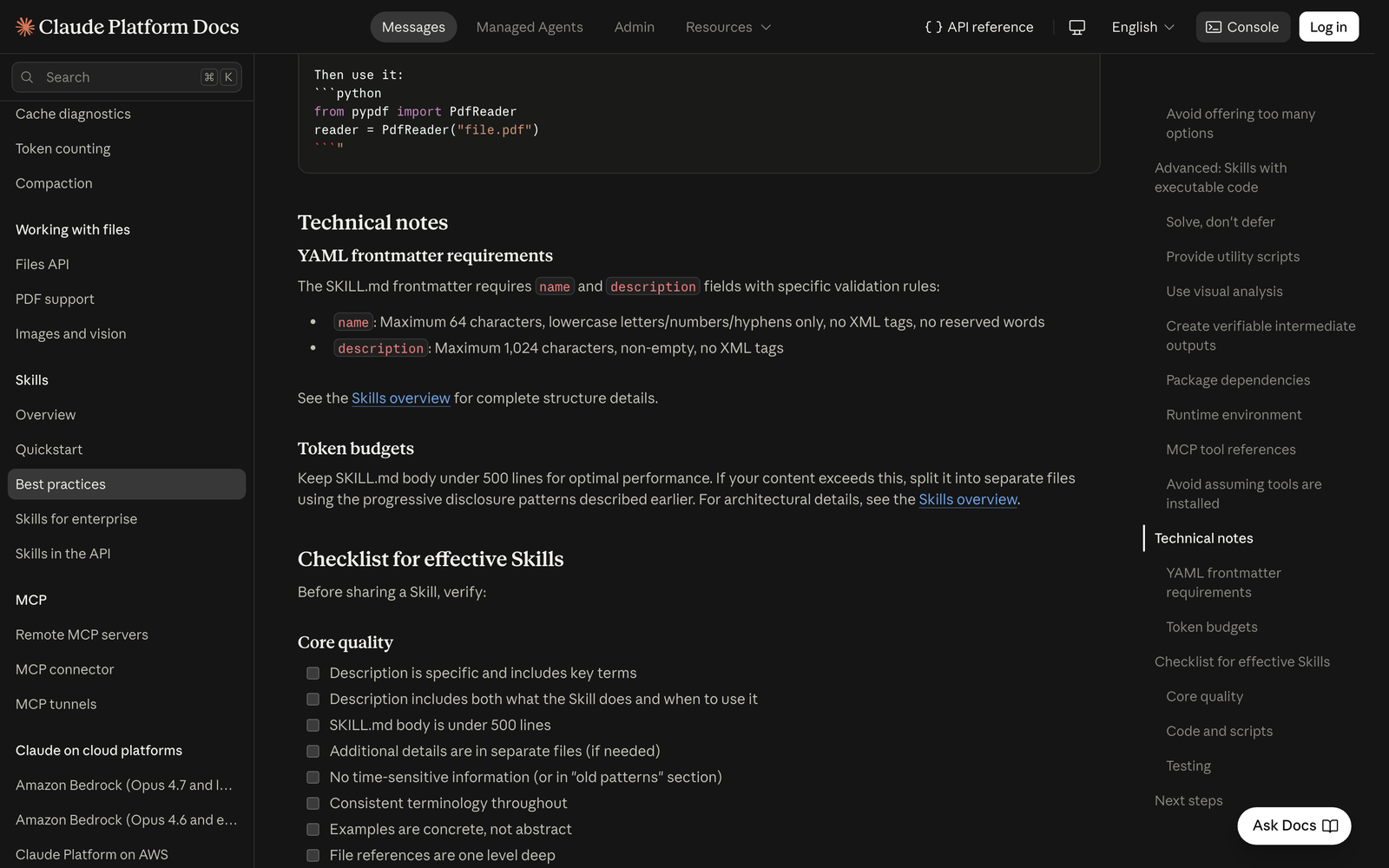
| Keep SKILL.md Under 500 Lines | Everything loads at once, every time | wc -l under 500 |
| Link Reference Files One Level Deep | Claude previews nested or long files and misses content | Every reference linked from SKILL.md; contents list on long files |
| Match Freedom to Fragility | Fragile steps drift, judgment steps get boxed in | Exact commands repeat identically across runs |
| Give Multi-Step Work a Checklist and a Validator | Validation gets skipped on long tasks | A broken input is caught before any change |
| Ship Scripts That Solve Problems | Scripts crash and Claude improvises a fix | Script explains a missing file instead of crashing |
| Keep the Content Stable and Consistent | Dated rules and mixed terms make Claude hesitate | No dates or tool lists in the main path |
| Build Evaluations Before You Write Instructions | No way to know if the skill helps at all | Skill beats the no-skill baseline on three evals |
1.Write the Description for Discovery
The description is the part of a skill that does the most work. At startup, Claude loads only the name and description of every installed skill into its system prompt. SKILL.md itself is read later, and only if the description convinced Claude the skill is relevant. Anthropic’s guide says Claude may be choosing from more than 100 skills using that one field, so the description is the skill’s entire pitch.
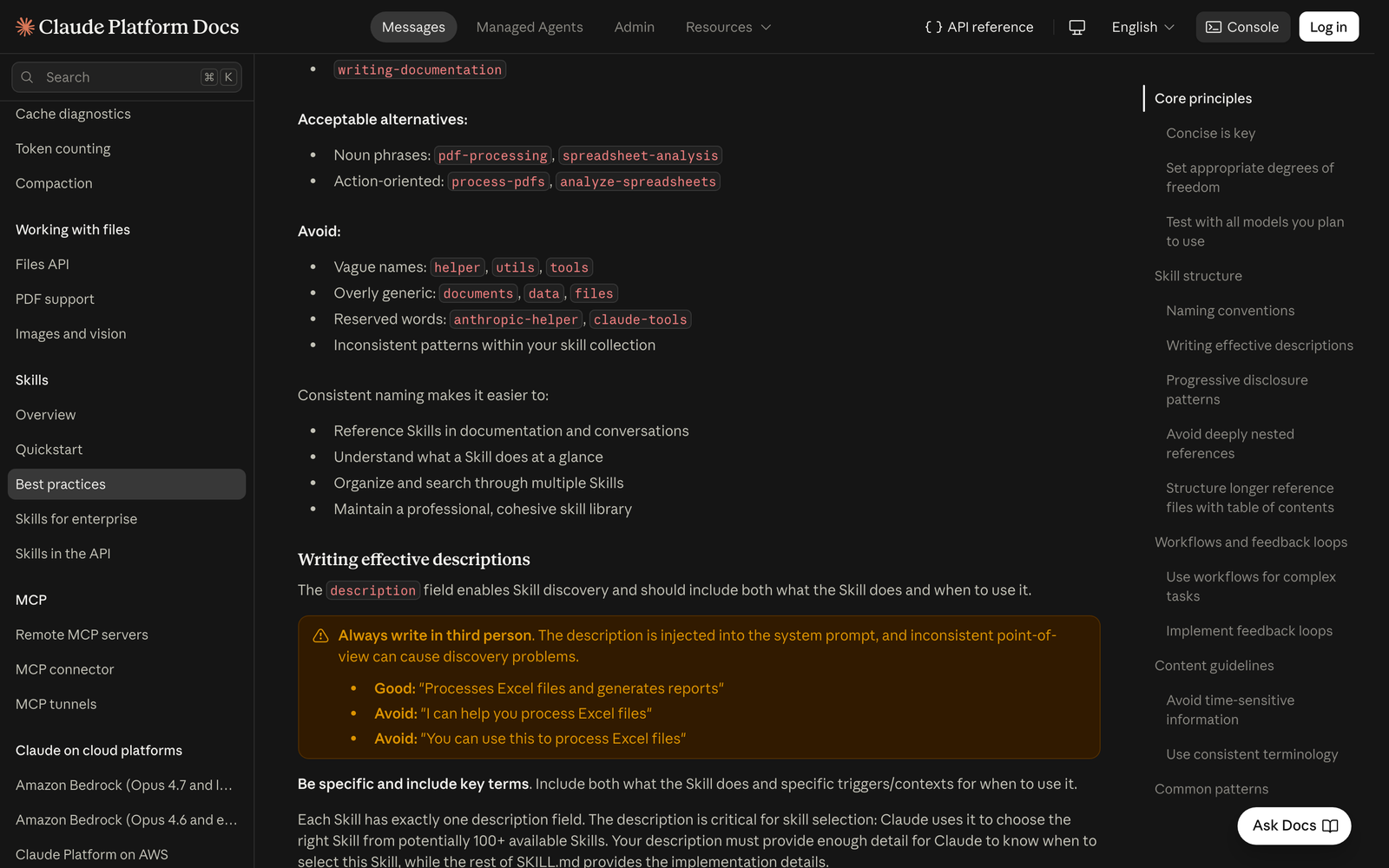
The guide sets three rules for it. It must say both what the skill does and when to use it. It must be written in the third person, because it is injected into the system prompt and a first-person “I can help you” or second-person “You can use this” confuses the point of view. And it has hard limits: non-empty, at most 1,024 characters, no XML tags. Claude Code adds one more practical limit: the description plus any when_to_use text is cut at 1,536 characters in the skill listing, so anything after that is invisible when Claude decides.
In my project, none of the 46 descriptions were in the first person, which is the failure people usually warn about. The real problem was the second half of the rule: 11 descriptions said what the skill does and never said when to use it. Several were one-line style labels for design skills, which leave Claude nothing to match against a request like “make this landing page feel premium”.
This is the kind of rewrite the guide asks for. The first line is a label; the second names the job, the file types and the words a user would actually type.
# Before
description: Helps with documents

# After
description: Extract text and tables from PDF files, fill forms, merge documents. Use when working with PDF files or when the user mentions PDFs, forms, or document extraction.
To check the result, open a fresh session and send a request that should trigger the skill without naming it. Claude Code shows the skill loading. Then send a near miss, a request that sounds similar but belongs to another skill, and confirm this one stays out. If it triggers too often, narrow the trigger words; if it never triggers, add the terms users really say.
2.Name the Skill for the Job It Does
The name is the second field Claude always sees, and in Claude Code it also becomes the slash command, so processing-pdfs is invoked as /processing-pdfs. The guide’s validation rules are strict: at most 64 characters, lowercase letters, numbers and hyphens only, no XML tags, and neither of the reserved words anthropic or claude. A skill called claude-tools fails on the reserved word before anyone reads it.
Beyond validity, the guide recommends naming skills in the gerund form, a verb plus -ing, because it describes the activity: processing-pdfs, analyzing-spreadsheets, writing-documentation. Noun phrases such as pdf-processing and action names such as process-pdfs are listed as acceptable alternatives. What matters more than the exact form is that the whole library follows one pattern, so a person scanning /skills can guess what each entry does and find related ones next to each other.
The guide also names what to avoid. Vague names such as helper, utils and tools, and overly generic ones such as documents, data and files, tell neither Claude nor a teammate anything. They also collide: in Claude Code a personal skill and a project skill with the same name resolve by precedence, so a generic name is the most likely to be silently shadowed.
The list below sorts names into the three groups the guide uses. Use it as a pattern when you rename a library, not as a list to copy.
Good (gerund):    processing-pdfs, analyzing-spreadsheets, testing-code
Acceptable:       pdf-processing, spreadsheet-analysis, process-pdfs
Avoid:            helper, utils, documents, data, claude-tools
All 46 names in my project passed the validation rules, which is what you would expect, since an invalid name stops a skill from loading cleanly and someone would have noticed. The pattern check was weaker: the library mixed gerund-free nouns, product names and verb phrases. The check here is simple. Run /skills, read the list top to bottom, and ask whether a new teammate could pick the right skill from its name alone.
3.Only Add What Claude Does Not Already Know
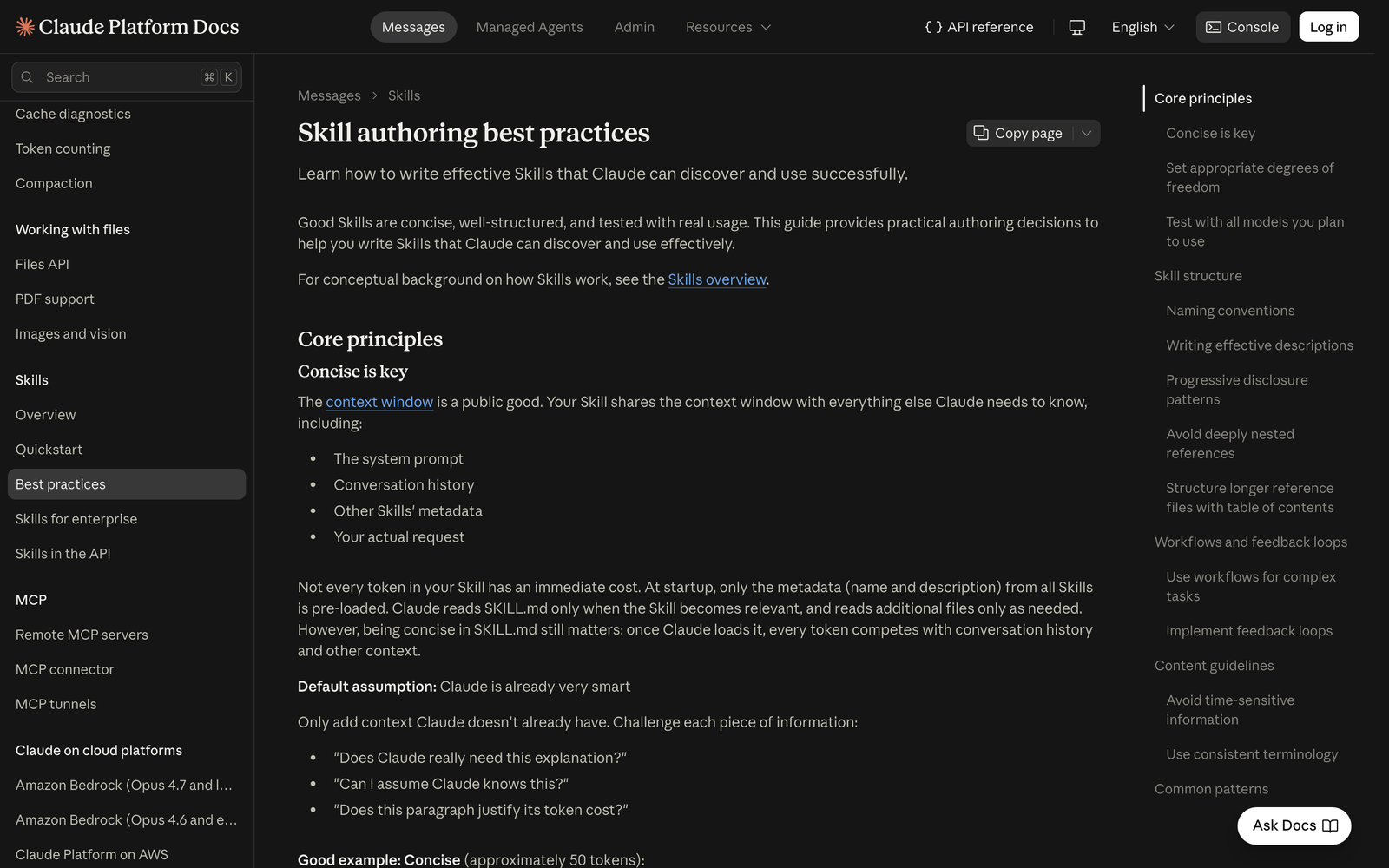
Anthropic calls the context window a public good. Once a skill loads, its SKILL.md shares that window with the system prompt, the conversation, the other skills’ metadata and the request itself. The guide’s default assumption is that Claude is already very smart, so a skill should only add context Claude does not already have.
This matters more in long sessions than in short ones. Claude Code keeps an invoked skill in context, and after auto-compaction it re-attaches only the first 5,000 tokens of each skill, inside a combined budget of 25,000 tokens across skills. A skill that spends its opening on background explanation can lose the actual rules when the session compacts.
The guide’s own example shows the difference. The verbose version explains what a PDF is, that libraries exist and that pdfplumber needs installing, in about 150 tokens. The concise version below says which library to use and shows the call, in about 50 tokens, and loses nothing Claude needs.
## Extract PDF text

Use pdfplumber for text extraction:

    import pdfplumber
    with pdfplumber.open("file.pdf") as pdf:
        text = pdf.pages[0].extract_text()
To apply it, go through SKILL.md paragraph by paragraph and ask the guide’s three questions: does Claude really need this explanation, can I assume Claude knows this, and does this paragraph justify its token cost. Definitions of common formats, tutorials on general tools and motivational framing usually fail. Your table names, house rules, file locations and the one non-obvious flag usually pass, because Claude cannot know them.
To check, run /skill-doctor in Claude Code before and after the edit. It reports the context cost and usage of each skill. The cost should go down, and the skill should still pass the evaluations described in the last rule. If an evaluation starts failing, you cut something Claude actually needed; put that one fact back.
4.Keep SKILL.md Under 500 Lines
The guide treats SKILL.md as a table of contents for the skill, not as the skill’s entire knowledge. Its practical limit is to keep the SKILL.md body under 500 lines and to split content into separate files as it approaches that size. Those files cost nothing until Claude reads them, so complete API docs, long examples and large datasets can live beside SKILL.md without loading on every invocation.
Five of the 46 skills in my project were over the limit. The largest body ran to 1,462 lines, and the other four were between 795 and 1,225. All five were design skills that put every rule, example and anti-pattern into one file, so a request about one button style loaded the guidance for whole page types as well.
The guide offers three ways to split a long skill. A high-level guide keeps a quick start in SKILL.md and links advanced material such as FORMS.md and REFERENCE.md. Domain-specific organization gives each area its own file, so a sales question reads reference/sales.md and never touches finance. Conditional details keep the common path inline and link the rare one, such as tracked changes in a document skill.
The directory and SKILL.md excerpt below show the domain pattern. The point is that each file name tells Claude what is inside before it opens anything.
bigquery-skill/
├── SKILL.md            overview and navigation
└── reference/
    ├── finance.md      revenue, billing metrics
    ├── sales.md        opportunities, pipeline
    └── product.md      API usage, features
Inside SKILL.md, each domain gets one line that says what it covers and which file holds it, for example “Sales: opportunities, pipeline, accounts — see reference/sales.md”. Claude reads that line, decides whether the request needs it, and opens only that file.
The check is mechanical. Run wc -l SKILL.md and confirm the body is under 500 lines. Then look at the file names you created: form_validation_rules.md passes, doc2.md does not, because the guide wants names that indicate their content.
5.Link Reference Files One Level Deep
Splitting a skill only helps if Claude reads the split files completely. The guide warns that when a reference file points to another reference file, Claude may read the second one partially, using a command such as head -100 to preview it instead of reading the whole thing. Information at the end of a chain is the most likely to be missed.
So the rule has two parts. First, every reference file should be linked directly from SKILL.md, one level deep, never through another reference file. Second, any reference file longer than 100 lines should open with a table of contents, so that even a 100-line preview shows the full scope of what the file contains and where to jump.
The second part was the most common failure in my audit by a wide margin. Eleven skills shipped reference files, 52 of those files were longer than 100 lines, and 46 of the 52 had no contents list near the top. Two skills alone accounted for 28 of them. Those skills work, but every time Claude previews one of those files it is guessing at what lies below line 100.
The bad structure in the guide is a chain: SKILL.md links advanced.md, which links details.md, which holds the actual information. The fix flattens the chain and adds a contents list to the long file, as in this reference file opening.
# API Reference

## Contents
- Authentication and setup
- Core methods (create, read, update, delete)
- Advanced features (batch operations, webhooks)
- Error handling patterns
- Code examples
To check, list every Markdown file in the skill folder and confirm SKILL.md links each one directly. Then run head -100 on each file longer than 100 lines and read only that output. If those 100 lines do not tell you everything the file covers, Claude will not know either; add or fix the contents list.
6.Match Freedom to Fragility
The guide asks you to decide, step by step, how much room Claude gets. High freedom means plain instructions where several approaches are valid and context decides, such as a code review. Medium freedom means a template or pseudocode with parameters, where a preferred pattern exists but some variation is fine. Low freedom means an exact script with few or no parameters, for operations that are fragile, must be consistent or must run in a fixed order.
Anthropic’s analogy is a robot on a path. On a narrow bridge with cliffs on both sides there is one safe way forward, so you give exact guardrails. In an open field, many routes work, so you give a direction and trust Claude to find the best one. One skill can contain both: a report skill can leave the analysis open and lock down the command that publishes the result.
The low-freedom version in the guide is short and absolute. It names the command and then forbids changes to it, which is the right tone for database migrations, payments and deletions.
## Database migration

Run exactly this script:

    python scripts/migrate.py --verify --backup

Do not modify the command or add additional flags.
Claude Code adds a control at the skill level for the same idea. A skill with side effects, such as deploying or sending messages, can set disable-model-invocation: true, which means it only runs when someone types its slash command and its description is not even placed in Claude’s context. The frontmatter below is the pattern for a deploy skill, and context: fork runs it in a subagent so it does not crowd the main session.
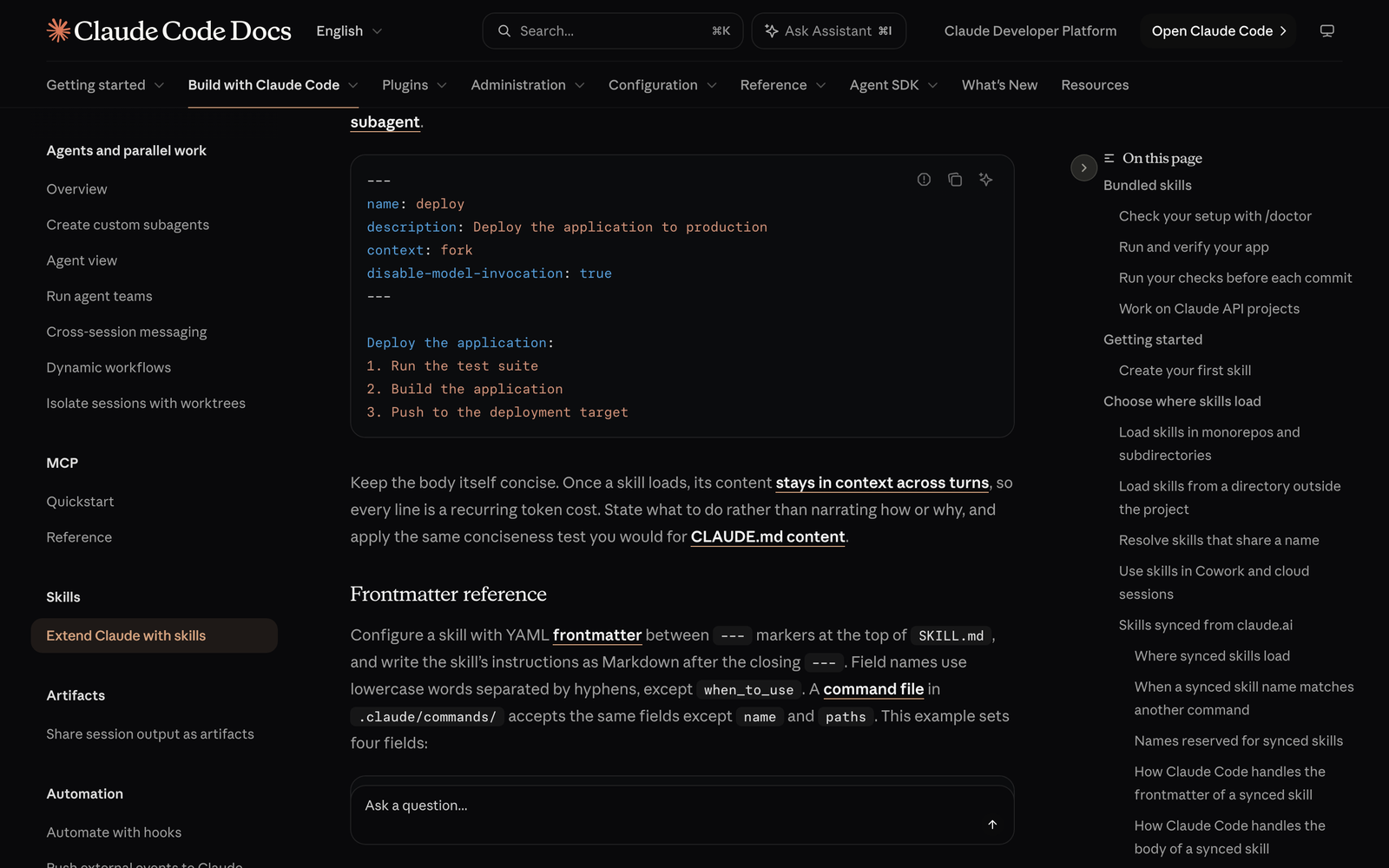
---
name: deploy
description: Deploy the application to production
disable-model-invocation: true
context: fork
---
To check, run the skill’s low-freedom steps three times and compare the commands Claude issued; they should be identical. For side-effect skills, send a request that mentions the task without the slash command and confirm the skill does not run.
7.Give Multi-Step Work a Checklist and a Validator
Long tasks fail in a predictable way: Claude completes the interesting steps and skips the checks between them. The guide’s answer is to break complex operations into numbered steps and, for the hardest ones, give Claude a checklist it copies into its response and ticks off as it goes. Because the checklist sits in the response, both Claude and the person watching can see which step is done.
The checklist in the guide’s form-filling example puts a script on every step, including two validation steps that come before and after the change.
Task Progress:
- [ ] Step 1: Analyze the form (run analyze_form.py)
- [ ] Step 2: Create field mapping (edit fields.json)
- [ ] Step 3: Validate mapping (run validate_fields.py)
- [ ] Step 4: Fill the form (run fill_form.py)
- [ ] Step 5: Verify output (run verify_output.py)
The second half of the rule is the feedback loop: run a validator, fix what it reports, run it again, and only continue when it passes. The validator does not have to be code. In a writing skill it can be a style guide that Claude compares the draft against. What matters is that the instruction sends Claude back to an earlier step on failure instead of letting it note the problem and move on.
For batch or destructive work, the guide adds plan-validate-execute. Claude first writes its intended changes to an intermediate file such as changes.json, a script validates that plan, and only then is anything applied. The guide recommends verbose validator messages, because a specific error tells Claude exactly how to fix the plan.
Field 'signature_date' not found. Available fields: customer_name, order_total, signature_date_signedTo check, feed the workflow a deliberately broken input, such as a mapping that names a field that does not exist. The validator should stop it at the validate step, Claude should correct the plan, and the original file should be untouched until the corrected plan passes.
8.Ship Scripts That Solve Problems
Scripts are one of the strongest parts of a skill because Claude can run them without loading their code into context; only the output costs tokens. The guide lists their advantages over code Claude writes on the spot: more reliable, cheaper in tokens, faster and consistent between runs. That advantage disappears if the script crashes on the first unexpected input and leaves Claude to improvise.
The guide calls this “solve, don’t defer”. A script should handle the error conditions it can predict, such as a missing file or a permission problem, and either recover or print what to do instead. It also asks that every configuration value be justified, citing Ousterhout’s law against “voodoo constants”: if you do not know why a timeout is 47 seconds, Claude cannot know either. The comparison below shows the same two settings with and without their reasoning.
# Before
TIMEOUT = 47
RETRIES = 5

# After
# HTTP requests typically complete within 30 seconds
REQUEST_TIMEOUT = 30
# Most intermittent failures resolve by the second retry
MAX_RETRIES = 3
Three smaller rules complete this one. Say clearly whether Claude should run a script (“Run analyze_form.py to extract fields”) or read it as reference, because the two lead to different behavior. List required packages with their install command instead of assuming they exist, and remember where the skill runs: on claude.ai it can install from npm and PyPI, but through the Claude API it has no network access and no runtime package installation. Finally, refer to MCP tools by their fully qualified name in the ServerName:tool_name form, such as GitHub:create_issue, because a bare tool name can fail when several MCP servers are connected.
A dependency line that follows the rule names the package and the install step together, so nothing is left to guess.
Install required package: `pip install pypdf`, then use `from pypdf import PdfReader`.To check, run each bundled script with a missing input file and with a bad argument. A script that follows the rule prints what happened and what to do next. A script that dumps a stack trace needs its error handling written before the skill ships.
9.Keep the Content Stable and Consistent
Some of the guide’s rules are about the words inside the skill rather than its structure. The first is to keep time-sensitive information out of the main instructions. A sentence such as “before August 2025, use the old API” turns wrong on a date nobody remembers, and Claude has no way to know it expired. The guide moves legacy material into a collapsed “Old patterns” section, so the current method is the only one on the main path.
The block below is the guide’s pattern. The current endpoint sits in plain text, and the deprecated one is kept for context inside a details element that says when it stopped working.
## Current method
Use the v2 API endpoint: `api.example.com/v2/messages`

## Old patterns
<details>
<summary>Legacy v1 API (deprecated 2025-08)</summary>
The v1 API used: `api.example.com/v1/messages`
</details>
The second rule is consistent terminology. If one paragraph says “API endpoint”, the next says “URL” and a third says “route”, Claude has to work out whether they are the same thing. Choose one term per concept, such as always “field” and never “box” or “element”, and use it everywhere in the skill and its reference files.
The third rule is to avoid offering too many options. “You can use pypdf, or pdfplumber, or PyMuPDF, or pdf2image” gives Claude a decision it should not have to make on every run. The guide’s fix is one default with a single escape hatch: use pdfplumber for text extraction, and for scanned PDFs that need OCR, use pdf2image with pytesseract instead. A smaller fourth rule belongs here too: write every path with forward slashes, such as scripts/helper.py, because backslash paths break on Unix systems.
To check, search the skill and its reference files for years, month names and words like “currently” or “new”. Then search for your key terms and their synonyms, and for sentences that list three or more tools joined by “or”. Each hit is either moved to an Old patterns block, unified to one term or reduced to a default.
10.Build Evaluations Before You Write Instructions
The last rule changes the order of work. The guide says to create evaluations before writing extensive documentation, so the skill solves problems Claude actually has instead of problems you imagine it has. Its five steps are: run Claude on representative tasks without a skill and record the failures, build three scenarios that test those gaps, measure the baseline without the skill, write just enough instructions to pass, and iterate against the baseline.
Each evaluation in the guide is a small JSON record: the skills to load, the request, any input files and the behaviors a correct run shows. The platform has no built-in runner for these, so you run them yourself or with a tool; in Claude Code the skill-creator plugin automates the on-and-off comparison with an evals/evals.json file, grading and benchmarks.
{
  "skills": ["pdf-processing"],
  "query": "Extract all text from this PDF file and save it to output.txt",
  "files": ["test-files/document.pdf"],
  "expected_behavior": [
    "Reads the PDF with an appropriate library or command-line tool",
    "Extracts text from all pages without missing any",
    "Saves the text to output.txt in a readable format"
  ]
}
To write and refine the skill, the guide recommends two Claude instances. Claude A works through the task with you and then turns what you kept repeating into a skill. Claude B is a fresh session with the skill loaded that does real work. You watch where Claude B struggles, for example forgetting to filter test accounts, and take that observation back to Claude A, which may suggest moving the rule higher or stating it more strongly.
Testing also has to cover each model you plan to use, because a skill adds to a model rather than replacing it. The guide’s questions differ by model: does the skill give Haiku enough guidance, is it clear and efficient for Sonnet, and does it avoid over-explaining for Opus. The check for the whole rule is that the skill beats the no-skill baseline on all three evaluations, in fresh sessions, on every model it will run on.
11.Audit the Skills You Already Have
Most skill libraries are installed rather than written, so the useful first move is an audit, not a rewrite. In my project, the ten rules collapsed into four repeated failures: descriptions with no “when” clause, SKILL.md bodies over 500 lines, long reference files with no contents list and inconsistent naming. None of them stopped a skill from working, which is why nobody had fixed them.
The four mechanical checks take one short script. This one reads every SKILL.md under a skills folder, parses the frontmatter and reports body length, a missing trigger clause and long reference files without contents.
import glob, os, re, yaml
for f in sorted(glob.glob(".claude/skills/*/SKILL.md")):
    fm, body = re.match(r"---\n(.*?)\n---\n(.*)", open(f).read(), re.S).groups()
    desc = str(yaml.safe_load(fm).get("description", "")).lower()
    refs = [r for r in glob.glob(os.path.dirname(f) + "/**/*.md", recursive=True) if r != f]
    long_no_toc = [r for r in refs if open(r).read().count("\n") > 100 and "contents" not in open(r).read()[:3000].lower()]
    print(f.split("/")[2], body.count("\n"), "no-when" if "use when" not in desc else "", len(long_no_toc))
The judgment checks need Claude. Paste a skill’s folder path into a session with a request like the one below and work through the findings one skill at a time.
Fix descriptions first, because a skill that never loads gets no benefit from any other rule. Then split the longest SKILL.md files, add contents lists to long reference files and write three evaluations for the skills you rely on most, so the next edit can be measured against a baseline instead of judged by feel.