Most prompts written for Wan 2.2 fail before the sampler finishes its tenth step. Creators paste descriptive paragraphs copied from Flux or Midjourney, leave the camera unspecified, run a four-step Lightning LoRA at CFG 1, and wonder why their negative prompt changed nothing and the background warped halfway through frame 45. Wan does not interpret sentences like a still-image diffusion model, because its denoising timeline splits motion blocking from texture refinement.
Understanding that split—and how Alibaba extended it into Wan 3.0’s commercial multi-shot transformer—changes how you write every single line. Whether you run open-weight Wan 2.2 locally in ComfyUI under its Apache 2.0 license or call wan3.0-video through Model Studio, five structural rules govern camera trajectories, lighting cohesion, and paired LoRA routing across every render inside the broader AI Video Hub.
In this article
- How Wan 2.2 Mixture-of-Experts and Wan 3.0 Interpret Prompts
- Camera Motion Vocabulary and Spatial Constraints
- Lighting, Lens, and Surface Texture Modifiers
- Prompt Formulas for Text-to-Video, Image-to-Video, and Wan 3.0 Multi-Shot
- ComfyUI Workflow Nodes, Shift, CFG, and Dual-Expert LoRAs
- Wan Prompting Troubleshooting Matrix
- Workflow Rollout and Frequently Asked Questions
1.How Wan 2.2 Mixture-of-Experts and Wan 3.0 Interpret Prompts
Wan 2.2’s flagship 14B checkpoints (T2V-A14B and I2V-A14B) are not monolithic single networks. They use a Mixture-of-Experts (MoE) architecture with two separate 14B parameter networks totaling 27B weights, activating only 14B per denoising step. The high-noise expert runs early timesteps while the latent is still chaotic, locking in global subject trajectory, framing geometry, and physics. Once denoising crosses the signal-to-noise ratio (SNR) boundary—0.875 in text-to-video and 0.900 in image-to-video—the low-noise expert takes over to synthesize skin pores, specular highlights, cloth weave, and color contrast.
Because the high-noise expert reads early prompt tokens while setting composition and motion physics, burying action verbs at the end of a 180-word sensory paragraph starves the trajectory pass. Placing subject movement and camera path in the opening two clauses ensures both experts pull in the same direction, whereas dense still-image adjectives mostly compete inside the cross-attention layers during texture refinement.
Wan 3.0—released commercially through wan.video and Alibaba Cloud Model Studio in August 2026—keeps these physical motion priors inside a unified transformer without public open weights (Wan’s open-source releases still stop at Wan 2.2 TI2V-5B, A14B, and Animate-2-14B). Rather than split-expert ComfyUI wiring, Wan 3.0 extends a single prompt across 2 to 30 seconds at 30 fps while adding multimodal "Image 1", "Video 1", and "Audio 1" bindings plus native audio synthesis.
The two families trade raw parameter tinkering for managed continuity, as summarized in the architecture matrix below before writing a single shot prompt.
| Model Generation | Weight Access | Denoising / Control Model | Prompt Character & Token Limits | Best Use Case |
|---|---|---|---|---|
Wan 2.2 A14B (T2V, I2V) |
Apache 2.0 open weights | Two-expert MoE (27B total, 14B active) splitting at SNR 0.875 / 0.900 |
800-char prompt / 500-char negative via Alibaba API (100-word rewriter target) |
Local ComfyUI control, custom paired LoRAs, deterministic runs |
| Wan 2.2 TI2V-5B | Apache 2.0 open weights | Single dense 5B network with 16x16x4 high-compression VAE (720p @ 24fps) |
Same Motion + Camera order; fits 8 GB GPUs with offloading |
Fast local iteration and vertical or horizontal 720p on consumer cards |
| Wan 2.2 Animate-14B / 2-14B | Apache 2.0 open weights | Single 14B performance-transfer & replacement network (Move / Mix) |
Pose/mask driven (77-frame chunks); Animate-2 adds text viewpoint control |
Character swaps and facial expression transfer; see our Wan 2.2 Animate guide |
| Wan 3.0 / Prime | Closed API (wan3.0-video) |
Unified multimodal transformer (2–30s, 30fps, 1080p, native audio) |
Timestamped 4–6s multi-shot cues and up to 20 indexed media assets |
Long multi-cut narrative sequences, talking subjects, doc-to-video |
Before scaling a complex prompt across a multi-shot commercial sequence, verify that Wan 2.2 respects trajectory order on a fixed seed first. Lock one camera angle and render two five-second clips: one leading with adjectives ("Moody cinematic cyberpunk cafe, glowing bokeh...") and a second leading with the physical verb and camera axis ("A barista slowly pours steamed milk, camera pushes in slowly..."). Nine times out of ten, the verb-first prompt stabilizes hands and liquid arcs noticeably faster.
2.Camera Motion Vocabulary and Spatial Constraints
Alibaba’s official Model Studio prompt specification documents concrete camera phrases that map directly to captions present in Wan 2.2’s expanded training set (+83.2% more video clips than Wan 2.1). Flowery screenplay directions such as “a breathtaking Nolan-esque sweeping ballet around the protagonist” force the diffusion transformer to guess focal geometry, whereas literal spatial verbs map straight onto learned camera trajectories.
The table below lists verified camera directives, their documented visual effect, and the spatial guardrail required to keep single-frame I2V renders coherent across 81 frames.
| Literal Prompt Phrase | Optical & Narrative Effect | Spatial Constraint to Enforce |
|---|---|---|
camera pushes in / slow dolly in |
Narrows background separation to build tension or reveal surface craft | Keep foreground clutter clear along the center depth axis |
camera pulls out / dolly back |
Establishes geography and widens spatial scale from a tight detail | Anchor background vanishing points early so outer edges do not blur |
tracking shot / camera tracks beside |
Moves parallel with a walking actor, cyclist, or passing vehicle | Match speed adverb ("slowly" vs "steadily") to subject stride |
orbiting camera movement / slow arc |
Elevates hero products or portraits with parallax depth | Strictly cap orbits below 45 degrees in 5-second single-frame I2V |
pan left / pan right / tilt up |
Sweeps a horizontal horizon or reveals vertical architecture height | Avoid combining pan + tilt + zoom inside one 5-second clip |
fixed camera |
Forces tripod stillness when only the subject should animate | Never omit this phrase—leaving camera blank lets Wan invent drift |
Two physical rules explain most camera failures in five-second Wan clips. First, never leave camera behavior blank when generating from a static photograph (I2V), because Alibaba’s prompt formula explicitly expects a Camera movement slot and defaults to arbitrary micro-zooms or lateral sway if none appears. Writing "fixed camera" stabilizes the tripod cleanly while rain, steam, or hair moves in front of the lens.
Second, enforce the 45-degree orbital ceiling whenever starting from one frame (I2V-A14B). When asked for a "180-degree orbital spin around a product bottle", a single-image model receives zero visual evidence of the object’s unseen rear geometry and must invent labels, hands, or building corners mid-flight. If you need a wide circular reveal, break the shot into two overlapping keyframe clips or use Wan 3.0’s first + last frame endpoints so both sides remain grounded.
3.Lighting, Lens, and Surface Texture Modifiers
Wan 2.2 introduced dense aesthetic annotations across lighting, contrast, composition, lens size, and color tone, which gives the low-noise expert sharp control over surface finishes when prompted cleanly. The common trap is modifier stacking: dumping fifteen camera brand names, eight render engines ("Octane, Unreal Engine 5, 8K UHD"), and three competing light moods into a single sentence blurs cross-attention weights and degrades sharpness.
Select one primary lighting motivation, one lens depth cue, and one tactile surface descriptor per shot. Grounding photons physically—describing where light enters the frame and which material reflects it—consistently yields cleaner tonal roll-off than abstract praise words like “hyperrealistic” or “stunning cinematic masterpiece.”
- Primary light motivation: Specify direction and quality such as
"warm golden hour rim light from behind","soft overcast window light on left cheek", or"overhead tungsten practical lamp casting crisp shadows". - Optical focus & framing: Pair shot scale with focal behavior using explicit terms like
"medium close-up, 50mm lens, shallow depth of field","low-angle wide shot", or"soft background bokeh". - Atmosphere & physical motion carriers: Give light particles something to catch—
"rising steam catching backlight","drifting warehouse dust motes", or"wet asphalt specular reflections"—so temporal consistency looks intentional across frames.
Watch how Alibaba’s optional rewriter (prompt_extend: true) interacts with your lighting terms on API endpoints. In Model Studio and ComfyUI rewriter workflows, leaving prompt_extend active is helpful when turning rough five-word ideas into descriptive drafts, because it automatically supplies missing lighting and composition labels. Once you dial in exact hex tones or custom LoRA aesthetics, switch prompt_extend to false for final production batches so the LLM rewriter stops overwriting your curated modifiers with generic warm sunset defaults.
4.Prompt Formulas for Text-to-Video, Image-to-Video, and Wan 3.0 Multi-Shot
Prompt engineering across Wan fails most often when creators paste a full Text-to-Video script into an Image-to-Video job. Alibaba’s documentation draws a sharp line between the two modes because I2V already conditions the initial latent on pixel data from frame zero, making repeated descriptions of clothing color or room wallpaper completely redundant noise.
4.1Text-to-Video vs. Image-to-Video Structures
For Wan 2.2 T2V (T2V-A14B / TI2V-5B), follow the full five-part slot formula—keeping total length under 120 words and staying safely under Alibaba Cloud’s hard 800-character truncation ceiling:
[Shot Size & Camera Angle] + [Subject & Wardrobe] + [Concrete Action + Speed Adverb] + [Environment & Lighting] + [Camera Movement]
For Wan 2.2 I2V (I2V-A14B), strip every static description already visible in the reference frame and collapse the prompt into Alibaba’s condensed two-part formula (Motion + Camera movement, optionally followed by one ambient particle cue):
[Subject Action + Speed Adverb], [Single Explicit Camera Movement], [One Ambient Environmental Motion]
Notice how clean the prompt remains inside a working Image-to-Video call when every unnecessary noun disappears before rendering:
Bash
The ceramicist slowly shapes the spinning clay rim with wet fingers. Slow dolly in at table height, warm studio dust drifting across the sunlit background, 24fps film grain texture.If you keep static appearance nouns inside an I2V prompt while prompt_extend is active, Alibaba’s open-source rewriter strips them automatically and caps total output around 100 words anyway; omitting them upfront prevents conflicting visual cues during offline local renders where no LLM rewriter cleans the prompt for you.
4.2Wan 3.0 Multimodal References and Multi-Shot Timestamps
When moving up to Wan 3.0 on Model Studio or partner gateways covered in our Wan 3.0 setup and cost guide, the prompt interface expands from single five-second clips to 30-second, 30 fps sequences capable of indexing up to 20 external media files (<= 10 images, <= 5 videos up to 15s each, and <= 5 audio clips up to 15s each). References are addressed directly inside natural prose using capitalized handles: Image 1, Video 1, and Audio 1.
For narrative sequences, structure prompts in 4-to-6-second chronological beats with bracketed timestamps rather than blending three actions into a single unspaced paragraph. Keep spoken dialogue concise, tag audio timbre explicitly, and confirm audio: true is set if billing allows native sound synthesis:
{
  "model": "wan3.0-video",
  "input": {
    "prompt": "[0s-5s] Close-up of the watchmaker from Image 1 inspecting a brass escapement under warm tungsten light; fixed camera. [5s-11s] Cut to low-angle macro as fine tweezers seat the balance wheel; slow dolly in, crisp metallic click synced with Audio 1 ticking.",
    "reference_images": ["https://example.com/assets/watchmaker_ref.png"],
    "reference_audio": ["https://example.com/assets/escapement_tick.wav"]
  },
  "parameters": {
    "resolution": "1080P",
    "ratio": "16:9",
    "duration": 11,
    "prompt_extend": false,
    "audio": true
  }
}
Wait before adding reference videos to extend or restyle shots: Model Studio bills both uploaded reference video duration and generated output duration toward your quota (capped at 30 seconds combined per request), and reference_images cannot be mixed with first_frame / last_frame arguments in the same Wan 3.0 payload.
5.ComfyUI Workflow Nodes, Shift, CFG, and Dual-Expert LoRAs
Writing clean text syntax solves only half of Wan 2.2 output quality. Inside ComfyUI, official templates wrap two Load Diffusion Model nodes—one high_noise checkpoint and one low_noise checkpoint—feeding two chained KSampler (Advanced) nodes alongside a shared umt5_xxl_fp8_e4m3fn_scaled text encoder and wan_2.1_vae (or wan_2.2_vae exclusively for TI2V-5B). Remember never to cross-wire T2V experts into an I2V graph, as the templates reject missing image-conditioning channels silently or ignore your start frame.
Every parameter in that dual-sampler graph obeys strict geometric and denoising math verified in ComfyUI and Runpod’s official November 2026 benchmarks:
- Frame count formula (
4n + 1): Wan’s temporal latent compression requires exact4n + 1frame lengths. Use81frames (5sat16 fps) for 14B models and121frames (5sat24 fps) forTI2V-5B, while keeping pixel width and height strictly divisible by16(e.g.,832x480,640x640, or1280x720). - Standard quality pass (
20 steps,CFG 3.5,shift 5.0): UseModelSamplingSD3with timestepshiftbetween3.0and8.0(5.0default). Higher shift biases denoising budget toward high-noise structural motion; lower shift spends relatively more steps inside low-noise surface refinement. - Lightning 4-step turbo trap (
CFG 1): Enabling the LightX2V 4-step speed LoRAs compresses generation on a24 GBcard from roughly513 secondsdown to71 secondsat640x640—a massive speedup for seed scouting. However, becauseCFG 1disables unconditional guidance math, negative prompts have zero effect in turbo mode.
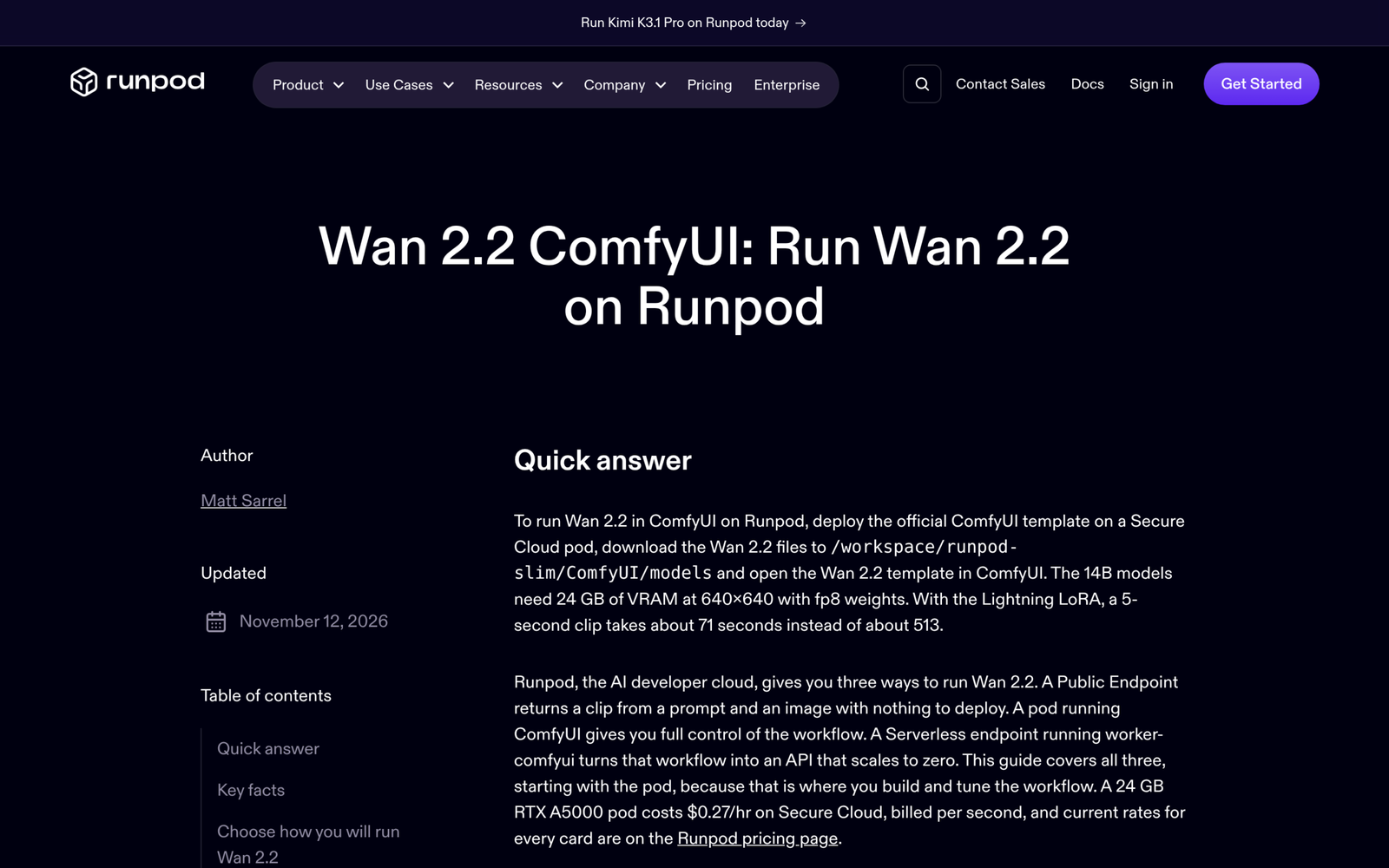
This sampling trade-off unlocks an asymmetric best-of-both-worlds pattern used by local ComfyUI animators: keep the high-noise expert running un-accelerated (or lightly weighted) at CFG 3.5 for realistic body momentum and clean negative-prompt suppression, then apply the LightX2V turbo LoRA primarily on the low-noise pass (or switch off enable_turbo_mode entirely for final keeper seeds).
Similarly, when stacking custom character, camera, or lighting LoRAs on A14B, always install matching checkpoint pairs (*_high_noise.safetensors and *_low_noise.safetensors) via separate LoraLoaderModelOnly nodes on their corresponding expert branch in models/loras/. Wan 2.1 single-network LoRAs load inconsistently across split experts and should always be validated on a pinned seed before batch rendering. Start character/style weights symmetrically (around 0.7–0.85 on both branches), lowering the high-noise weight first if camera motion becomes stiff or locked to training poses.
If your local GPU stops at 24 GB VRAM (or 8 GB for TI2V-5B), swap raw fp16 (28.6 GB per expert) for fp8_scaled (14.3 GB per expert) or QuantStack’s GGUF Q4_K_M (9.7 GB per expert via ComfyUI-GGUF) before shrinking clip resolution, and verify ComfyUI offloads the idle expert cleanly into system RAM.
# Quick check of local ComfyUI Wan 2.2 directories before launching a dual-expert batch
ls -lh ComfyUI/models/diffusion_models/wan2.2_* \
       ComfyUI/models/loras/*lightx2v* \
       ComfyUI/models/text_encoders/umt5_xxl* \
ComfyUI/models/vae/wan_2.*6.Wan Prompting Troubleshooting Matrix
When a five-second Wan clip misfires, rewriting adjectives blindly almost never resolves the underlying artifact. Nearly every recurring failure traces back to one of three layers: prompt token conflict with prompt_extend, classifier-free guidance math (CFG 1 vs CFG 3.5), or mismatched expert/LoRA wiring across the ComfyUI graph. Before modifying phrasing, change only a single parameter on your pinned seed so you isolate whether the bottleneck sits in the prompt text or the sampling pipeline.
Think of troubleshooting in reverse denoising order. If fine textures flicker or hand silhouettes smear while overall camera blocking looks accurate, inspect the low-noise expert step budget and verify whether a 4-step turbo LoRA distorted early guidance. If instead the background melts mid-pan or objects drift randomly on frame 30, look upstream at missing "fixed camera" tokens, excessive orbit angles, or overloaded T2V-style prose inside an I2V node.
Match visible artifacts directly against the sampler mechanics and Model Studio API boundaries in the diagnostic matrix below before spending extra GPU minutes regenerating variations.
| Visual Symptom | Root Cause | Concrete Fix |
|---|---|---|
Negative prompt ("blurry hands, extra fingers") ignored completely |
Running LightX2V 4-step Lightning LoRA (CFG = 1) or exceeded 500-char limit |
Turn off enable_turbo_mode for final renders (CFG 3.5) and keep negatives concise under 4–8 concrete artifact nouns |
| Smooth camera path, but smeared skin, cloth, or foliage detail | Low-noise expert gets too few steps or Wan 2.1 LoRA attached to high-noise branch | Shift ComfyUI split step earlier (<= 50% of total steps) or move LightX2V LoRA off the high-noise path |
| Still photo pans or zooms randomly despite zero motion words | Omitted camera directive inside Image-to-Video prompt | State "fixed camera" explicitly in every static-shot I2V prompt |
| Rear background facade warps and melts halfway through spin | Orbit exceeded 45 degrees in single-frame I2V with zero unseen-side pixels |
Reduce arc to "slow 30-degree orbital camera movement" or supply end-frame keyframe via last_frame |
LoRA Key Not Loaded warning or stiff, frozen subject pose |
Loaded high-noise LoRA onto low-noise path or pushed high-noise LoRA strength > 1.0 |
Route high/low .safetensors to matching LoraLoaderModelOnly nodes and drop high-noise strength to 0.6–0.75 |
Wan 3.0 API rejects request containing "Image 1" and first_frame |
Reference-to-video assets and first/last frame arguments cannot share one call | Split into either pure reference_images (up to 10) OR first_frame/last_frame interpolation |
Once a fix resolves the glitch on a single 81-frame (480p or 640x640) seed test, lock prompt_extend: false and save both the ComfyUI API JSON workflow and the exact seed alongside your shot list. That guarantees your team reproduces identical lighting behavior across later 720p or 1080p upscales without chasing moving targets.
7.Workflow Rollout and Frequently Asked Questions
Treat Wan 2.2 and Wan 3.0 as complementary gears rather than mutually exclusive tools: iterate cheap camera blocking, paired LoRA tests, and lighting ratios locally on Wan 2.2 (using TI2V-5B on laptop VRAM or LightX2V 4-step CFG 1 previews on 24 GB GPUs), then graduate your locked motion verbs and lighting notes onto 20-step CFG 3.5 passes—or push 10–30 second multi-shot dialogue cuts with "Image 1" and "Audio 1" bindings straight to Wan 3.0’s commercial API.
Before exporting a full batch, run one quick seed check across five variables: concise verb-first word order, explicit camera verb (or "fixed camera"), single motivated light direction, paired high/low LoRA verification, and valid 4n + 1 frame length at native 16 fps or 24 fps.
7.1Can you download and prompt Wan 3.0 weights inside ComfyUI locally?
No. Alibaba’s open-weight Apache 2.0 releases stop at the Wan 2.2 family (T2V-A14B, I2V-A14B, TI2V-5B, S2V-14B, and Animate-14B/Animate-2-14B). Wan 2.5 through Wan 3.0 are closed commercial endpoints hosted on Model Studio and third-party API gateways, though Wan 3.0 accepts the exact same core Motion + Camera movement phrasing you refine locally on Wan 2.2.
7.2Why does my negative prompt stop working when Lightning LoRA is active?
Four-step LightX2V Lightning distillation forces classifier-free guidance down to CFG 1. In diffusion sampling math, negative prompt conditioning only modifies the trajectory when CFG > 1 computes the vector difference between positive and unconditional noise predictions, so any negative list—short or long—is mathematically ignored at CFG 1.
7.3Should prompt_extend stay on or off during production runs?
Turn prompt_extend on only while sketching rough concepts from ultra-short prompts (<= 15 words) to inspect how Alibaba’s rewriter enriches lighting and atmosphere. Turn it off (false) before batch production, multi-clip continuity shots, or I2V workflows where unrequested aesthetic rewrites can shift color temperature between cuts.
7.4Can Wan 2.1 LoRAs be reused in Wan 2.2 14B prompting workflows?
Compatibility varies per checkpoint because Wan 2.1 LoRAs were trained against a single 14B backbone rather than Wan 2.2’s two split denoising experts. Run a paired seed test applying the LoRA weakly (0.5–0.7) on the low-noise expert first—and both branches second—to check whether it enhances texture without locking high-noise motion.
7.5How much VRAM is required to prompt Wan 2.2 locally without API fees?
TI2V-5B runs in 8 GB VRAM using ComfyUI weight offloading and comfortably fits 16–24 GB desktop GPUs at 24 fps. The two-expert 14B models need at least 24 GB VRAM using fp8_scaled (14.3 GB per expert) or QuantStack GGUF Q4_K_M (9.7 GB per expert) at 640x640 or 480p, scaling up to 48 GB (L40S/A6000) for smoother 720p throughput.