Hand-keyframing explainer reels in After Effects takes hours for every timing tweak, whereas pure text-to-video diffusion models still struggle to keep crisp 14-point UI labels or exact architectural arrows readable across 1080p frames. That gap explains why code-generated video exploded once Anthropic released Claude Opus 5.5 (claude-opus-5-5, 1M context, 128K output tokens, $4/$20 per MTok) alongside deterministic React renderers like Remotion.
Instead of predicting pixels, Claude writes parameterized React components where every position, color token, and spring curve evaluates strictly as a function of useCurrentFrame(). Below, we examine the quantitative breakdown inside the open-source athemeroy/awesome-opus-5-5-videos showcase archive (now expanded to awesome-claude-5-5-videos), extract five reusable Remotion recipes with copyable Claude Code prompts, and show how to lock ElevenLabs narration onto global 30 fps frames—expanding our Claude Opus 5.5 motion graphics workflow guide.
In this article
- Inside Awesome Opus 5.5 Videos: Why Code Beats Timeline Keyframes
- Five Plug-and-Play Remotion Recipes for Claude Code
- Production Remotion React Code Snippets You Can Drop In Today
- Audio, Voiceover, and SFX Timing With Frame Math
- Comparing Opus 5.5, Fable 5.2, and Sonnet 5.5 for Motion Pipelines
- Shipping Workflow and Frequently Asked Questions
1.Inside Awesome Opus 5.5 Videos: Why Code Beats Timeline Keyframes
The open-source repository athemeroy/awesome-claude-5-5-videos (still widely indexed as awesome-opus-5-5-videos, earning 1,021 stars under CC-BY-4.0) is more than a curated link list. As of November 16, 2026, it tracks 597 distinct source posts—including 311 Opus 5.5 projects, 173 newly reported Fable 5.2 works, 54 Sonnet 5.5 builds, and 21 Haiku 5.5 edits—alongside a deep empirical breakdown of 1,119 video files sampled across production domain, visual rendering stack, and pixel-level color distributions.
Its numbers clarify why engineering teams keep shifting product demos from traditional NLE timelines to TypeScript code. Across 215 ads and launch films, 71.6% (154/215) were built with coded UI and 2D motion graphics rather than diffusion footage or heavy WebGL scenes. Meanwhile, across 230 games and interactive pieces, 70.0% (161/230) leaned on 3D rendering—proving that visual style follows commercial deliverable shape rather than raw model hype.
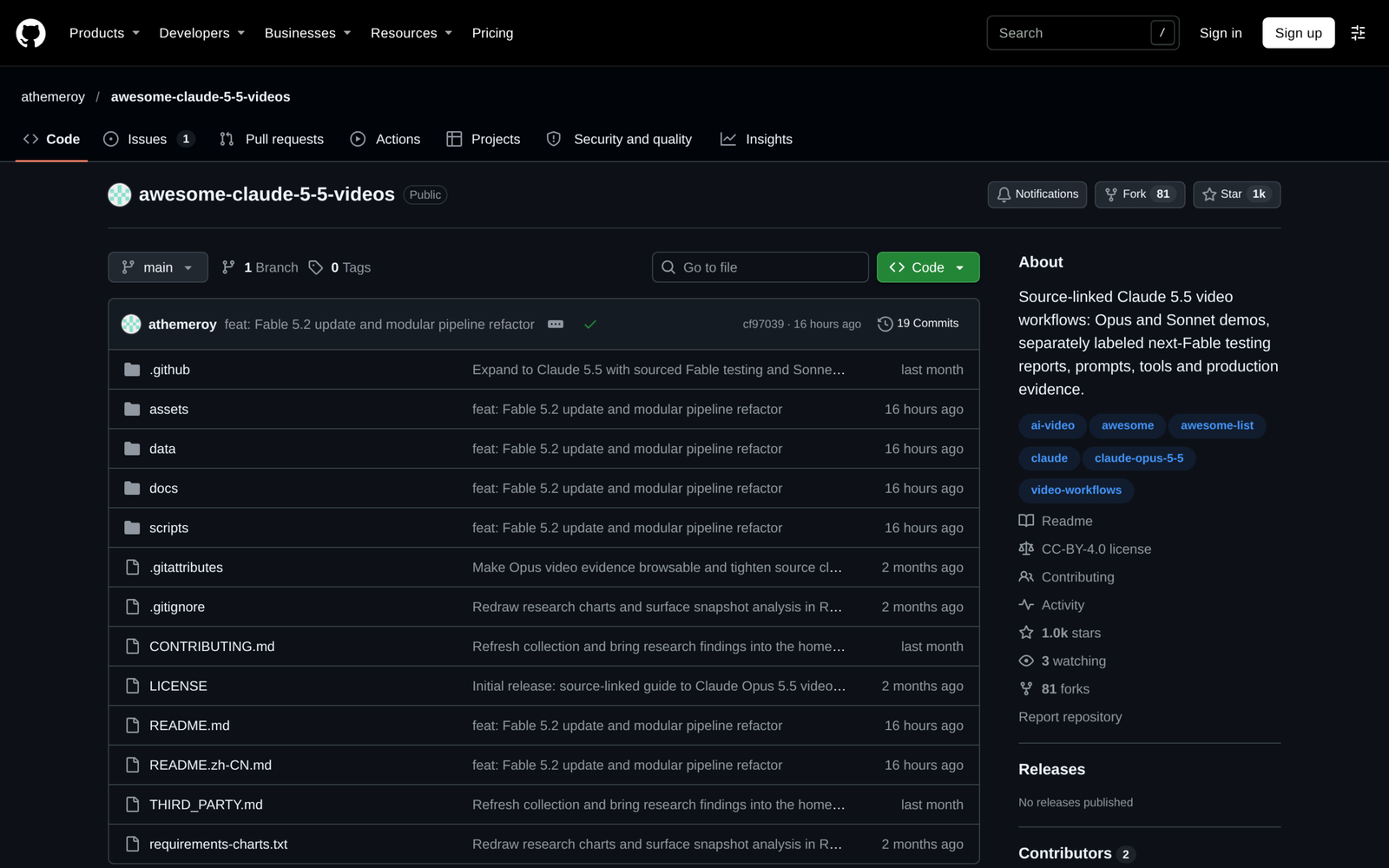
Even stronger evidence sits in the archive’s color-palette measurements across 350 UI and motion-graphics renders. Rather than rainbow gradients smeared everywhere, creators naturally clustered around two clean modes: 198 dark neutral canvases (#090B10 / #0F071D studio themes) versus 152 light neutral canvases (#F2EFEC editorial paper), while keeping median colorful pixel share at just 17.6% for product ads (compared with 45.5% in stylized music videos). When every spacing unit, font weight, and spline curve sits inside code files, changing a SaaS brand color across twelve vertical shots takes one edit in brandTheme.ts rather than re-keying forty compositions.
Before copying any prompt into a coding session, enforce the same architectural constraints explored in our Claude Code style-locked motion graphics guide: zero wall-clock timers (Date.now(), requestAnimationFrame), zero CSS transitions, clamped interpolate() curves, and a full 30-frame resolved hold at the end of every beat so viewers actually read the takeaway.
2.Five Plug-and-Play Remotion Recipes for Claude Code
Most poor motion outputs fail in the brief, not the TypeScript compiler. Leaving styling open causes Opus 5.5 to reach for glowing gradients, bouncing cards, and drifting particle confetti. Each of the five battle-tested visual archetypes below locks down background polarity (#F2EFEC paper or #0B0616 obsidian slate), typographic hierarchy, and single-action transition rules so you get clean studio polish on the first pass.
| Recipe Name | Canvas Palette & Polarity | Signature Motion Primitive | Best Content Fit |
|---|---|---|---|
| 1. Vintage Engraving Collage | Light editorial paper (#F2EFEC), ink (#141210), Electric Violet (#7C3AED) |
Stepped 3-frame cutout reveal (step hold) + subtle grain drift |
Technical essays, wealth history hooks, conceptual explainers |
| 2. Kinetic Typography Countdown | Deep violet (#0F071D), Vivid Lavender (#C084FC), white tabular numerals |
Spring-snapped scale-in (damping: 16) per beat + crisp vertical mask wipe |
9:16 Reels hooks, ranked repository lists, urgent news openings |
| 3. Isometric Architecture Diagram | Matte charcoal (#0D1017), slate glass nodes (rgba(255,255,255,0.08)), cyan traces |
Animated SVG strokeDashoffset telemetry pulses between locked grid coordinates |
API pipelines, agent orchestration, CLI workflows |
| 4. Dark Tech HUD Graph | Obsidian (#090B10), emerald/violet trend line, subtle drafting gridlines |
Continuous X-axis reveal + frame-locked <CountUp /> KPI ticks |
Benchmark reviews, latency vs token cost readouts |
| 5. Split-Screen Comparison | Bimodal split (#F2EFEC vs #0D1117) separated by 2px hairline divider |
Interpolated wipe handle (10% -> 88% -> 50%) + synced bottom callout badges |
Before/after model tests, diffusion vs code comparisons |
To turn Recipe 3 (Isometric Architecture Diagram) or Recipe 1 (Vintage Engraving Collage) directly into project components inside a local Remotion repo, drop the structured Claude Code brief below straight into your terminal composer window:
Design rules:
– Background: flat #0d1017 matte obsidian with a 48px hairline grid at 4% white opacity. Zero neon bloom, zero gradients, zero floating particles.
– Three rounded nodes (#141923 fill, 1px rgba(167,139,250,0.28) border) arranged vertically at y=420, y=820, y=1220: “Ingest Brief”, “Opus 5.5 Plan”, “FFmpeg Render”.
– Animate an SVG path connector drawing downward from node 1 to node 3 between frames 15 and 95 using clamped interpolate(), followed by crisp spring() reveal (damping: 18) on each node card.
– Hold the final resolved layout static from frame 115 to 150.
– Export typed props and register it in `src/Root.tsx`.
Notice how separating exclusions ("zero neon bloom, zero particles") from frame boundaries ("15 to 95", "hold static 115 to 150") gives Opus 5.5 concrete math to implement rather than vague aesthetic adjectives. Once rendered, inspect frame 15, frame 95, and frame 140 with npx remotion still before moving to the next scene.
3.Production Remotion React Code Snippets You Can Drop In Today
Real Remotion pipelines avoid monolithic single-file components. Following the modular structure running inside Artimind’s own remotion_studio templates (paired with the CLI tools documented in our Claude Code full video studio walkthrough), keep timing helpers, typography scales, and reusable visual cards independent so Opus 5.5 can assemble sequences cleanly without breaking types.
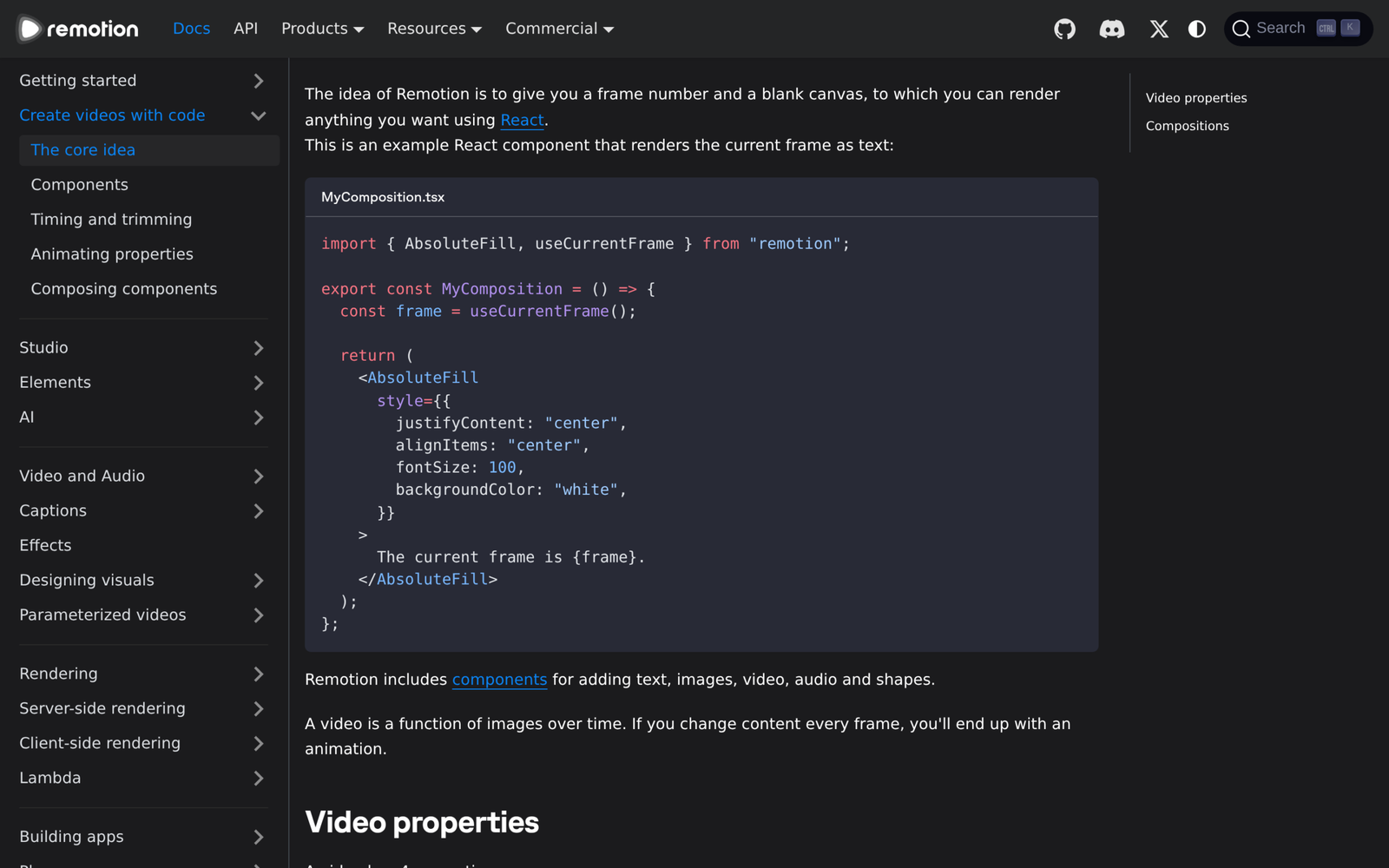
Notice the shared rule across the three production-ready components below: useCurrentFrame() is the sole source of state, interpolate() always clamps both bounds (extrapolateLeft: "clamp", extrapolateRight: "clamp"), and font tabular-nums prevents horizontal pixel jitter whenever counters tick upward frame by frame.
3.1Recipe Component A: Kinetic Typography & HUD Data Card
Drop this combined kinetic title and animated SVG sparkline card (HudSparkline.tsx) into src/components/. It draws an analytical telemetry chart across any beat window [from, to] while keeping frame math cleanly self-contained:
import React from "react";
import {AbsoluteFill, interpolate, spring, useCurrentFrame, useVideoConfig} from "remotion";

const CLAMP = {extrapolateLeft: "clamp", extrapolateRight: "clamp"} as const;

export const HudSparkline: React.FC<{
  headline: string;
  metricValue: number;
  unit?: string;
  from?: number;
}> = ({headline, metricValue, unit = "%", from = 0}) => {
  const frame = useCurrentFrame();
  const {fps} = useVideoConfig();
  const local = Math.max(0, frame - from);

  const cardReveal = spring({frame: local, fps, config: {damping: 18, stiffness: 140}});
  const lineDraw = interpolate(local, [12, 65], [520, 0], CLAMP);
  const countProgress = interpolate(local, [10, 62], [0, 1], CLAMP);
  const currentNum = Math.round(metricValue * countProgress);

  return (
    <AbsoluteFill style={{backgroundColor: "#090B10", padding: 72, justifyContent: "center"}}>
      <div
        style={{
          border: "1px solid rgba(167, 139, 250, 0.25)",
          backgroundColor: "#111622",
          borderRadius: 24,
          padding: 48,
          transform: `translateY(${(1 - cardReveal) * 32}px)`,
          opacity: interpolate(local, [0, 14], [0, 1], CLAMP),
        }}
      >
        <div style={{color: "#94A3B8", fontSize: 24, fontWeight: 700, letterSpacing: 2}}>
          {headline.toUpperCase()}
        </div>
        <div style={{color: "#F8FAFC", fontSize: 112, fontWeight: 800, fontVariantNumeric: "tabular-nums", marginTop: 12}}>
          {currentNum}
          <span style={{color: "#A78BFA"}}>{unit}</span>
        </div>
        <svg width="100%" height="160" viewBox="0 0 480 140" style={{marginTop: 28}}>
          <path
            d="M 10 120 C 90 112, 140 88, 220 74 C 300 60, 360 32, 470 16"
            fill="none"
            stroke="#A78BFA"
            strokeWidth="6"
            strokeLinecap="round"
            strokeDasharray="520"
            strokeDashoffset={lineDraw}
          />
        </svg>
      </div>
    </AbsoluteFill>
  );
};
Because strokeDasharray matches the exact curve arc length (520), animating strokeDashoffset from 520 down to 0 renders a silky ink-draw motion curve on GPU without CSS transitions.
3.2Recipe Component B: Bimodal Split-Screen & Vintage Collage Frame
Pair the HUD card above with a split-screen slider (SplitWipeReveal.tsx) for side-by-side tool comparisons, wrapping ClipPath cleanly around crisp left #F2EFEC editorial paper and right #0F071D studio surfaces:
import React from "react";
import {AbsoluteFill, interpolate, useCurrentFrame} from "remotion";

const CLAMP = {extrapolateLeft: "clamp", extrapolateRight: "clamp"} as const;

export const SplitWipeReveal: React.FC<{leftLabel: string; rightLabel: string}> = ({
  leftLabel,
  rightLabel,
}) => {
  const frame = useCurrentFrame();
  // Sweep divider smoothly from 20% -> 82% -> 50% center hold
  const dividerPct =
    frame < 45
      ? interpolate(frame, [0, 45], [20, 82], CLAMP)
      : interpolate(frame, [45, 85], [82, 50], CLAMP);

  return (
    <AbsoluteFill style={{backgroundColor: "#0F071D"}}>
      <AbsoluteFill style={{justifyContent: "center", alignItems: "center"}}>
        <span style={{color: "#C084FC", fontSize: 56, fontWeight: 800}}>{rightLabel}</span>
      </AbsoluteFill>
      <AbsoluteFill
        style={{
          backgroundColor: "#F2EFEC",
          clipPath: `inset(0 ${100 - dividerPct}% 0 0)`,
          justifyContent: "center",
          alignItems: "center",
        }}
      >
        <span style={{color: "#141210", fontSize: 56, fontWeight: 800}}>{leftLabel}</span>
      </AbsoluteFill>
      <div
        style={{
          position: "absolute",
          top: 0,
          bottom: 0,
          left: `${dividerPct}%`,
          width: 4,
          backgroundColor: "#7C3AED",
          transform: "translateX(-2px)",
        }}
      />
    </AbsoluteFill>
  );
};
When rendering headless Chrome batches on Linux servers or CI runners, always enforce single concurrency (--concurrency=1) so multiple tabs do not exhaust RAM mid-encode:
Bash
npx remotion render src/index.ts HudSparkline out/hud_demo.mp4 --concurrency=1 --crf=15 --pixel-format=yuv420p4.Audio, Voiceover, and SFX Timing With Frame Math
Code-driven motion loses retention immediately when visual cuts lag half a second behind voiceover emphasis. Rather than eyeballing durations inside Root.tsx or generating ten separate audio files that drift apart on splice points, keep one continuous ElevenLabs master voiceover track (1.05x–1.10x studio pace) and compute every global frame directly from Whisper word-level JSON timestamps at 30 fps.
The conversion equation stays straightforward across every scene: durationInFrames = Math.round(durationInSeconds * 30). Exporting a SPOKEN word array with decimal second timestamps lets Remotion components query const f = (i: number) => Math.round(SPOKEN[i].start * 30) so title cards, data charts, and subtle transition sound effects snap onto the exact spoken syllable rather than arbitrary round-number boundaries.
Look closely at the sync wiring below—every spoken phrase boundary computes cleanly into <Sequence from={...}> offsets without hand-counting milliseconds:
import {Audio, Sequence, staticFile} from "remotion";

const FPS = 30;
const SPOKEN = [
  {word: "Zero", start: 0.0},
  {word: "slop", start: 0.34},
  {word: "three", start: 2.86},
  {word: "layers", start: 3.18},
];
const frameAt = (idx: number) => Math.round(SPOKEN[idx].start * FPS);

export const SyncedReelTrack: React.FC = () => (
  <>
    <Audio src={staticFile("vo/master_vo.mp3")} />
    <Sequence from={frameAt(2)} durationInFrames={20}>
      <Audio src={staticFile("sfx/pop_chime.mp3")} volume={0.22} />
    </Sequence>
  </>
);
Keep sound-effect layering restrained under speech. Subtle tactile cues (swoosh_subtle, pop_chime, or paper_flip) cut comfortably around 0.18–0.25 gain and 15–22 frames long, while ambient music beds stay tucked near 0.08 volume so spoken consonants remain effortless on phone speakers without aggressive sidechain ducking.
Notice the operational payoff when revising scripts: if you tighten the middle narration by 1.4 seconds in ElevenLabs and re-run Whisper transcription, every downstream animation beat shifts automatically at compile time with zero manual drag-and-drop alignment inside a timeline editor.
5.Comparing Opus 5.5, Fable 5.2, and Sonnet 5.5 for Motion Pipelines
Since Anthropic’s November 9, 2026 release of Claude Fable 5.2 ($8/$40 per MTok), the awesome-claude-5-5-videos benchmark ledger tracks clear cost and error boundaries across all four Claude 5.x model tiers. Picking the cheapest API price often backfires: one documented production audit inside the repository revealed a team spending 64.2% of its budget cleaning up Haiku 5.5 retries instead of running Opus upfront.
That contrast sharpens even further when comparing Opus 5.5 against Fable 5.2 on routine commercial turnarounds. Fable 5.2 shines on intricate Three.js particle systems, procedural Blender shaders, and 10-minute autonomous passes where self-verification eliminates broken frame math—yet one reported repository comparison logged $88 in Fable verification tokens for a visual deck that Opus 5.5 shipped cleanly in $17 with targeted human frame inspection.
Choose your synthesis engine based on visual complexity and tolerable first-pass verification overhead before spinning up sub-agent loops:
| Model & Tier | Token Cost (In / Out per MTok) | Tracked Archive Share | Best Remotion / Motion Role | Cost & Reliability Caveat |
|---|---|---|---|---|
| Claude Opus 5.5 | $4 / $20 |
311 posts (largest ecosystem) |
Storyboards, bespoke React/Remotion TSX components, SVG & CSS diagrams |
Complex 3D/physics scenes may need 2–3 targeted frame reviews |
| Claude Fable 5.2 (Nov 2026) | $8 / $40 |
173 works (up to 10m+ runs) |
Complex Three.js / WebGL scenes, Blender Python, zero-error single passes | Heavy internal verification multiplies output spend (e.g., $88 vs $17 reported) |
| Claude Sonnet 5.5 | $3 / $15 (mid-tier) |
54 posts |
Interactive HTML explainers, parallel sub-agent beat workers | Slightly lower geometric fidelity on custom shaders than Fable 5.2 |
| Claude Haiku 5.5 | Ultra-low batch rate | 21 posts |
Whisper caption JSON cleanup, batch clip renaming, timestamp splits | Multi-pass logic retries erase per-token savings on visual layouts |
For 90% of vertical Reels, YouTube explainers, and SaaS feature launches, Opus 5.5 sits directly on the cost-quality knee: crisp React architecture on the first or second pass at half Fable 5.2’s token rate, while keeping clean compatibility with Remotion skills (npx skills add remotion-dev/skills). Route routine copy tweaks and Whisper word-normalization JSON cleanup to Sonnet or Haiku only after the layout geometry is already frozen in TypeScript.
6.Shipping Workflow and Frequently Asked Questions
A repeatable studio pipeline fits into four checkpoints inside Claude Code: lock tokens.ts and banned-slop rules inside CLAUDE.md, run Whisper on your continuous voiceover MP3 to generate global frame markers, scaffold modular Sequence components in Remotion with Opus 5.5, and verify three key boundary frames (0, midpoint transition, final hold) via npx remotion still before executing --concurrency=1.
6.1Do I need Adobe After Effects installed alongside Claude Opus 5.5 and Remotion?
No. Remotion renders pure TypeScript React components through Chromium and FFmpeg into standalone yuv420p .mp4 files with zero Adobe Creative Cloud dependency. You only bridge into After Effects if external motion teams require editable .aep project deliverables.
6.2Why are my animations snapping or stuttering when rendered through npx remotion render?
Almost every render flicker traces back to CSS transition properties, @keyframes, requestAnimationFrame, or unseeded Math.random(). Because headless Chromium captures individual frames asynchronously out of order—especially across parallel browser workers—every pixel state must derive solely from useCurrentFrame().
6.3How can I reuse recipes from awesome-opus-5-5-videos without hitting license problems?
Check each entry carefully: athemeroy/awesome-claude-5-5-videos itself uses CC-BY-4.0, while linked companion templates like Papermotion, ClaudeAnimationBase, and Lemo-Opuscar ship mostly under MIT licenses. Read the linked repo’s LICENSE file before copying starter assets into commercial client renders, and verify Remotion‘s free-tier company headcount threshold (<= 3 team members vs enterprise seat licensing).
6.4Should I render vertical 9:16 shorts at 30 fps or 60 fps?
Stick to 30 fps (Math.round(seconds * 30)) for nearly all narrated explainers, UI cards, and typography pieces. Rendering 60 fps doubles Chromium frame-capture workload and FFmpeg time while delivering almost zero perceptual benefit on talking-voiceover vertical social feeds.
6.5When should I switch from Remotion + Opus 5.5 to Fable 5.2 or Blender Python?
Switch once a shot demands raytraced physical geometry, 3D camera fly-throughs across photogrammetry meshes, or real-time WebGL fluid shaders. For crisp SaaS screens, KPI charts, typography hooks, and engraved editorial collages, Opus 5.5 + Remotion remains faster, cheaper, and simpler to revise by exact frame number.


One Comment