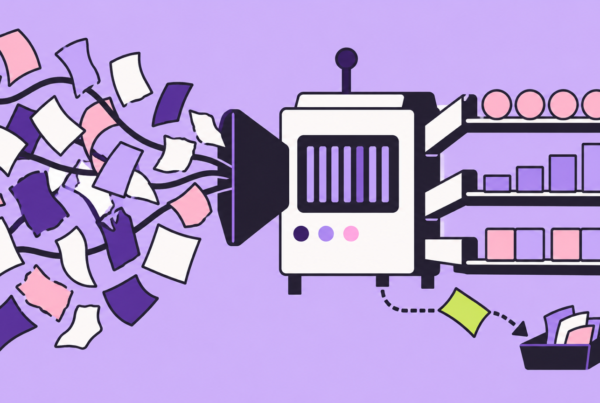
Most creators treat Claude Code as a coding assistant that happens to live in the terminal. That framing undersells it. The terminal is exactly where modern video production already runs: yt-dlp pulls footage, ffmpeg cuts it, Whisper transcribes it, and Remotion renders motion graphics from React. Claude Code sits one layer above all of them as an orchestrator that reads your files, writes the commands, inspects the output, and fixes its own mistakes without you touching a timeline.
This guide maps a complete studio pipeline onto ten CLI tools and API plugins, organized across the four real stages of production: research, asset generation, editing, and publishing. Every tool below is scriptable, most are open source, and each one hands Claude Code a capability that a traditional editor like Premiere or CapCut keeps locked behind a mouse.
The unlock is not a better editor. It is removing the editor entirely and letting an agent drive tools that were always meant to be driven by code.
The 10-Tool Stack at a Glance
Before the deep dives, here is the full stack mapped to its production phase, its job, and what it costs to run. Bookmark this table; it doubles as your install checklist.
| Tool | Phase | Core Job | Type / Cost |
|---|---|---|---|
| Apify | 1. Research | Scrape competitor channels and pull transcripts at scale | API, free tier + usage |
| yt-dlp | 1. Research | Download source footage and audio from the CLI | Open source, free |
| Notion | 1 & 4. Ops | Idea backlog and status tracking via API | API, free tier |
| Claude Code | 2. Generation | Orchestrator, scriptwriter, and command author | Subscription / API |
| Whisper | 2. Generation | Local speech to text and subtitle timing | Open source, free |
| Video-Use | 2. Generation | Computer vision frame inspection for QA | Open source, free |
| Higgsfield | 2. Generation | Generative B-roll, motion, and graphics | API, credits |
| ffmpeg | 3. Editing | Cut, stitch, and merge audio and video | Open source, free |
| Remotion | 3. Editing | React-driven programmatic video and overlays | Open source + license |
| Hyperframes | 3. Editing | HTML and CSS animation rendered to MP4 | Open source, free |
Phase 1: Research and Idea Ingestion
Great automation starts with structured input. This phase turns the open web and your own backlog into machine-readable material Claude Code can reason over.
Apify: Competitor Intelligence at Scale
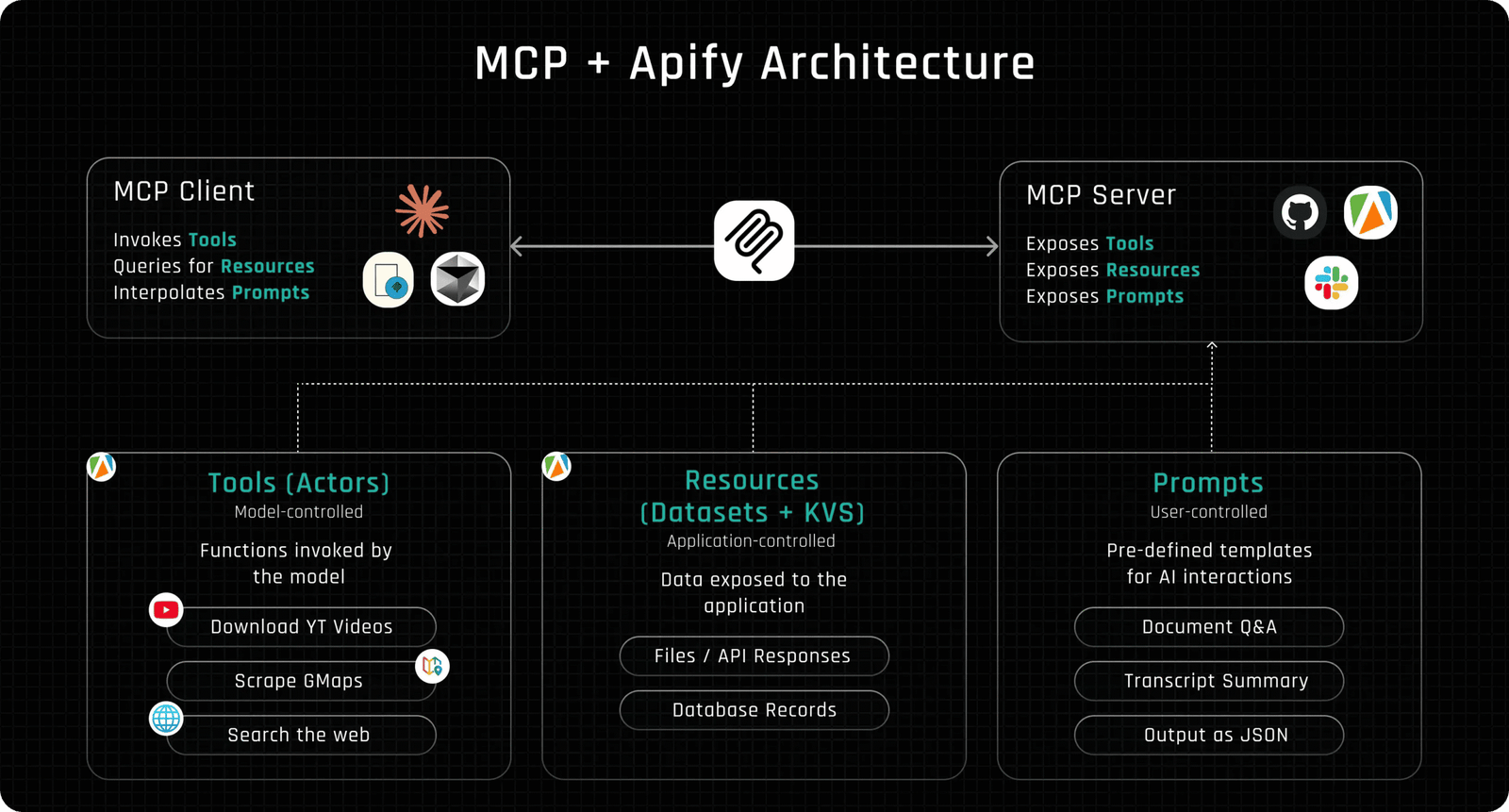
Manual competitor research does not scale past a handful of videos. Apify exposes prebuilt actors that scrape YouTube channels, comments, and transcripts, then return clean JSON you can feed straight into a prompt. Claude Code calls the API, filters for the last 30 days, and hands you the topics that are actually pulling views instead of the ones you assume are.
bash — 80×24
bash — 80×24
# Ask Claude Code to run an Apify YouTube scraper actor
curl -X POST "https://api.apify.com/v2/acts/streamers~youtube-scraper/runs?token=$APIFY_TOKEN" \
  -H "Content-Type: application/json" \
  -d '{"searchQueries":["ai video automation"],"maxResults":25,"dateFilter":"month"}'
yt-dlp: The Footage Engine
Once you know which references matter, yt-dlp pulls them down. It is the most capable downloader in existence, handling format selection, audio extraction, subtitle grabbing, and section clipping in a single command. Claude Code writes the exact invocation based on what you asked for.
bash — 80×24
bash — 80×24
# Extract a clean 1080p clip plus separated audio for transcription
yt-dlp -f "bestvideo[height<=1080]+bestaudio" \
  --download-sections "*00:01:30-00:02:15" \
  --extract-audio --audio-format wav \
  -o "assets/%(title)s.%(ext)s" "https://youtu.be/EXAMPLE"
Notion: The Idea Pipeline
Ideas that live in your head do not ship. A Notion database becomes the single source of truth: every concept gets a row with status, hook, target length, and asset links. Claude Code reads the backlog through the API, picks the next unstarted card, and writes results back when a stage finishes. This is the same database you will reuse in Phase 4 for publishing status.
Phase 2: Content and Asset Generation
With raw material in hand, this phase produces the script, the transcript, the quality checks, and the generated visuals that make a video watchable.
Claude Code: The Master Orchestrator
Claude Code is the conductor, not another instrument. It holds the project context through a CLAUDE.md file, plans the shot list, writes the narration, and then calls every other tool in this stack in sequence. Because it can read command output and error messages, it self corrects: a failed ffmpeg filter graph gets diagnosed and rewritten rather than dumped on you.
Example CLAUDE.md rules that make the agent studio-aware
bash — 80×24
bash — 80×24
# Video Studio Rules
- Source clips live in assets/, renders go to output/
- Always transcribe with Whisper before cutting; use word timings for captions
- Cut with ffmpeg using -c copy when no re-encode is needed
- Motion overlays are Remotion compositions in remotion_studio/src
- Verify every render with Video-Use before marking a Notion card Done
Whisper: Local Speech to Text
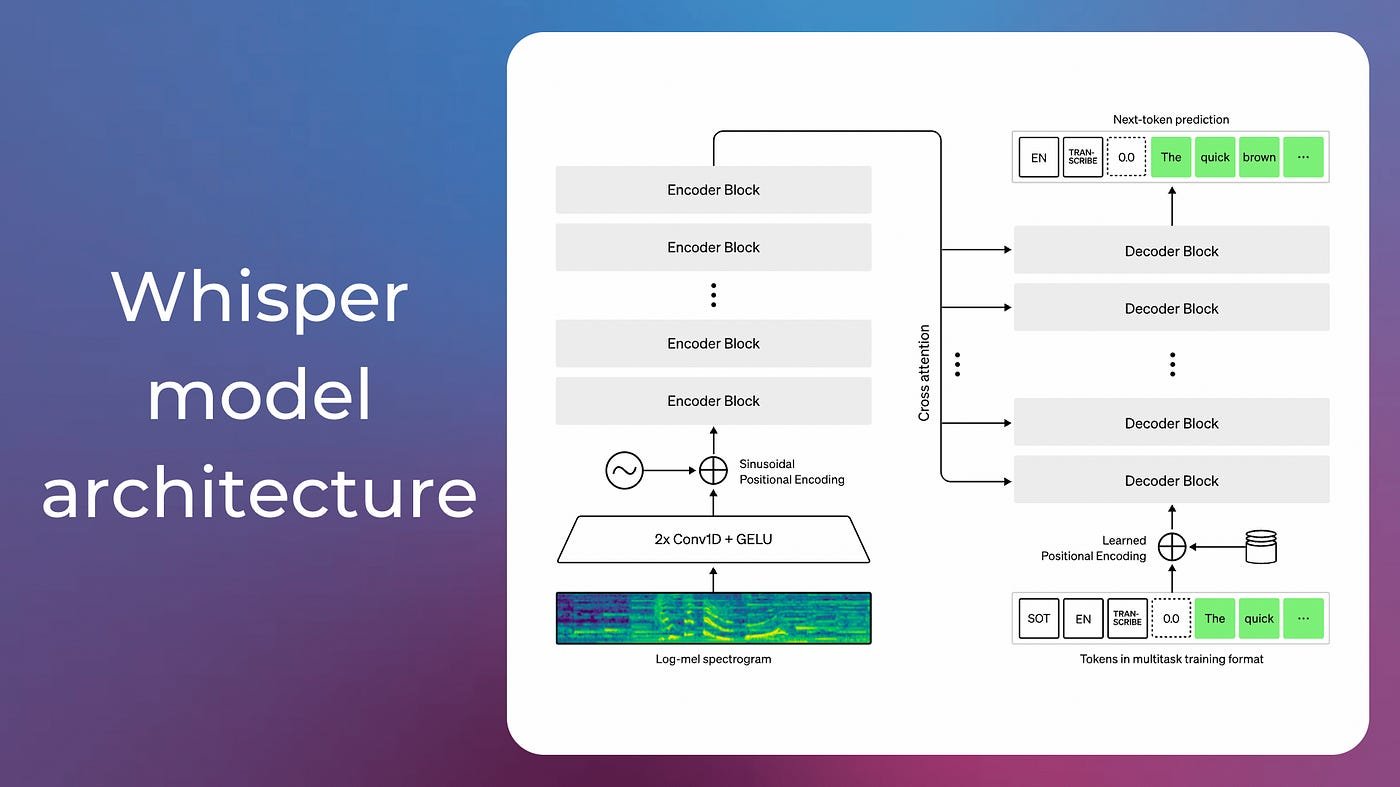
OpenAI’s Whisper runs entirely on your machine, so transcription costs nothing and leaks nothing. Beyond a plain transcript, its word-level timestamps are what drive accurate burned-in captions later. Claude Code runs it, parses the JSON, and keeps the timing data for the caption pass.
bash — 80×24
bash — 80×24
# Transcribe with word timestamps for frame-accurate subtitles
whisper assets/voiceover.wav --model medium \
  --word_timestamps True --output_format json \
  --output_dir transcripts/
Video-Use: Agentic QA for Your Cuts
Automated editing is only trustworthy if something checks the result. Video-Use, the open source browser-use/video-use project, applies the same idea that made browser automation efficient: it reasons over a video’s transcript and structured metadata instead of burning tokens on raw pixels, and it self-evaluates the rendered output at every cut boundary. That gives Claude Code a way to confirm a caption is on screen, a logo sits where it should, or a scene actually cut where it was told to, closing the loop between “the command ran” and “the frame is right.” It is MIT licensed and uses an ElevenLabs key for its transcription pass.
Higgsfield: Generative B-Roll and Graphics
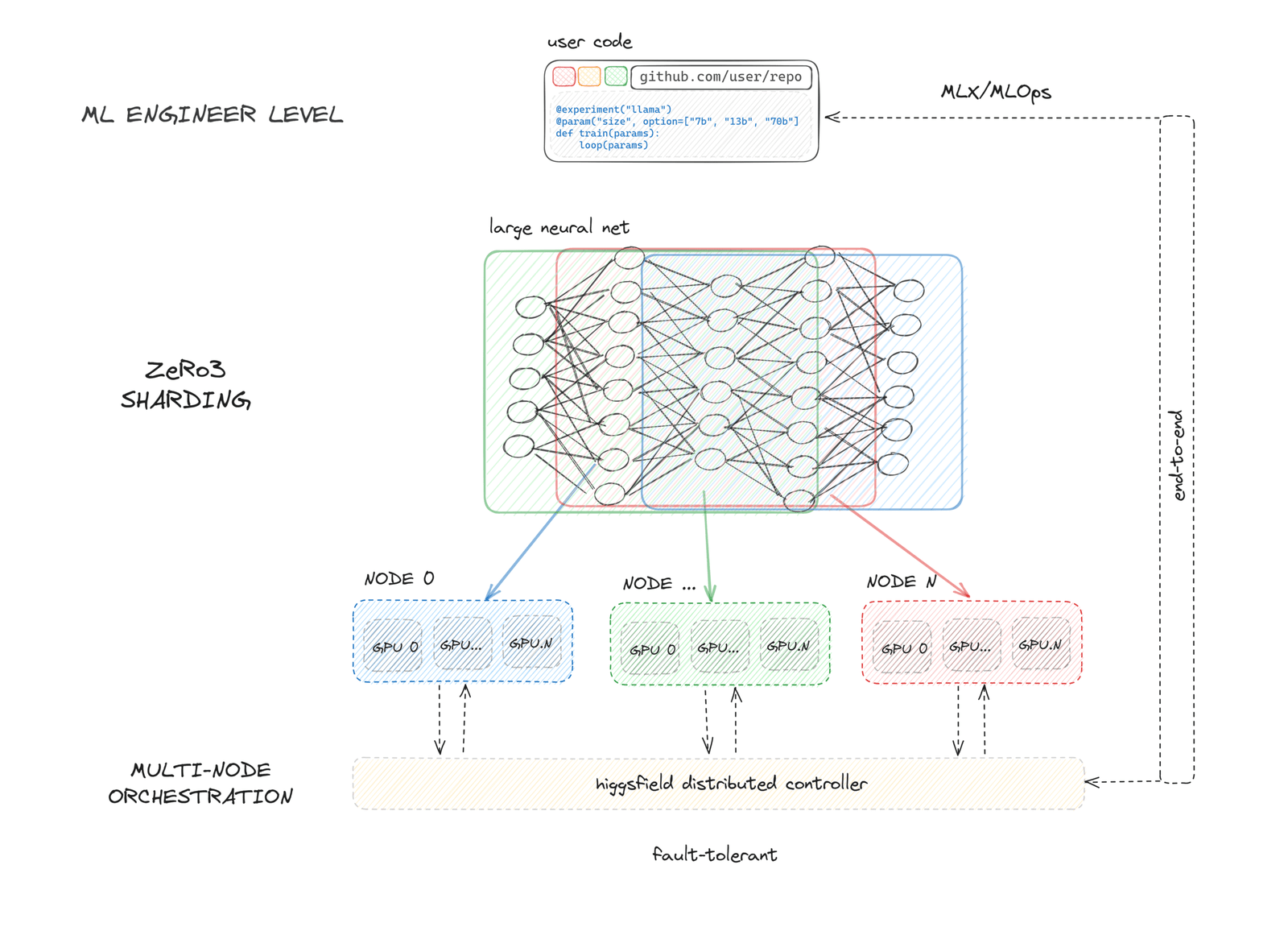
When you need a shot you never filmed, Higgsfield generates it. It produces stylized B-roll, motion backgrounds, and graphic elements from prompts, which Claude Code drops into gaps the storyboard flagged as visually thin. The agent writes the prompt from the script context, so the generated footage matches the narration beat instead of floating in as generic stock.
Phase 3: Editing and Motion Graphics
This is where a timeline would normally live. Instead, three programmable engines assemble the final cut from code.
ffmpeg: The Programmable Timeline
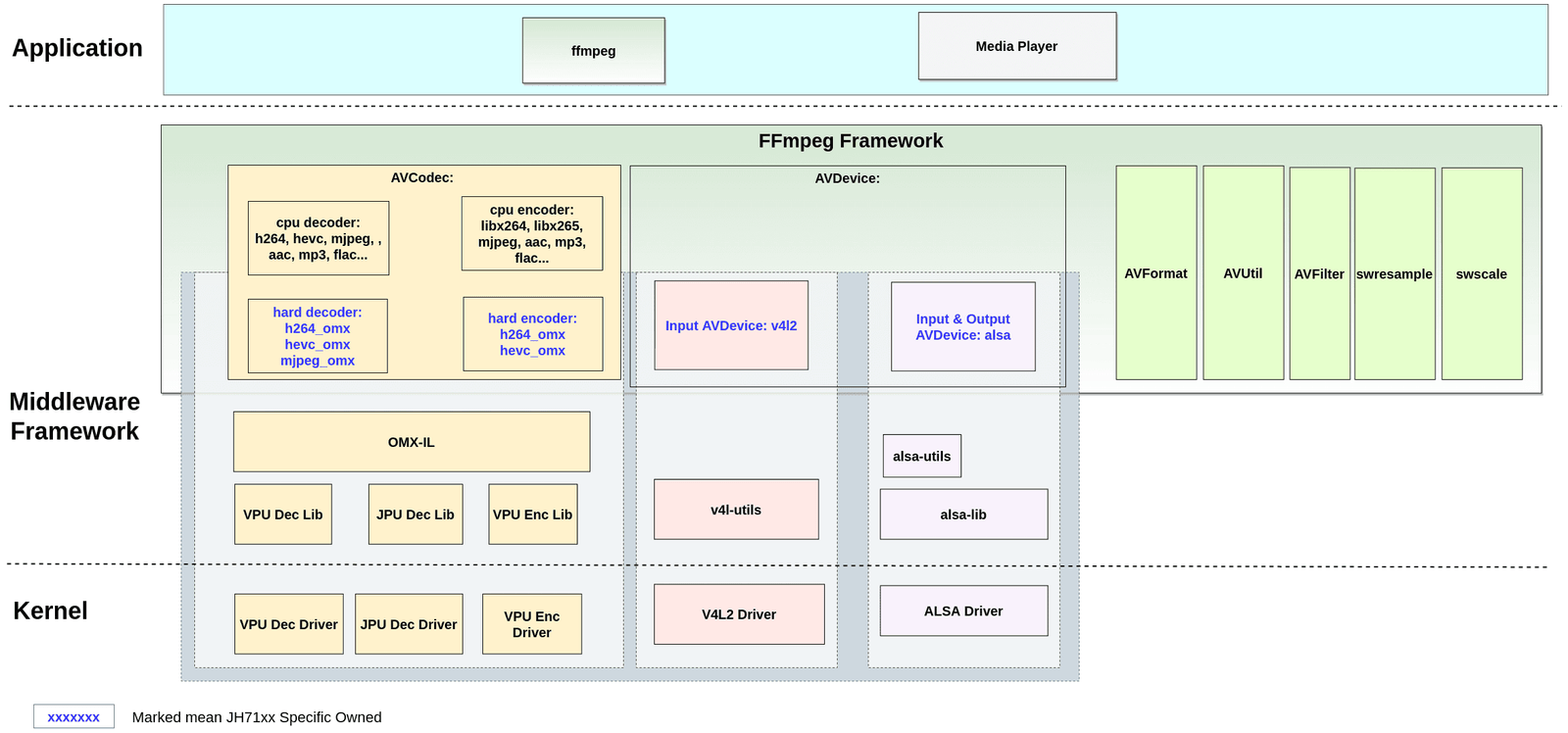
Nearly every video tool on earth wraps ffmpeg somewhere inside it, now at version 9.0 as of August 2026. Used directly, it cuts, concatenates, overlays, and mixes audio with frame accuracy and no interface at all. Claude Code composes the filter graphs, which is precisely the kind of dense, error-prone syntax that benefits from an agent that can read the error and try again.
bash — 80×24
bash — 80×24
# Stitch clips, overlay a caption track, and mix voiceover with music
ffmpeg -i clip1.mp4 -i clip2.mp4 -i voice.wav -i music.mp3 \
  -filter_complex "[0:v][1:v]concat=n=2:v=1[v]; \
  [2:a][3:a]amix=inputs=2:weights=1 0.15[a]" \
  -map "[v]" -map "[a]" -c:v libx264 -crf 18 output/cut.mp4
Remotion: Video as React
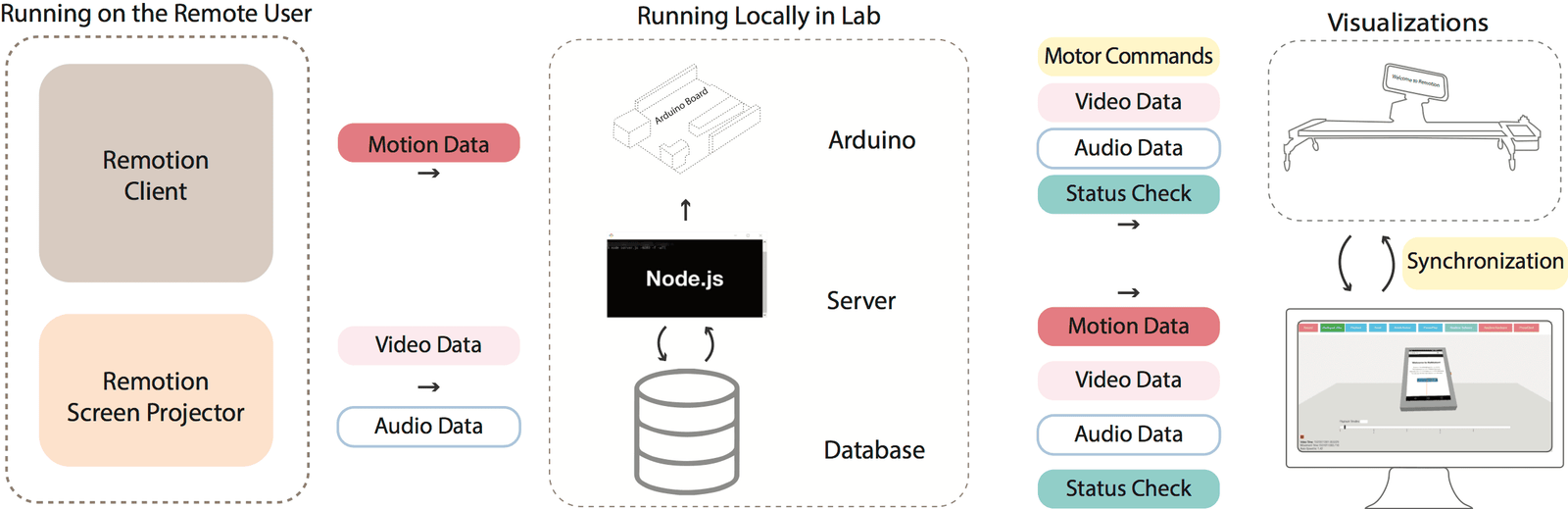
Remotion lets you build video compositions with React components, so titles, lower thirds, and data animations become props instead of manual keyframes. Claude Code already writes React fluently, which means it can generate a fully parameterized intro or an animated stat card and render it headlessly. Note that Remotion requires a license for larger companies, so check the terms before commercial use.
bash — 80×24
bash — 80×24
# Render a Remotion composition to MP4 at single concurrency for stability
npx remotion render src/index.ts MotionTitle \
  output/title.mp4 --props='{"headline":"10 CLI Tools"}' --concurrency=1
Hyperframes: HTML to Deterministic MP4
Some animations are easier to express as plain HTML and CSS than as React. Hyperframes, HeyGen’s open source heygen-com/hyperframes (Apache 2.0), is built explicitly for agents: it takes an animated HTML page, steps through it frame by frame in a headless browser, and exports a pixel-exact MP4. Determinism is the point, because repeated runs produce frame-identical output, which is exactly what you want when an agent regenerates a slide-style explainer or kinetic typography rather than screen recording it. It needs Node 22 and ffmpeg on the path.
Phase 4: Publishing and Pipeline Automation
Notion as the Control Plane
The loop closes where it began. When a render passes its Video-Use check, Claude Code updates the Notion card to a published state, attaches the output path and the final duration, and stamps the date. Nothing is tracked in a spreadsheet you forget to open; the same database that fed the backlog now records what shipped, giving you a live production dashboard your agent maintains on its own.
One database in, one database out. The pipeline becomes a closed system where the agent both reads its next task and reports its own results.
Wiring It Together: One Orchestrated Run
Individually these are ten tools. Under Claude Code they become one command surface. A single prompt like “produce the next short from my Notion backlog” triggers the whole chain: read the card, scrape references with Apify, pull footage with yt-dlp, transcribe with Whisper, generate missing B-roll with Higgsfield, cut with ffmpeg, animate titles in Remotion, verify with Video-Use, and mark the card done in Notion.
The full pipeline expressed as a Claude Code task list
bash — 80×24
bash — 80×24
1. Notion: fetch next card where Status = "Ready"
2. Apify + yt-dlp: gather references and source footage
3. Whisper: transcribe voiceover, keep word timings
4. Higgsfield: generate B-roll for storyboard gaps
5. ffmpeg: assemble rough cut and mix audio
6. Remotion + Hyperframes: render titles and motion overlays
7. Video-Use: inspect frames, confirm captions and cuts
8. Notion: set Status = "Published", log output path + date
Why a CLI Stack Beats a Traditional Editor for Automation
The objection writes itself: a nonlinear editor like Premiere or DaVinci Resolve is faster for a single hand-crafted video. True. The advantage flips the moment you need the same edit applied to ten videos, or a change requested at 11pm, or a format variant for a different platform. A timeline is a one-off artifact. A script is a repeatable asset that Claude Code can rerun, tweak, and version.
| Dimension | Traditional NLE (Premiere, CapCut) | Agent-Driven CLI Stack |
|---|---|---|
| Repeatability | Manual, re-done each time | Deterministic, rerun on demand |
| Batch output | One project at a time | Loop over a Notion backlog |
| Version control | Opaque binary project files | Plain text diffs in git |
| Who operates it | A human at a keyboard | An agent reading your files |
| Format variants | Manual reframe and export | Changed parameters, one command |
None of this replaces craft on a hero video where every frame matters. It replaces the grinding volume work: the shorts, the repurposed clips, the platform variants, and the caption passes that eat hours and reward none of them with creativity. That is the exact labor an agent should absorb.
Where This Breaks, and Honest Limits
This stack is powerful, not magic. Generative B-roll still needs a human eye for brand fit, and Whisper mistimes fast overlapping speech. ffmpeg filter graphs fail in ways that even a capable agent iterates on for a few rounds. Treat Claude Code as a tireless junior editor that executes flawlessly and judges taste poorly. You still direct; it does the thousand mechanical steps between your idea and the export.
Start small. Wire up yt-dlp, Whisper, and ffmpeg first, since those three alone turn Claude Code into a functional editing assistant. Add Apify and Notion when you want the front of the pipeline automated, then layer Remotion, Hyperframes, Higgsfield, and Video-Use as your output quality bar rises. For more agent-driven workflows and production breakdowns, keep an eye on aiartimind.com, where this pipeline gets pushed further every week.
The terminal was always the most powerful video studio available. It just needed an operator who never gets tired of typing the commands. That operator now exists.